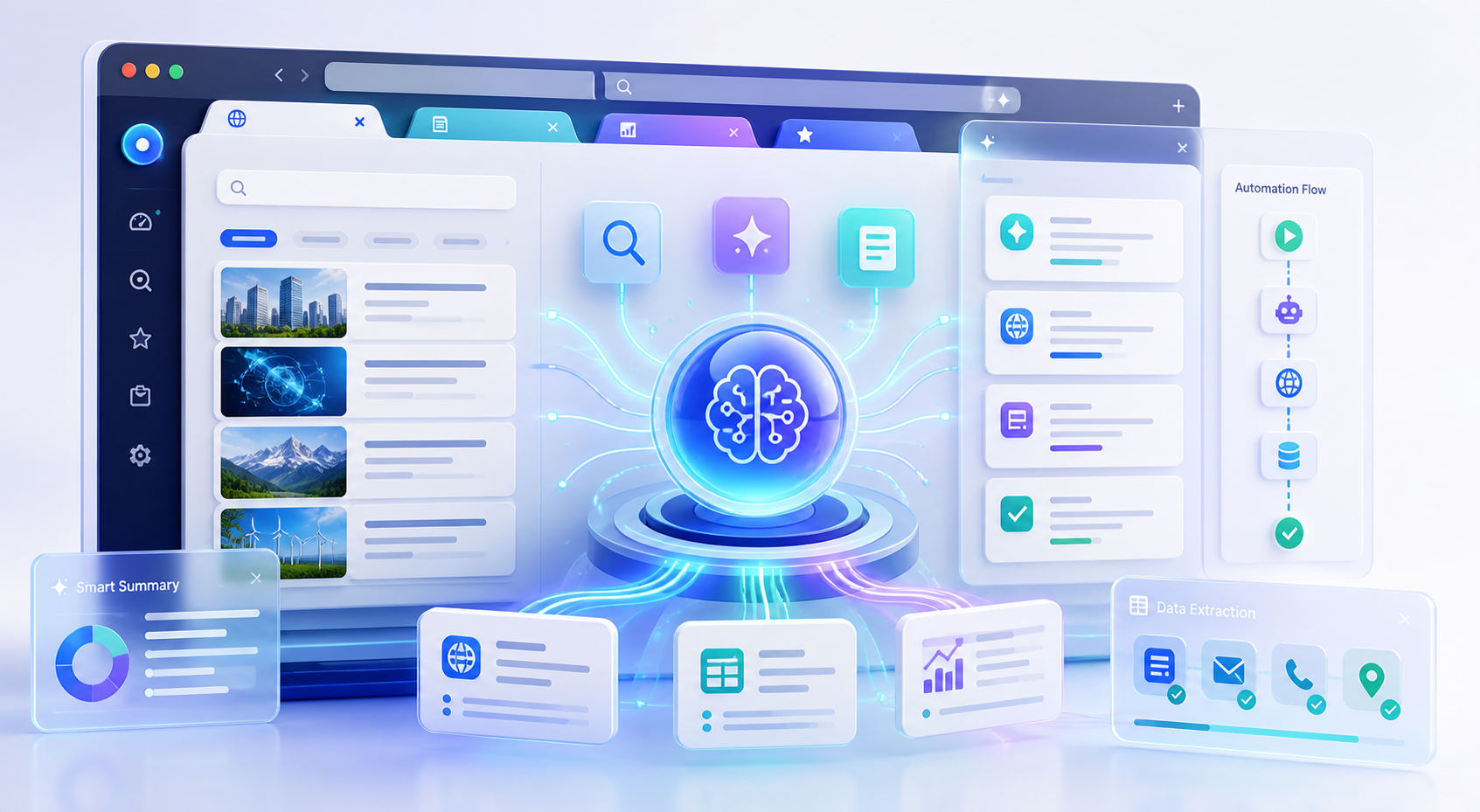
For knowledge workers and business professionals, the browser has become the primary workspace. Yet most of us spend hours daily switching between tabs, copying data between applications, manually researching information, and repeating the same workflows over and over. The average professional manages 10 to 20 browser tabs simultaneously, constantly context-switching between email, research tools, documentation, dashboards, and communication platforms.
This guide focuses on practical execution details, infrastructure constraints, and automation choices around Turn Your Browser Into an AI-Powered Automation Hub. It preserves the core workflow from the source article while repairing structure for clean publication.
For direct product context and implementation ideas, compare LycheeIP proxy infrastructure, Static residential proxies, Rotating residential proxies, Datacenter proxies.
What if your browser could read, understand, and automate everything you do online?
For knowledge workers and business professionals, the browser has become the primary workspace. Yet most of us spend hours daily switching between tabs, copying data between applications, manually researching information, and repeating the same workflows over and over. The average professional manages 10 to 20 browser tabs simultaneously, constantly context-switching between email, research tools, documentation, dashboards, and communication platforms.
This manual approach to browser-based work creates three critical problems:
- Context fragmentation: Information lives in disconnected tabs with no shared understanding
- Repetitive manual work: Copy-paste workflows, form filling, and data entry consume productive time
- Limited tool integration: Browser extensions and web apps rarely communicate or share context
AI-native browsers like Tabbit are changing this paradigm by integrating multiple AI models directly into the browser architecture. Instead of treating AI as an add-on chatbot or sidebar feature, these platforms embed Claude, GPT, and Gemini into every layer of the browsing experience, creating a unified automation hub that understands context across tabs, automates repetitive tasks, and connects workflows that previously required manual intervention.
This article examines how AI-native browser automation works, what it means for daily workflows, and how professionals can evaluate whether this approach delivers measurable time savings.
How AI-Native Browsers Integrate Claude, GPT, and Gemini Into Every Layer
Traditional browsers treat AI as an external tool. You might install a ChatGPT extension or use a separate AI assistant in another tab. AI-native browsers take a fundamentally different approach by building multi-model AI capabilities directly into the browser core.
Multi-Model Architecture
AI-native browsers integrate multiple large language models rather than relying on a single provider. This approach offers several technical advantages:
Model selection based on task type: Different AI models excel at different tasks. Claude performs well with long-form analysis and detailed reasoning. GPT-4 handles creative writing and conversational interactions effectively. Gemini shows strength in multimodal tasks involving images and structured data. An AI-native browser can route tasks to the most appropriate model automatically.
Fallback and redundancy: When one model experiences rate limits or temporary unavailability, the browser can route requests to alternative models without disrupting the user workflow.
Cost optimization: By distributing requests across multiple providers, browser platforms can optimize cost-per-request while maintaining performance standards.
Comparative output: For critical tasks, the browser can query multiple models simultaneously and present comparative results, allowing users to select the most useful response.
Context Awareness Across Tabs
The most significant advantage of browser-level AI integration is persistent context awareness. Traditional browser extensions only see the current page. AI-native browsers maintain a contextual understanding of your entire browsing session:
- Cross-tab data synthesis: The AI understands content across all open tabs and can synthesize information from multiple sources
- Session memory: Previous interactions, searches, and page visits inform current AI responses
- Workflow recognition: The browser identifies repetitive patterns and suggests automation opportunities
- Entity tracking: Named entities like companies, products, or contacts are tracked across tabs and sessions
This contextual layer transforms the browser from a document viewer into an intelligent workspace that understands your goals and can anticipate needs.
Native Integration Points
AI-native browsers embed AI capabilities at multiple integration points:
Address bar intelligence: Natural language queries in the address bar trigger AI-powered search, calculation, or action execution without opening additional tabs.
Page-level understanding: Every webpage is automatically analyzed for key information, entities, and actionable data. This analysis happens in the background without user prompting.
Form automation: AI recognizes form patterns and can auto-fill complex forms using context from other tabs or previous sessions.
Data extraction: Structured data extraction from webpages becomes a native browser capability rather than requiring separate scraping tools or extensions.
Workflow chaining: Multi-step workflows that span multiple websites can be automated as recorded sequences with AI-powered adaptability when page structures change.
Security and Privacy Considerations
Browser-level AI integration raises important security questions. Responsible AI-native browsers implement several safeguards:
- Local processing options: Sensitive data can be processed locally rather than sent to external AI APIs
- Selective context sharing: Users control what information the AI can access across tabs
- API key management: Users can provide their own AI provider API keys for direct control
- Audit trails: AI actions and data access are logged for review
For organizations handling sensitive data or operating in regulated industries, these controls are essential when evaluating AI browser automation.
Reducing Tab Switching by Connecting Browsing, Search, and Research in One Place
The tab switching problem is more than an annoyance. It represents a fundamental inefficiency in how we interact with information online. Every context switch carries a cognitive cost, interrupting focus and requiring mental reconstruction of why you opened that tab in the first place.
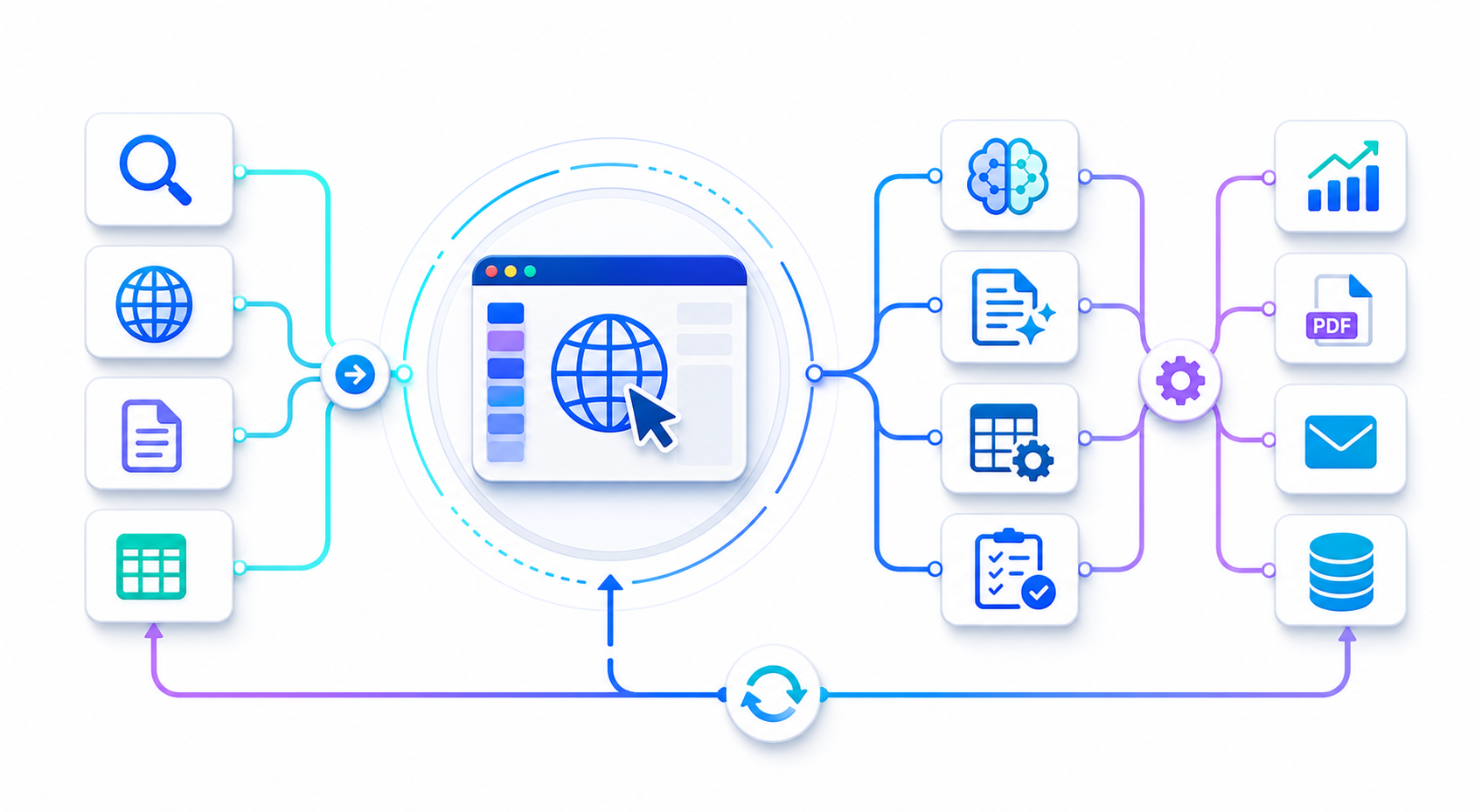
AI-native browsers address this through unified information surfaces that eliminate the need for constant tab navigation.
Unified Search and Research
Traditional web research follows a fragmented pattern:
- Enter search query in one tab
- Open multiple results in new tabs
- Read and extract relevant information from each
- Copy useful information to a document or note-taking app
- Synthesize findings manually
AI-native browsers collapse this multi-step process into a single interaction:
Query with intent understanding: Instead of keywords, you describe what you need to know. The AI understands research intent and query ambiguity.
Automatic source aggregation: The browser retrieves relevant information from multiple sources without requiring you to open individual tabs.
Synthesized answers with citations: AI combines information from multiple pages into coherent answers while maintaining source attribution.
Follow-up context retention: Additional questions build on previous context without re-explaining the research topic.
This approach reduces a 15-minute research task involving 8-10 tabs to a single focused conversation.
Task-Specific Workspaces
AI-native browsers can create dynamic workspaces for specific activities:
Competitive research workspace: When researching competitors, the browser automatically:
- Tracks which competitor sites you visit
- Extracts key product features, pricing, and positioning
- Identifies common themes across competitor content
- Highlights differentiators and gaps
- Compiles findings into structured comparison tables
Content creation workspace: For writing and content development:
- Research sources remain accessible in a sidebar without tab switching
- AI suggests relevant information from open tabs as you write
- Fact-checking happens inline against source material
- Citations are automatically formatted and tracked
Data gathering workspace: For collecting structured information:
- AI identifies repeated data patterns across pages
- Extraction templates are suggested based on observed patterns
- Data is normalized into consistent formats automatically
- Export to spreadsheets or databases happens with one click
Intelligent Tab Management
Even with AI assistance, multiple tabs remain necessary for some workflows. AI-native browsers bring intelligence to tab management itself:
Automatic tab grouping: Related tabs are automatically clustered by topic or task without manual organization.
Inactive tab summarization: Tabs you haven't viewed recently are summarized so you can decide whether to keep them without switching to them.
Session restoration with context: When reopening a previous session, the browser explains what you were working on and why those tabs were open.
Tab search by content: Find tabs by describing their content rather than remembering titles or URLs.
These features reduce the cognitive overhead of managing complex browsing sessions.
Cross-Application Data Flow
Many browser workflows require moving data between web applications. Traditional approaches involve manual copying between tabs. AI-native browsers can automate these data bridges:
- CRM enrichment: Information from LinkedIn profiles, company websites, or research tools automatically populates CRM fields
- Report generation: Data from dashboards, analytics tools, and databases is compiled into formatted reports
- Meeting preparation: Information about meeting participants, their companies, and relevant context is gathered automatically
- Purchase research: Product details, reviews, and price comparisons are synthesized without tab juggling
By understanding the relationships between different web applications, AI-native browsers become intelligent middleware connecting your online tools.
Explore LycheeIP Proxy Infrastructure
Real Workflow Examples Showing Time Saved With Browser AI Automation
Abstract capabilities become meaningful when mapped to specific workflows. These examples demonstrate how browser AI automation translates to measurable time savings.
Workflow 1: Market Research and Competitive Analysis
Traditional approach: A product manager researching competitive positioning typically:
- Searches for competitor names (5 minutes)
- Opens 6-8 competitor websites in separate tabs (10 minutes)
- Manually browses each site to identify key features (30 minutes)
- Takes notes in a separate document (15 minutes)
- Creates a comparison spreadsheet (20 minutes)
- Total time: 80 minutes
AI-native browser approach:
- Enter natural language request: "Compare feature sets of [Product A], [Product B], and [Product C] focused on automation capabilities"
- Browser automatically visits competitor sites, extracts relevant feature information, and identifies positioning themes
- AI compiles findings into a structured comparison table with source citations
- User reviews and refines with follow-up questions
- Total time: 15 minutes
- Time saved: 81% reduction
The automation handles the mechanical work of finding, reading, and organizing information while the professional focuses on analysis and decision-making.
Workflow 2: Lead Research and Outreach Preparation
Traditional approach: A sales professional preparing for outreach:
- Receives list of 20 potential leads (0 minutes)
- Opens LinkedIn profile for each lead (10 minutes)
- Checks company website for each (15 minutes)
- Searches for recent company news (15 minutes)
- Manually compiles notes for each lead (30 minutes)
- Total time: 70 minutes for 20 leads
AI-native browser approach:
- Import lead list with names and companies
- Browser automatically visits LinkedIn profiles and company websites
- AI extracts relevant background, recent activities, and potential conversation hooks
- Personalized outreach angles are suggested for each lead
- Information is formatted in CRM-ready structure
- Total time: 12 minutes for 20 leads
- Time saved: 83% reduction
This workflow demonstrates how browser automation handles high-volume repetitive research tasks that would otherwise consume hours.
Workflow 3: Content Creation With Source Management
Traditional approach: A content marketer writing an industry analysis article:
- Researches topic across 10-15 sources (40 minutes)
- Keeps sources open in tabs for reference (ongoing)
- Switches between writing document and source tabs (constant interruption)
- Manually formats citations (15 minutes)
- Fact-checks claims against sources (20 minutes)
- Total time: 75 minutes plus frequent context switching
AI-native browser approach:
- Describe article topic and key points to cover
- Browser gathers relevant sources automatically
- Write in integrated editor with AI suggesting relevant information from sources
- Citations are tracked and formatted automatically
- Fact-checking happens inline with source verification
- Total time: 35 minutes with minimal context switching
- Time saved: 53% reduction plus improved focus
The time savings here combine reduced research time with eliminated context-switching overhead.
Workflow 4: E-Commerce Price and Product Monitoring
Traditional approach: An e-commerce manager tracking competitor pricing:
- Visits 8-10 competitor product pages daily (15 minutes)
- Records prices in spreadsheet (10 minutes)
- Checks for product availability changes (10 minutes)
- Identifies pricing trends manually (10 minutes)
- Daily time: 45 minutes
AI-native browser approach:
- Define products and competitor sites to monitor
- Browser checks prices automatically on schedule
- Changes are detected and logged
- Alerts trigger when prices change beyond threshold
- Trend analysis is generated automatically
- Daily time: 5 minutes to review reports
- Time saved: 89% reduction
This workflow shows how browser automation can handle ongoing monitoring tasks that previously required daily manual checking.
Workflow 5: Technical Documentation Research
Traditional approach: A developer researching API integration options:
- Opens documentation for 4-5 potential APIs (10 minutes)
- Reads through each to understand capabilities (45 minutes)
- Compares authentication methods (15 minutes)
- Checks rate limits and pricing (15 minutes)
- Documents findings (20 minutes)
- Total time: 105 minutes
AI-native browser approach:
- Ask: "Compare REST APIs for payment processing, focusing on authentication, rate limits, and webhook support"
- Browser accesses documentation for relevant APIs
- AI extracts and compares technical specifications
- Differences are highlighted in structured format
- Code examples are compiled for review
- Total time: 20 minutes
- Time saved: 81% reduction
Developers benefit from automation that handles the mechanical work of documentation review while preserving the ability to dive deeper into specific technical details.
How Browser Automation Connects to Proxy Infrastructure and Data Workflows
Browser AI automation becomes even more powerful when combined with proxy infrastructure for data collection and testing workflows.
Many of the automated research and monitoring workflows described above involve accessing public web data at scale. When automating competitive research, price monitoring, or market analysis across dozens or hundreds of sources, standard browser access quickly encounters limitations:
Rate limiting: Repeated automated requests from a single IP address trigger rate limits or blocks
Geographic restrictions: Content may vary by location or be restricted in certain regions
Access blocks: Some websites limit automated access or require residential IP addresses
Session management: Testing user experiences across different locations or account states requires proper IP and session isolation
This is where proxy infrastructure integrates with browser automation workflows.
Proxy-Enabled Browser Automation Scenarios
Distributed competitive monitoring: When automating competitive research across multiple markets, rotating residential proxies allow the browser to access localized versions of competitor websites without geographic restrictions. This enables accurate pricing and feature comparison across regions.
Large-scale SERP monitoring: For organizations tracking search rankings across multiple keywords and locations, browser automation combined with geo-targeted proxies provides accurate position tracking without triggering search engine rate limits.
Ad verification workflows: Marketing teams verifying that advertisements appear correctly across different regions and demographics need browser automation with location-specific IP addresses to see actual user experiences.
E-commerce price intelligence: Automated price monitoring across dozens of competitor sites benefits from proxy rotation to avoid detection and access restrictions while maintaining continuous data collection.
Account-based testing: QA teams testing account workflows across different user types and geographic locations need proxy infrastructure to properly simulate diverse user sessions.
Proxy Types for Browser Automation
Different browser automation workflows benefit from different proxy types:
residential proxies: Best for accessing websites with strict anti-bot measures or geographic restrictions. Residential IPs come from real devices and ISPs, making automated browser traffic appear as legitimate user activity.
Static residential proxies: Ideal for workflows requiring consistent IP addresses over time, such as maintaining logged-in sessions or building reputation with rate-limited APIs.
datacenter proxies: Suitable for high-volume, non-sensitive automation where speed matters more than IP reputation. Cost-effective for large-scale monitoring tasks that don't face strict access controls.
Rotating proxies: Useful for workflows that need to avoid rate limits by distributing requests across many IP addresses automatically.
Integrating Proxies With AI Browser Automation
AI-native browsers can integrate with proxy infrastructure through several approaches:
Browser-level proxy configuration: Set proxies at the browser level so all automated requests route through specified proxy endpoints.
Workflow-specific proxy assignment: Different automation workflows can use different proxy types based on requirements.
Automatic proxy rotation: The browser can rotate proxy IPs automatically based on request patterns or rate limit detection.
Frequently Asked Questions
What is the core value of Turn Your Browser Into an AI-Powered Automation Hub?
Turn Your Browser Into an AI-Powered Automation Hub matters because it turns a fragmented manual process into a repeatable workflow with clearer inputs, verification steps, and measurable outputs.
Where does proxy infrastructure fit into this workflow?
Proxy infrastructure becomes important when workflows need stable routing, session control, geo-targeting, or protection against rate limits while collecting or validating web data.
Related LycheeIP Guides and Resources
- LycheeIP proxy infrastructure
- Static residential proxies
- Rotating residential proxies
- Datacenter proxies
- Scale lead scraping to 100K+ with n8n
- Email verification in n8n scraping workflows
- Cloud-first network security learning path
- VPN privacy logging reality
- Advanced techniques to unmask anonymous IP addresses
- Free AI browser tools worth using in 2026
- AI browser automation: Tabbit vs traditional setup
- OpenClaw vs Hermes comparison
- TinyFish vs traditional scraping tools comparison