Track Your Brand Across ChatGPT, Claude, and Perplexity for Free
This guide focuses on practical execution details, infrastructure constraints, and automation choices around Free AI Visibility Tracker Built in n8n. It preserves the core workflow from the source article while repairing structure for clean publication.
For direct product context and implementation ideas, compare LycheeIP proxy infrastructure, Static residential proxies, Rotating residential proxies, Datacenter proxies.
Track Your Brand Across ChatGPT, Claude, and Perplexity for Free
Brands can't afford expensive tools to monitor their presence in AI search results. With platforms like Profound AI charging premium prices for AI visibility tracking, most SEO professionals and brand managers are priced out of essential monitoring workflows. Yet as ChatGPT, Claude, and Perplexity increasingly shape how audiences discover brands, the inability to track your visibility across these platforms creates a dangerous blind spot in your digital strategy.
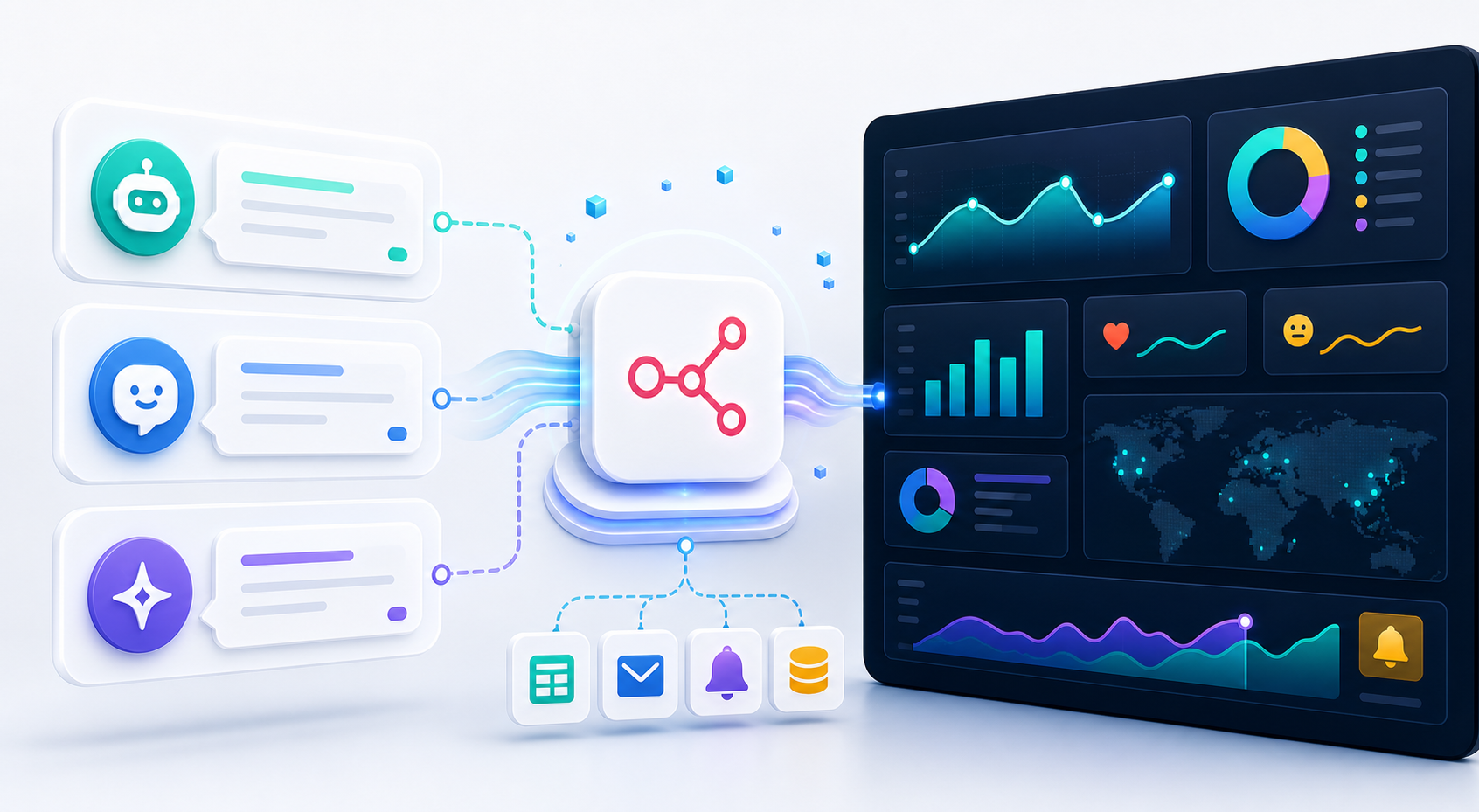
The good news: you can build a powerful AI visibility tracker using n8n, an open-source workflow automation tool, combined with the APFI framework for structured brand monitoring. This approach gives you the same core functionality as premium tools without the recurring subscription costs. You'll gain real-time insights into how AI platforms represent your brand, which competitors appear alongside your mentions, and where gaps in your AI presence exist.
This guide walks through building a complete AI visibility tracking system that queries multiple AI platforms, parses responses for brand mentions, and visualizes the data in a unified dashboard. Whether you're an SEO professional tracking client visibility or a brand manager measuring your AI presence, this workflow delivers actionable intelligence without enterprise pricing.
Setting Up n8n Workflows to Query Multiple AI Platforms
The foundation of your AI visibility tracker is a series of automated queries sent to ChatGPT, Claude, Perplexity, and other AI platforms. n8n provides the automation backbone that orchestrates these queries, manages response collection, and handles data processing.
Installing and Configuring n8n
Begin by installing n8n either as a self-hosted instance or through n8n Cloud. Self-hosting gives you complete control and eliminates per-execution costs, making it ideal for high-volume monitoring. Deploy n8n on a VPS or local server using Docker for quick setup:
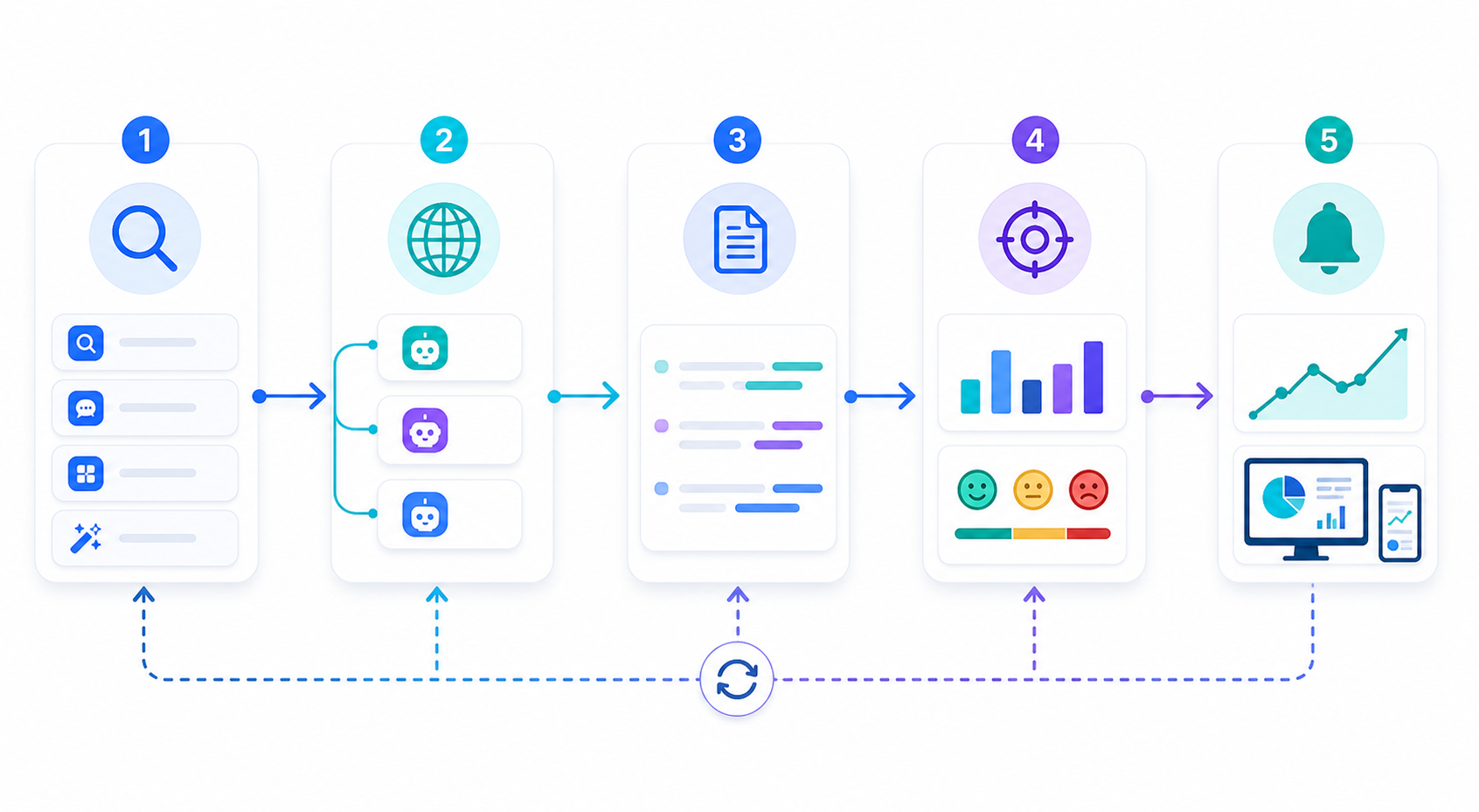
docker run -it --rm --name n8n -p 5678:5678 -v ~/.n8n:/home/node/.n8n n8nio/n8nOnce n8n is running, you'll build separate workflows for each AI platform. Each workflow follows the same basic pattern: trigger on schedule, execute query, capture response, parse data, and store results.
Structuring Your Query Workflows
Create a master workflow that coordinates platform-specific sub-workflows. This approach keeps your automation modular and easier to maintain. Your master workflow should:
- Trigger on a regular schedule (hourly, daily, or weekly depending on monitoring needs)
- Load your list of target queries from a data source
- Execute parallel workflows for each AI platform
- Aggregate results into a unified dataset
- Send data to your visualization dashboard
For each AI platform, you'll need different query mechanisms:
ChatGPT queries use the OpenAI API with specific prompts designed to elicit brand mentions. Structure your prompts to match natural user questions: "What are the best project management tools for remote teams?" rather than "Tell me about [YourBrand]."
Claude queries leverage Anthropic's API with similar prompt engineering. Claude often provides more detailed explanations, so your parsing logic needs to handle longer, more nuanced responses.
Perplexity queries can be automated through their API or, when API access is limited, through controlled web scraping. Perplexity's responses include citations, making it valuable for understanding which sources influence AI recommendations about your brand.
Implementing Query Variation
AI platforms can detect repetitive queries and may rate-limit or block automated requests. Implement query variation strategies:
- Rotate through semantically similar questions
- Vary question phrasing and structure
- Include natural follow-up questions
- Mix brand-specific and category-level queries
Store your query templates in a Google Sheet or Airtable base that n8n can access. This allows non-technical team members to add new monitoring queries without modifying workflows.
Handling API Authentication
Each AI platform requires proper authentication. Store API keys securely in n8n's credentials system rather than hardcoding them in workflows. Set up separate credentials for:
- OpenAI API (for ChatGPT)
- Anthropic API (for Claude)
- Perplexity API (when available)
- Your proxy provider (for web scraping fallbacks)
Rotate API keys regularly and monitor usage to avoid unexpected costs or rate limits.
Explore LycheeIP Proxy Infrastructure
Scraping and Parsing AI Responses for Brand Mentions
Once your workflows successfully query AI platforms, the next challenge is extracting meaningful brand visibility data from responses. AI platforms don't return structured data about brand mentions; you need to parse natural language responses and identify relevant information.
Building Response Parsers
Create dedicated parsing nodes in your n8n workflow that analyze AI responses for:
- Direct brand mentions by name
- Product or service references
- Competitor mentions in the same context
- Position or ranking within lists
- Sentiment and tone of mentions
- Associated attributes or descriptions
Use JavaScript code nodes in n8n to implement parsing logic. A basic brand mention detector might look like:
const brandName = "YourBrand";
const response = $input.item.json.response;
const mentions = [];
const sentences = response.split(/[.!?]/);
sentences.forEach((sentence, index) => {
if (sentence.toLowerCase().includes(brandName.toLowerCase())) {
mentions.push({
sentence: sentence.trim(),
position: index,
context: sentences.slice(Math.max(0, index-1), index+2).join('. ')
});
}
});
return { mentions, totalMentions: mentions.length };
This basic parser captures each mention along with surrounding context, helping you understand how your brand appears in AI responses.
Advanced Parsing with NLP
For more sophisticated analysis, integrate natural language processing libraries or APIs. Send parsed mentions to services like:
- IBM Watson for sentiment analysis
- Google Cloud Natural Language API for entity recognition
- Custom GPT-4 calls for semantic analysis
This additional processing layer identifies whether mentions are positive, neutral, or negative, and extracts related entities like features, benefits, or use cases associated with your brand.
Extracting Competitive Context
AI visibility isn't just about whether your brand appears; it's about how you're positioned relative to competitors. Implement competitive parsing that:
- Identifies all brands mentioned in each response
- Captures the order brands appear
- Notes whether brands appear in lists, comparisons, or standalone recommendations
- Tracks which competitors are grouped with your brand
Store this competitive intelligence in a structured format that allows time-series analysis. You want to see not just current competitive positioning but how it changes over weeks and months.
Handling Proxy Infrastructure for Reliable Scraping
When querying AI platforms through web scraping rather than APIs, reliable proxy infrastructure becomes essential. AI platforms implement bot detection and rate limiting that can quickly block repeated requests from the same IP address.
Proxy rotation solves this by distributing your queries across multiple IP addresses, making your monitoring appear as organic user traffic. For AI visibility tracking, consider:
residential proxies provide IP addresses associated with real ISPs and devices, making them difficult for platforms to distinguish from genuine users. This is particularly valuable for platforms that aggressively block datacenter IPs.
Rotating proxies automatically switch IP addresses between requests, preventing rate limits and detection. Configure rotation at appropriate intervals based on your query frequency.
Geographic distribution allows you to monitor AI responses across different regions. AI platforms often provide localized results, so a brand's visibility in the US might differ significantly from visibility in Europe or Asia.
Integrate proxy infrastructure directly into your n8n workflows using HTTP request nodes configured with proxy settings. Most proxy providers offer HTTP/HTTPS proxy endpoints that work seamlessly with n8n's built-in HTTP request functionality.
Parsing Challenges and Solutions
AI responses vary significantly in structure. One query might return a numbered list, while another provides paragraph-form analysis. Build flexible parsers that handle multiple response formats:
- List detection and extraction
- Paragraph segmentation and analysis
- Table parsing (when AI platforms return structured data)
- Citation and source extraction
Test your parsers against diverse response samples to ensure robustness. Store failed parses separately for manual review and parser improvement.
Creating a Dashboard to Visualize AI Visibility Metrics
Raw data about brand mentions has limited value without clear visualization. The final component of your AI visibility tracker is a dashboard that transforms parsed data into actionable insights.
Choosing Your Dashboard Platform
Several platforms integrate well with n8n for visualization:
Google Sheets offers the simplest implementation. n8n can append rows directly to sheets, and you can build charts and summaries using native Google Sheets functionality. This approach works well for smaller teams and straightforward metrics.
Airtable provides more sophisticated database functionality with built-in views, filters, and relationships. It strikes a balance between ease of use and analytical power.
Grafana delivers professional-grade dashboards with real-time updates and complex visualizations. It requires more technical setup but provides the most powerful analytics capabilities.
Custom web dashboards using tools like Retool or Bubble give you complete control over interface and functionality. This approach requires more development time but allows perfect customization for your specific needs.
For most teams, starting with Google Sheets or Airtable and migrating to Grafana as needs grow provides the best balance.
Key Metrics to Track
Your dashboard should highlight metrics that drive decision-making:
Visibility Score: Calculate a composite score based on mention frequency, position in responses, and sentiment. This single number gives stakeholders a quick health check of AI presence.
Share of Voice: Track what percentage of AI responses in your category mention your brand versus competitors. This shows whether you're gaining or losing mindshare in AI recommendations.
Position Tracking: When AI platforms provide ranked lists, track your average position over time. Like traditional SEO rank tracking, this shows whether your AI visibility is improving.
Sentiment Trends: Visualize the ratio of positive, neutral, and negative mentions. Sudden sentiment shifts often indicate emerging issues or opportunities.
Query Performance: Identify which types of queries generate brand mentions and which don't. This reveals gaps in your AI presence and opportunities for content or SEO optimization.
Competitive Positioning: Show which competitors appear alongside your brand most frequently and how positioning changes over time.
Building Real-Time Alerts
Configure n8n to send alerts when significant changes occur:
- Your brand drops from top mentions in key category queries
- Competitor mentions surge relative to yours
- Sentiment shifts negative across multiple queries
- New competitors appear in AI responses
- Your brand achieves first mention in high-value queries
Implement alerts through Slack, email, or SMS using n8n's extensive integration library. Set appropriate thresholds to avoid alert fatigue while catching meaningful changes.
Dashboard Design Best Practices
Structure your dashboard to serve different stakeholder needs:
Executive View: High-level visibility score, trend direction, and key competitive movements. This view should be scannable in under 30 seconds.
Manager View: Detailed metrics by category, platform, and competitor. Include week-over-week and month-over-month comparisons.
Analyst View: Raw data access, query performance details, and tools for deep-dive investigation. Enable filtering and segmentation across multiple dimensions.
Use color coding consistently: green for positive trends, red for negative, yellow for areas requiring attention. Include brief explanatory text that helps non-technical stakeholders understand what metrics mean and why they matter.
How Proxy Infrastructure Supports Reliable AI Monitoring
Building a sustainable AI visibility tracker requires addressing the technical challenges of automated querying. AI platforms implement increasingly sophisticated bot detection to prevent automated access and ensure platform integrity.
proxy infrastructure provides the foundation for reliable, long-term monitoring by distributing requests across diverse IP addresses and geographic locations. This approach offers several advantages:
Rate Limit Avoidance: Spreading queries across multiple IPs prevents triggering per-IP rate limits. Instead of hitting limits after 10 queries from a single IP, you can execute hundreds or thousands of queries across a proxy pool.
Geographic Testing: AI platforms often provide localized responses based on user location. Proxies with geographic diversity let you monitor how your brand appears to users in different markets. A software company might rank highly in US AI responses but barely appear in European results.
Reliability Through Redundancy: If specific IPs get blocked or rate-limited, your monitoring continues through alternative proxies. This prevents data gaps that compromise trend analysis.
Pattern Obfuscation: Rotating proxies make your automated queries harder to distinguish from organic traffic patterns. When combined with request timing variation and user-agent rotation, this significantly reduces detection risk.
For teams evaluating proxy infrastructure for AI monitoring, consider these factors:
Residential vs. Datacenter Proxies: AI platforms are more likely to block datacenter IP ranges known to be associated with automation. residential proxies, which use IPs assigned to actual consumer devices and ISPs, face significantly lower blocking rates. While more expensive, residential proxies provide more reliable long-term monitoring.
Proxy Rotation Strategy: Static proxies maintain the same IP for extended periods, useful when you need consistent sessions. Rotating proxies switch IPs automatically, better for distributed querying. Most AI monitoring workflows benefit from rotating residential proxies.
Geographic Coverage: If your brand operates globally, ensure your proxy provider offers coverage in all relevant markets. Testing AI visibility in Asia requires Asian proxy locations to capture localized responses.
Frequently Asked Questions
What is the core value of Free AI Visibility Tracker Built in n8n?
Free AI Visibility Tracker Built in n8n matters because it turns a fragmented manual process into a repeatable workflow with clearer inputs, verification steps, and measurable outputs.
Where does proxy infrastructure fit into this workflow?
Proxy infrastructure becomes important when workflows need stable routing, session control, geo-targeting, or protection against rate limits while collecting or validating web data.
Related LycheeIP Guides and Resources
- LycheeIP proxy infrastructure
- Static residential proxies
- Rotating residential proxies
- Datacenter proxies
- Scale lead scraping to 100K+ with n8n
- Email verification in n8n scraping workflows
- Cloud-first network security learning path
- VPN privacy logging reality
- Advanced techniques to unmask anonymous IP addresses
- Free AI browser tools worth using in 2026
- AI browser automation: Tabbit vs traditional setup
- OpenClaw vs Hermes comparison
- TinyFish vs traditional scraping tools comparison