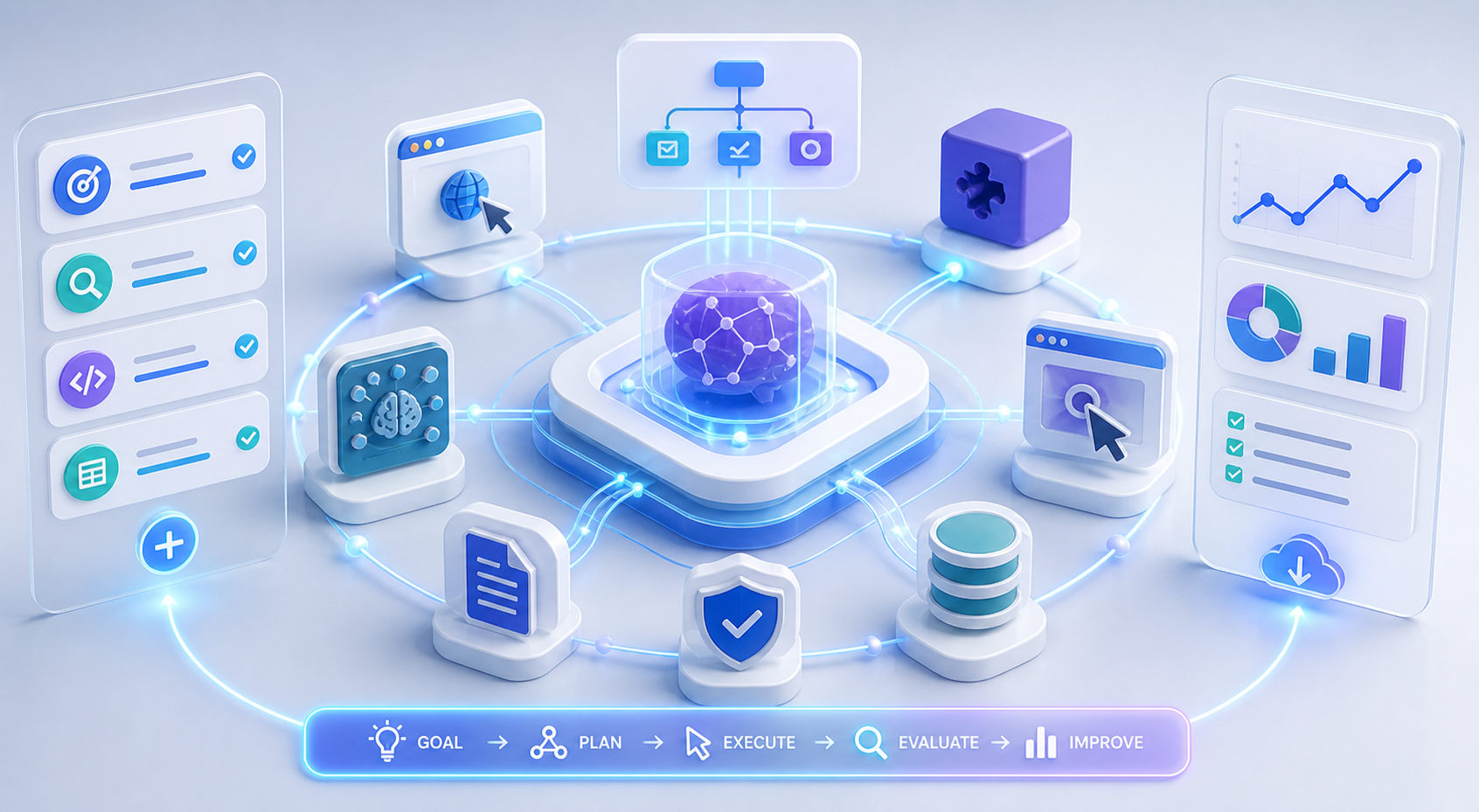
I replaced my entire operating system with Claude Opus—here's what happened.
This guide focuses on practical execution details, infrastructure constraints, and automation choices around Building a Claude-Powered AI Operating System. It preserves the core workflow from the source article while repairing structure for clean publication.
For direct product context and implementation ideas, compare LycheeIP proxy infrastructure, Static residential proxies, Rotating residential proxies, Datacenter proxies.
I replaced my entire operating system with Claude Opus—here's what happened.
If you work with AI tools daily, you know the frustration. You copy text from one application, paste it into ChatGPT, copy the response, paste it into another tool, then manually trigger the next action. Every context switch costs time, increases errors, and fragments your workflow. Disconnected AI tools create friction and context loss across daily workflows, turning what should be seamless automation into a series of manual interventions.
The solution is not another standalone AI assistant. It is transforming Claude Opus into a unified AI operating system that controls browser automation, workflow orchestration, and decision-making across your entire technical stack. This article walks through the architecture, implementation challenges, and practical use cases for building an AI OS that removes friction from automation workflows.
Setting Up Claude as a Central AI Operating System for All Tasks
The concept of an AI operating system differs fundamentally from traditional chatbot implementations. Instead of treating Claude as a one-off query tool, you position it as the control layer that coordinates actions across multiple systems, maintains persistent context, and makes autonomous decisions based on real-time data.
Architectural Foundation
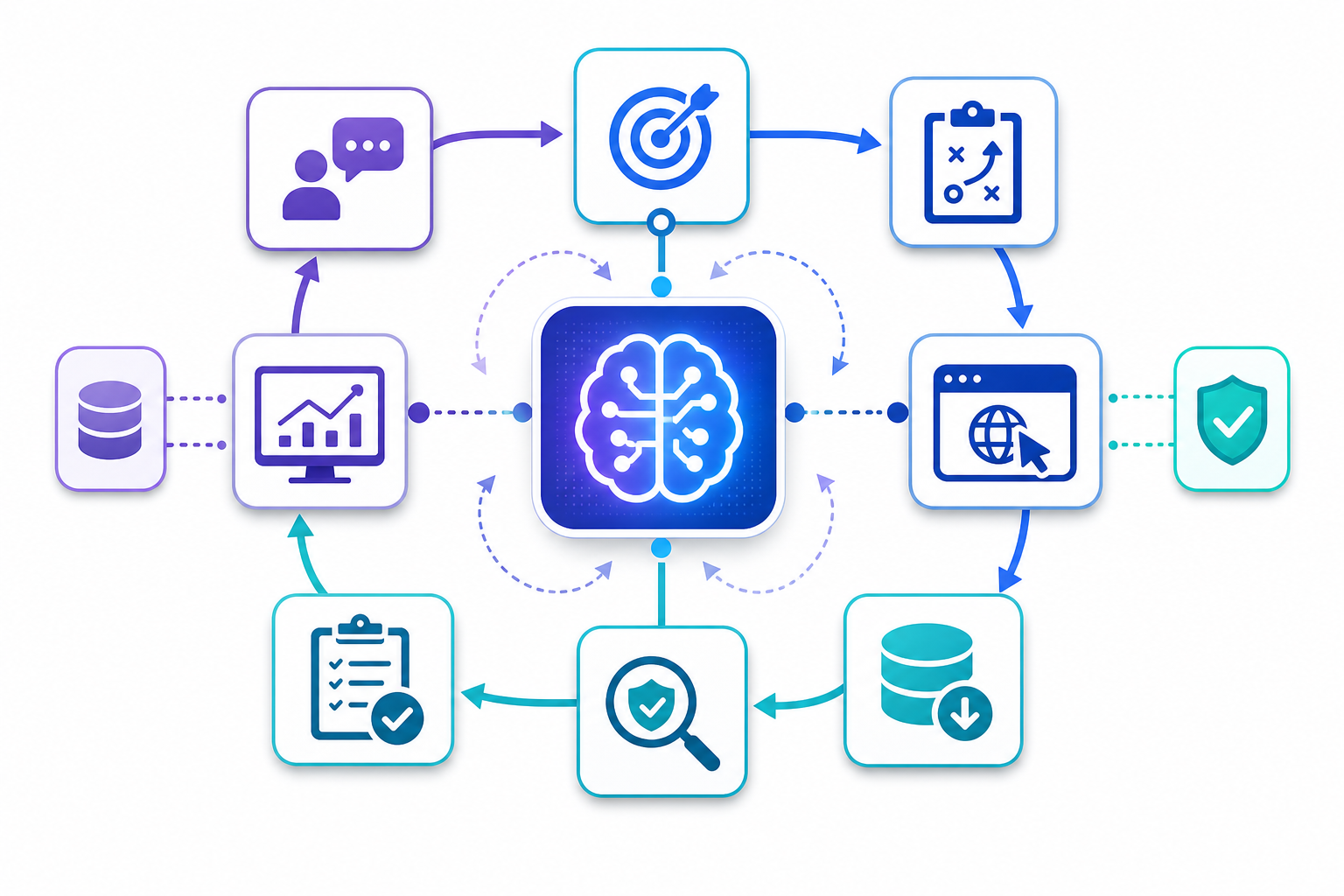
Building Claude into an AI OS requires three core components:
Central orchestration layer: Claude sits at the center, receiving inputs from multiple sources and dispatching commands to various execution environments. This is not a simple API wrapper. It requires state management, context persistence across sessions, and structured decision trees that map natural language intent to specific technical actions.
Action execution framework: Claude cannot directly interact with browsers, APIs, or file systems. You need middleware that translates Claude's natural language outputs into executable commands. This includes browser automation libraries, API clients, database connectors, and file system operations.
Feedback loop architecture: The AI OS must receive confirmation that actions completed successfully, handle errors gracefully, and adjust subsequent decisions based on outcomes. This closes the loop between intent, execution, and verification.
Implementation Approach
Most developers start by connecting Claude to Puppeteer or Playwright for browser control. The workflow looks like this:
- User provides a high-level goal in natural language
- Claude breaks the goal into discrete steps
- Each step maps to browser actions (navigate, click, extract, input)
- Execution layer performs actions and returns results
- Claude evaluates results and determines next steps
- Process repeats until goal is achieved or failure condition is met
The challenge is not the API integration. The challenge is giving Claude enough context about the current state without exceeding token limits, structuring prompts so Claude reliably outputs parseable action commands, and handling the inevitable edge cases where websites behave unpredictably.
Context Management Strategy
An AI operating system requires persistent memory across tasks. When you ask Claude to monitor competitor pricing, then later ask it to update your own pricing based on those observations, it needs access to the earlier data without you manually providing it again.
Practical approaches include:
Vector database integration: Store conversation history, scraped data, and task outcomes in a vector database. When a new task begins, retrieve semantically relevant context and inject it into Claude's prompt.
Structured logging: Every action generates a structured log entry with timestamp, action type, inputs, outputs, and success status. Claude can query this log to understand what happened previously.
Session state objects: Maintain a JSON object representing current application state. Update it after each action. Include it in every prompt to Claude so it always knows the current situation.
Prompt Engineering for Control
Getting Claude to consistently output structured commands requires careful prompt design. Instead of asking Claude to explain what it would do, you need it to output JSON or a structured format your execution layer can parse.
Example prompt structure:
You are an AI operating system controlling a browser. Based on the user goal and current page state, output your next action as JSON.
User Goal: [goal]
Current URL: [url]
Page Elements: [simplified DOM]
Previous Actions: [action history]
Output format:
{
"action": "navigate|click|input|extract|wait",
"target": "css_selector_or_url",
"value": "text_to_input_if_applicable",
"reasoning": "brief_explanation"
}
This structured approach reduces ambiguity and makes Claude's outputs directly executable.
Integrating Browser Automation with AI-Powered Decision Making
Browser automation alone is not new. Selenium, Puppeteer, and Playwright have enabled programmatic browser control for years. The breakthrough with an AI OS is replacing brittle, hard-coded selectors and logic with adaptive decision-making.
Adaptive Element Selection
Traditional scrapers break when websites change their HTML structure. You hard-code a CSS selector, the site redesigns, and your automation fails. An AI OS approaches this differently:
- Extract a simplified representation of the page structure
- Provide this to Claude along with the goal
- Claude identifies which element to interact with based on semantic understanding
- Execution layer performs the action
- If the action fails, Claude examines the new page state and tries an alternative approach
This adaptive selection makes automation more resilient. When a login button changes from `#login-btn` to `.auth-submit`, Claude identifies it as the authentication element regardless of the selector.
Handling Dynamic Content and Authentication
Many workflows require navigating authentication flows, waiting for dynamic content to load, or handling CAPTCHAs and rate limits. An AI OS handles these with conditional logic:
Authentication workflows: Instead of hard-coding username and password field selectors, Claude identifies login forms semantically, handles multi-step authentication, and adapts to different auth patterns across sites.
Dynamic content loading: Claude monitors page changes, identifies when new content appears, and decides whether to wait longer or proceed based on the goal.
Rate limit detection: When a request returns a 429 status or a CAPTCHA challenge appears, Claude recognizes the pattern and can implement backoff strategies or route requests through different network paths.
This last point connects directly to proxy infrastructure. When Claude detects rate limiting or geographic restrictions, it needs the ability to route requests through different IP addresses and locations.
Proxy Integration for AI-Driven Workflows
An AI OS controlling browser automation at scale requires proxy infrastructure for several reasons:
Geographic testing: When Claude automates competitive research across different markets, it needs to view websites as users in those regions would see them. Residential proxies in specific countries enable accurate geo-specific data collection.
Rate limit avoidance: Automated workflows trigger more requests than manual browsing. Rotating proxies distribute requests across multiple IPs, reducing the likelihood of blocks or CAPTCHAs.
Account separation: If your AI OS manages multiple accounts or sessions simultaneously, each needs its own consistent IP context. Static residential proxies provide stable IPs for session-based workflows.
Failure recovery: When Claude detects that a request failed due to IP-related issues, it can instruct the execution layer to retry with a different proxy. This adaptive routing turns temporary failures into successful outcomes.
Implementing proxy support in your AI OS execution layer typically involves:
- Configuring browser automation libraries to route traffic through proxy servers
- Providing Claude with information about available proxy pools and their characteristics
- Letting Claude decide when to switch proxies based on error patterns
- Maintaining session affinity when workflows require consistent IPs
For teams building AI-driven automation at scale, proxy infrastructure providers like LycheeIP offer residential and datacenter proxy solutions designed for scraping, automation, and public data collection workflows. The key is ensuring your proxy setup supports the dynamic routing decisions your AI OS needs to make.
Multi-Step Workflow Orchestration
The real power of an AI OS emerges with complex, multi-step workflows that span multiple websites and data sources:
Explore LycheeIP Proxy Infrastructure
Example workflow: Competitive price monitoring and adjustment
- Claude navigates to competitor websites
- Extracts current pricing for comparable products
- Stores pricing data with timestamps
- Analyzes pricing trends over time
- Determines optimal pricing adjustments for your products
- Logs into your e-commerce admin panel
- Updates product prices
- Verifies changes took effect
- Generates a summary report
Each step requires browser automation, data extraction, analysis, and decision-making. Claude coordinates the entire flow, handling errors at any stage and adapting the approach based on what it finds.
Traditional automation requires you to anticipate every possible page structure, error condition, and edge case in advance. An AI OS adapts to unexpected situations by reasoning about the current state and determining appropriate next steps.
Error Handling and Recovery
Robust error handling separates functional AI automation from production-ready AI operating systems. When a step fails, Claude needs structured information about the failure:
- What action was attempted
- What error occurred (timeout, element not found, authentication failure, network error)
- Current page state
- Available alternative approaches
With this context, Claude can:
- Retry with modified parameters
- Try an alternative selector or workflow
- Route through a different network path
- Skip the problematic step if non-critical
- Abort and report the issue if unrecoverable
This adaptive error handling makes AI-driven automation viable for production workflows where failures are expensive.
Use Cases for AI OS in Daily Productivity and Business Operations
An AI operating system built on Claude unlocks automation workflows that were previously too complex or too brittle to implement reliably.
Data Collection and Research
Market research automation: Instruct Claude to research a topic across multiple sources, extract relevant data points, synthesize findings, and generate a structured report. The AI OS navigates search engines, visits relevant websites, extracts information, and compiles results without manual intervention.
Competitor monitoring: Set recurring tasks where Claude checks competitor websites for product changes, pricing updates, new content, or feature releases. It identifies changes from previous observations and alerts you to significant developments.
SERP tracking: Monitor search engine results for target keywords across different locations and devices. Claude navigates search engines with appropriate geographic context (using proxies for accurate localization), extracts rankings, and tracks changes over time.
Account and Session Management
Multi-account workflows: For teams managing multiple client accounts or test environments, an AI OS automates logging in, performing account-specific tasks, and logging out across dozens of accounts. Session isolation through proxy infrastructure ensures each account maintains its own stable network identity.
Quality assurance testing: Claude performs user workflows across your application, testing different user paths, input combinations, and edge cases. It identifies broken flows, unclear interfaces, or error conditions without requiring detailed test scripts.
E-Commerce Operations
Product catalog management: Automatically update product information across multiple sales channels. Claude extracts data from your primary catalog, formats it for each platform's requirements, logs into each admin interface, and makes the updates.
Inventory monitoring: Track inventory levels across multiple warehouses or suppliers. Claude visits supplier portals, extracts availability data, compares it against your current stock, and generates reorder recommendations.
Review monitoring and response: Monitor customer reviews across platforms, identify reviews requiring responses, draft appropriate replies based on sentiment and content, and submit them for approval or post them automatically based on confidence thresholds.
Ad Verification and Monitoring
Ad placement verification: Confirm your advertisements appear correctly across different regions, devices, and placements. Claude navigates to pages where ads should appear, verifies their presence and correct rendering, and flags issues.
Ad fraud detection: Monitor for suspicious patterns in ad traffic or placements. An AI OS can identify anomalies that suggest click fraud, impression fraud, or placement on inappropriate sites.
Developer Workflows
Documentation maintenance: Keep documentation synchronized with code changes. Claude monitors code repositories for changes, identifies documentation that needs updates, and either makes the updates automatically or generates draft updates for review.
Deployment verification: After deploying code changes, Claude performs smoke tests by navigating through critical user workflows, verifying functionality, and checking for obvious issues.
Practical Limitations
AI operating systems are powerful but not without constraints:
Token costs: Every action requires API calls to Claude, each consuming tokens. Complex workflows with extensive context quickly accumulate costs. Optimize by summarizing history, filtering irrelevant context, and batching decisions where possible.
Latency: AI decision-making adds latency compared to hard-coded automation. Each step might take several seconds while Claude analyzes the situation and determines the next action. This makes AI OS workflows slower than traditional scripts.
Reliability: Claude sometimes outputs malformed JSON, makes incorrect decisions, or misinterprets page state. Production systems need validation layers, retry logic, and human oversight for critical actions.
Ethical and legal considerations: Automated browsing and data collection must respect website terms of service, robots.txt directives, and applicable regulations. Use AI automation for legitimate purposes like public data collection, testing, research, and monitoring. Avoid overwhelming target websites with excessive requests.
How Proxy Infrastructure Enables AI OS Workflows
As you scale AI-driven automation, proxy infrastructure becomes essential rather than optional.
Geographic Accuracy in Data Collection
When your AI OS collects pricing data, search results, or content availability across different markets, it needs to view websites from those geographic perspectives. A user in Germany sees different content, prices, and availability than a user in Japan. residential proxies in specific countries enable accurate geo-testing and market research.
Distributed Request Patterns
AI automation generates request patterns different from human browsing. Higher frequency, consistent timing, and repetitive actions trigger anti-bot systems. Rotating proxy pools distribute requests across multiple IPs, making your automation appear as organic traffic from different users.
Session Persistence
Some workflows require maintaining a consistent session across multiple actions. Account-based tasks, shopping cart workflows, and authenticated sessions need stable IPs. Static residential proxies provide persistent IPs that maintain session state without triggering security flags.
Failure Resilience
When Claude encounters an IP block or geographic restriction, proxy infrastructure provides alternative network paths. Instead of failing completely, the AI OS can route the request through a different proxy and continue the workflow.
Frequently Asked Questions
What is the core value of Building a Claude-Powered AI Operating System?
Building a Claude-Powered AI Operating System matters because it turns a fragmented manual process into a repeatable workflow with clearer inputs, verification steps, and measurable outputs.
Where does proxy infrastructure fit into this workflow?
Proxy infrastructure becomes important when workflows need stable routing, session control, geo-targeting, or protection against rate limits while collecting or validating web data.
Related LycheeIP Guides and Resources
- LycheeIP proxy infrastructure
- Static residential proxies
- Rotating residential proxies
- Datacenter proxies
- Scale lead scraping to 100K+ with n8n
- Email verification in n8n scraping workflows
- Cloud-first network security learning path
- VPN privacy logging reality
- Advanced techniques to unmask anonymous IP addresses
- Free AI browser tools worth using in 2026
- AI browser automation: Tabbit vs traditional setup
- OpenClaw vs Hermes comparison
- TinyFish vs traditional scraping tools comparison