
BlockAway Not Working? Fix Common Proxy, Video, and Access Problems helps readers match BlockAway-related search intent to the right safety, troubleshooting, comparison, or proxy-infrastructure decision.
When BlockAway is not working, the cause is usually one of six things: the target blocks proxy IPs, media requests fail, JavaScript breaks after rewriting, the session expires, mobile handling differs, or shared servers are slow.
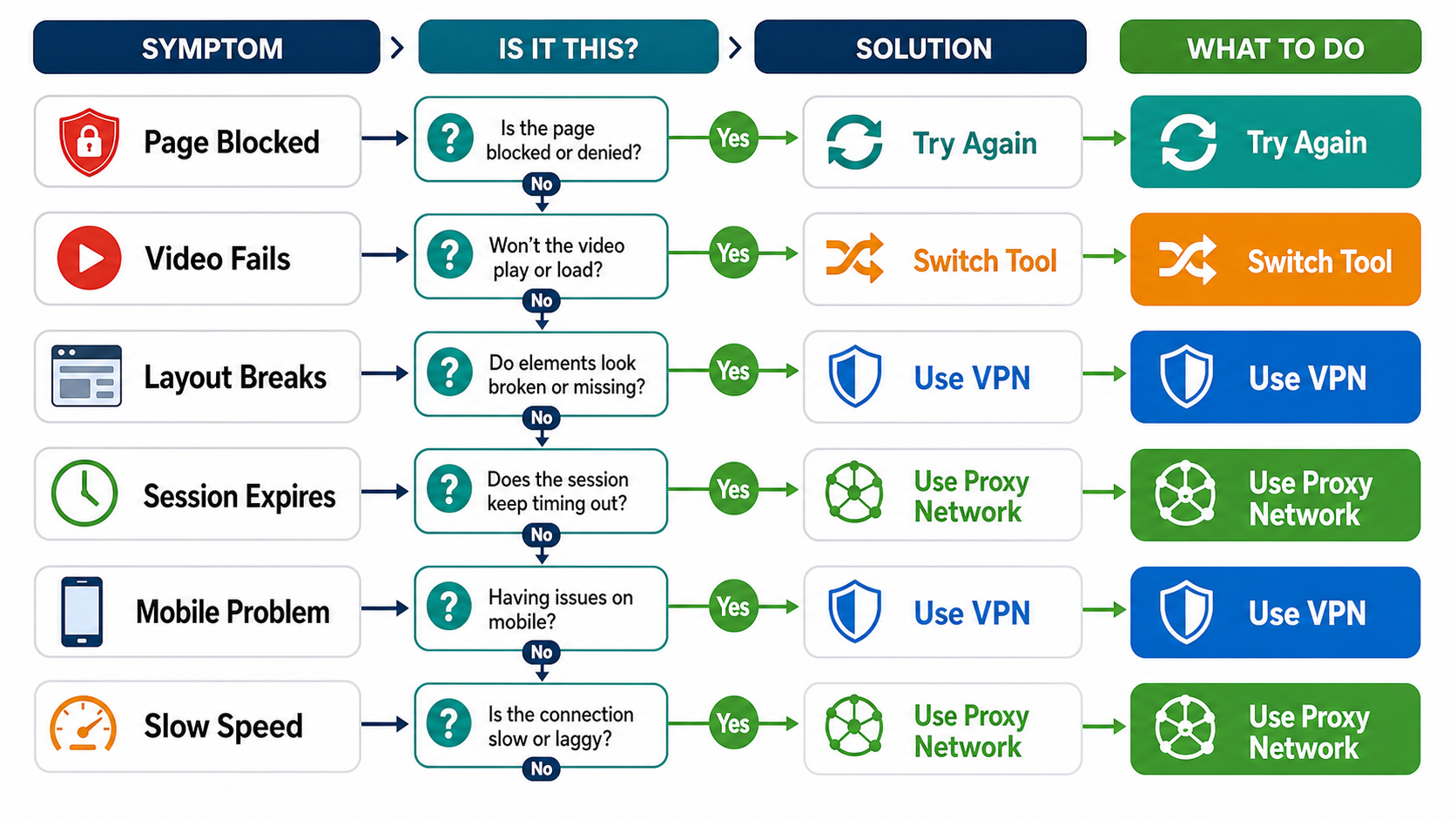
Fast troubleshooting checklist
| Symptom | Likely cause | Try this |
|---|---|---|
| Page blocked | Target rejects the shared proxy IP | Retry later or switch route |
| Video fails | Media requests are blocked or too slow | Lower quality or use a better-fit tool |
| Layout breaks | JavaScript or asset rewriting failed | Use a normal browser route for testing |
| Session expires | Proxy session timed out | Reload and avoid long idle periods |
| Mobile issue | Browser cookies, popups, or media behavior differs | Try desktop browser or VPN |
Before troubleshooting, confirm whether you are solving a casual unblocker problem or a workflow reliability problem. The BlockAway proxy review, website unblocker comparison, and Playwright stealth workflow cover those different intent layers.
Why pages get blocked
A target can return an error, challenge, redirect, or blank page when it dislikes the proxy IP or request pattern. The MDN HTTP status code reference helps decode the visible status family, but not every blocked page exposes a clean HTTP error.
Why YouTube or video fails
Video depends on multiple requests, scripts, codecs, and content delivery routes. If the proxy cannot rewrite or stream those requests quickly enough, you may see buffering, black screens, or unsupported-player errors.
Why JavaScript-heavy sites break
Modern web apps load data after the first page render. A proxy has to rewrite URLs, cookies, CORS-like behavior, assets, and scripts. The MDN JavaScript documentation is a neutral reference for why JavaScript-heavy pages behave differently from static HTML.
When retrying is a waste of time
If the same site fails repeatedly, switch intent. Use a VPN for personal browsing, rotating residential proxies for request distribution, static residential proxy planning for stable sessions, or SOCKS5 and HTTPS proxy setup guide for configured tools.
Where LycheeIP fits
LycheeIP is not a replacement for casual web proxies in every low-risk case. It is for teams that need cleaner IP choices, session control, geographic targeting, and workflow reliability. Start with LycheeIP proxy infrastructure, review the residential proxy guide, compare datacenter proxies, and use the AI-powered browser automation hub when browser behavior is part of the workflow.
Related BlockAway guides
Use these supporting guides to move from one broad BlockAway query into the exact intent you need.
- BlockAway proxy review
- BlockAway alternatives
- Is BlockAway safe?
- BlockAway vs CroxyProxy
- Free web proxy vs VPN vs rotating proxy
Explore LycheeIP Proxy Infrastructure
Frequently Asked Questions
Why is BlockAway not working?
The target may block proxy IPs, media may fail, JavaScript may break, the session may expire, or the server may be overloaded.
Why does BlockAway video fail?
Video needs bandwidth and multiple media requests, which free proxy infrastructure may not handle reliably.
Why does BlockAway show a blank page?
Script or asset rewriting may fail, or the target may block the proxy route.
Should I keep refreshing?
Only briefly. Repeated failures usually mean you need a different tool or route.
What should developers use instead?
Use a controlled browser and proxy setup designed for repeatable testing.