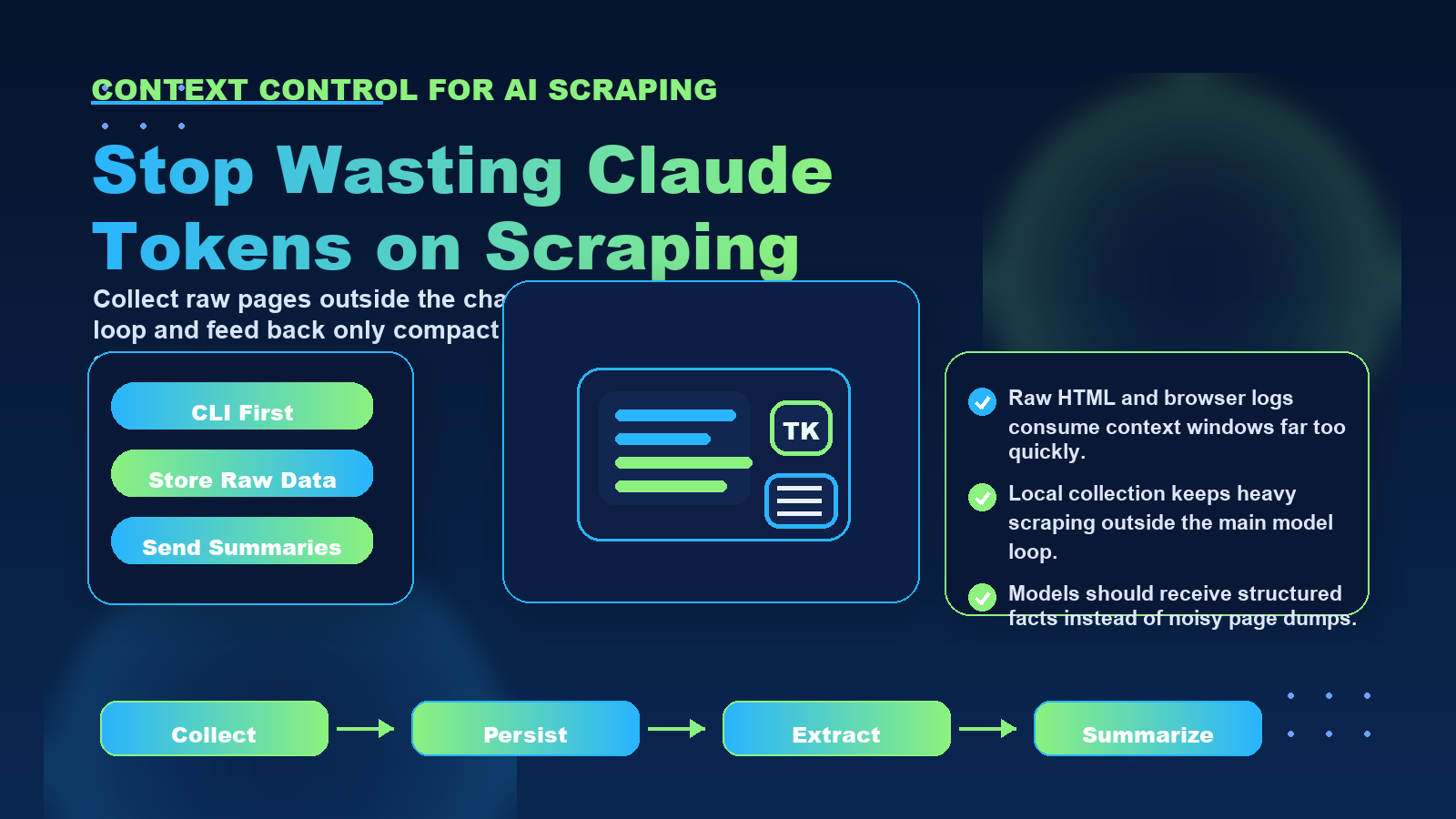
Your AI agent is bleeding tokens. Here's how to stop it.
For teams comparing privacy, geo-testing, and data collection workflows, the practical question is not only what an IP address reveals. It is also how clean routing, trusted proxy infrastructure, session control, and compliance practices shape the final result.
For official technical background, see IANA number resources, ARIN IPv4 resources, RFC 791 Internet Protocol, MDN X-Forwarded-For reference.
Terminal AI agents like Claude Code, Hermes, and OpenClaw burn through expensive tokens inefficiently when scraping web data. Every scraped HTML page, API response, or data payload gets loaded into the agent's context window, consuming thousands of tokens that could be used for actual reasoning and decision-making. The problem compounds quickly: a single product page might contain 50KB of HTML, eating up 12,000+ tokens before the agent even starts processing the data.
The solution is not more context window capacity. It's a fundamental shift in how agents interact with scraped data. By adopting a CLI-first approach that stores data to disk instead of keeping it in context, developers can reduce token consumption by 80-90% while maintaining full scraping capabilities.
Firecrawl Tutorial: Add Web Scraping to Any App
CLI Scraping Tool Setup
Your scraping tool should accept commands via standard input/output and perform all HTTP operations independently. A minimal Python implementation:
```python
import sys
import json
import requests
from pathlib import Path
def scrape_url(url, output_path, proxy=None):
proxies = {'http': proxy, 'https': proxy} if proxy else None
response = requests.get(url, proxies=proxies, timeout=30)
Path(output_path).write_text(response.text)
return {'status': 'success', 'size': len(response.text)}
if __name__ == '__main__':
command = json.loads(sys.argv[1])
result = scrape_url(
command['url'],
command['output'],
command.get('proxy')
)
print(json.dumps(result))
```
The agent invokes this with a command like:
```bash
python scrape.py '{"url": "https://example.com/product", "output": "data/raw/001.html", "proxy": "http://proxy.example.com:8080"}'
```
The tool writes the HTML to disk and returns only a status summary to the agent. Tokens consumed: approximately 100 for the command and response. Tokens saved: 10,000+ that would have held the HTML.
File Organization Scheme
Structure your scraping project with clear directories:
```
project/
├── data/
│ ├── raw/ # Raw HTML responses
│ ├── parsed/ # Extracted structured data
│ ├── summaries/ # Agent-friendly summaries
│ └── errors/ # Failed requests for retry
├── state/
│ ├── status.json # Current scraping status
│ └── index.json # URL to file path mapping
└── tools/
├── scrape.py # Main scraping script
├── parse.py # Data extraction script
└── summarize.py # Summarization script
```
This separation lets the agent work with different data representations without mixing concerns. When troubleshooting, the agent can examine error files. When planning, it reads status files. When analyzing, it loads parsed data. Each operation is targeted and token-efficient.
Agent Prompts for Disk Operations
Modify your agent's system prompt to prefer file operations:
```
When scraping websites:
1. Use the scrape.py tool to fetch pages and save to data/raw/
2. Use parse.py to extract data from raw files and save to data/parsed/
3. Read parsed JSON files only when you need specific information
4. Update state/status.json after each batch of operations
5. Never load full HTML files into your context
6. If you need to see content, read the summary file or specific JSON fields
```
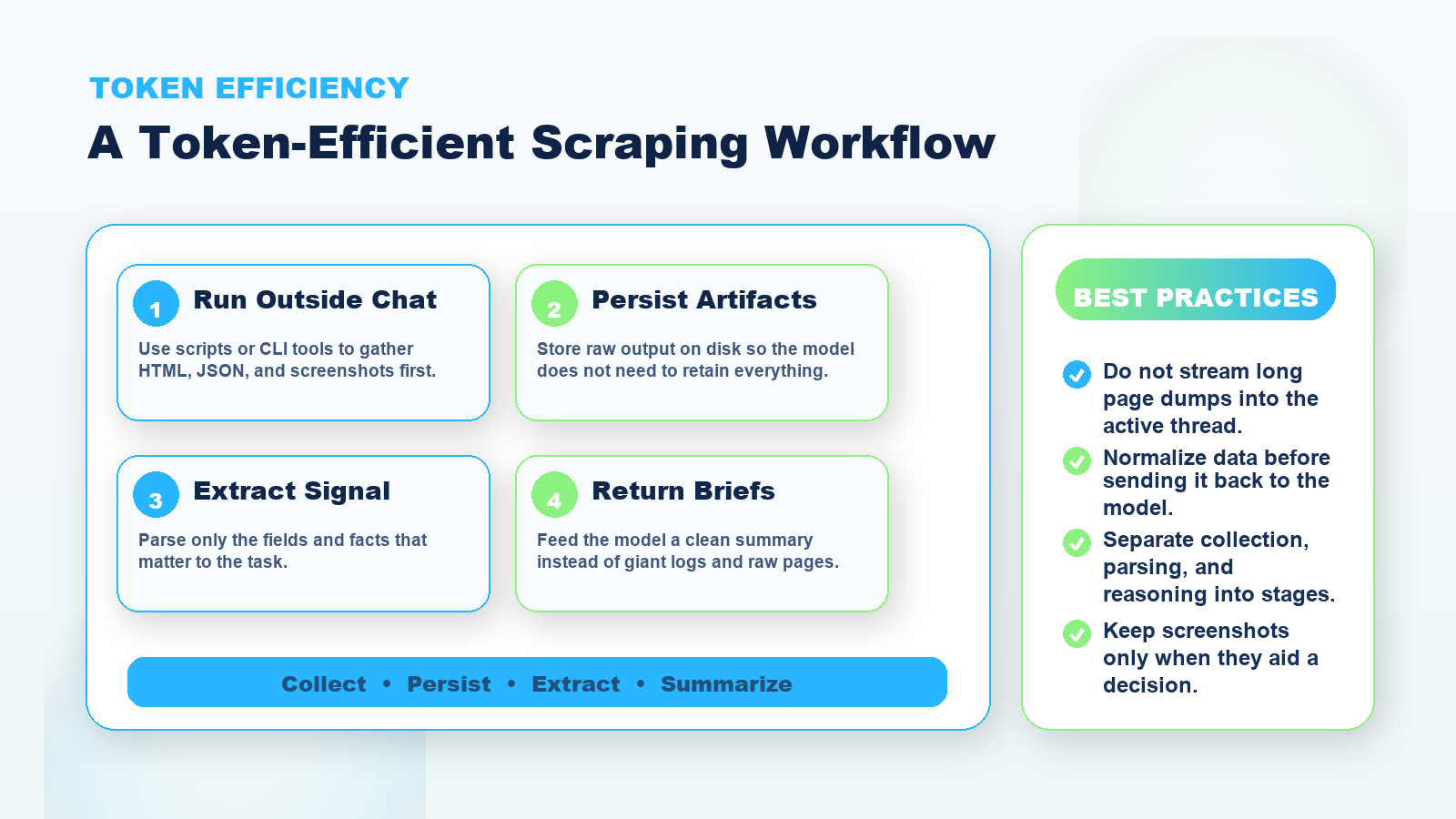
This shifts the agent's behavior from "fetch and process in context" to "fetch to disk, process in stages, read results as needed." The agent becomes a workflow coordinator rather than a data processor.
For error handling, prompt the agent to write retry logic that works with file state:
```
When scraping operations fail:
1. Log the error to errors/ with the URL and error message
2. Do not retry immediately in context
3. After processing the current batch, read errors/ and decide which to retry
4. Use exponential backoff for retry attempts (save retry_count in status.json)
```
This prevents the agent from burning tokens on repeated failed requests within a single context window.
Connecting to Proxy Infrastructure
When building production scraping agents, proxy infrastructure determines success or failure. Anti-bot systems have become sophisticated enough that raw requests from cloud IPs get blocked immediately. Your CLI scraping tools need reliable proxy access to function.
LycheeIP provides proxy infrastructure designed for automated scraping workflows. By configuring your scraping scripts with rotating residential proxies, you can distribute requests across real ISP connections that appear as regular user traffic. For workflows that require session persistence (like scraping multi-page sequences or authenticated content), static residential IPs maintain the same IP address across requests while still appearing as legitimate residential traffic.
The CLI approach makes proxy integration straightforward. Your scraping script accepts a proxy URL as a parameter. The agent doesn't need to understand proxy protocols or rotation logic. It simply passes the proxy configuration when invoking the tool:
```bash
python scrape.py '{"url": "https://target.com", "output": "data/raw/page.html", "proxy": "http://username:password@proxy.lycheeip.com:8080"}'
```
For geo-testing or accessing region-specific content, proxy providers with geographic targeting let you specify exit locations. Your agent can scrape the US version of a site, then the UK version, then the German version by changing a location parameter in the proxy configuration. All without managing VPNs or cloud infrastructure in multiple regions.
The token savings from disk storage multiply when combined with proxy-enabled scraping. Without proxies, your agent wastes tokens handling rate limits and CAPTCHA responses. With proxies integrated at the CLI level, scraping operations complete successfully on the first try, and the agent sees only clean data.
Common Mistakes and Considerations
Developers transitioning from MCP to CLI workflows for agent scraping often encounter predictable problems:
Mistake: Loading parsed data back into full context
Even after extracting clean JSON from HTML, loading hundreds of product records into the agent's context defeats the purpose. Instead, query specific records or aggregate statistics as needed.
Mistake: Insufficient error handling in CLI tools
When scraping operations fail outside the agent's context, the agent can't see stack traces or debug output unless you design for it. Write errors to files with enough detail for the agent to make informed retry decisions.
Mistake: Ignoring file system limits
Scraping thousands of pages creates thousands of files. Plan for directory organization, file naming conventions, and cleanup of old data. Otherwise, file system performance degrades and the agent struggles to locate specific files.
Mistake: Not respecting target website policies
Automated scraping should respect robots.txt, avoid overwhelming servers with concurrent requests, and comply with terms of service. Use rate limiting in your CLI tools and configure reasonable delays between requests. Proxies help distribute load but don't excuse aggressive scraping.
Mistake: Hardcoding proxy configurations
Different scraping targets require different proxy strategies. E-commerce sites might need residential IPs; public data sites might work fine with datacenter proxies. Make proxy configuration flexible so the agent or operator can adjust based on target requirements.
Consideration: Monitoring and observability
When scraping happens in external processes, implement logging that lets you monitor progress without the agent's involvement. Write operation logs to a dedicated file that you can tail or analyze separately. This helps diagnose issues when the agent completes a workflow but results are missing or incorrect.
Consideration: Data retention and cleanup
Raw HTML files accumulate quickly. Implement a cleanup policy (keep raw files for 7 days, keep parsed data indefinitely, rotate error logs weekly). The agent can trigger cleanup commands, or you can run scheduled jobs independently.
Consideration: Validation and quality checks
Parsed data should include validation markers. Did the extraction find all expected fields? Are values within expected ranges? Write validation metadata alongside parsed data so the agent can assess data quality without re-parsing or re-scraping.
Conclusion
Stopping token waste in AI agent scraping requires rethinking how agents interact with web data. The CLI approach with disk storage transforms the agent from a data container into a workflow orchestrator. By keeping scraped content in files and loading only summaries or specific fields into context, you can reduce token consumption by 80-90% while improving scraping reliability and maintainability.
The workflow is straightforward: build CLI tools that handle HTTP operations and write to disk, organize data in clear directory structures, and prompt agents to prefer file operations over in-context processing. Combined with proxy infrastructure for bot evasion and geo-targeting, this approach scales to production scraping workflows without burning through token budgets.
For developers building scraping agents with Claude Code, Hermes, or OpenClaw, the shift to disk-based workflows is not optional. It's the difference between prototype systems that cost hundreds of dollars per session and production systems that operate efficiently within token limits.
Frequently Asked Questions
Q: How much can I really save by moving scraped data to disk?
A: Token savings depend on your workflow, but 80-90% reductions are common. If you're scraping 100 pages at 10,000 tokens each (1 million tokens) and instead save them to disk while loading only 200-token summaries (20,000 tokens), you've saved 980,000 tokens. At current API pricing, that's $10-30 saved per scraping session.
Q: Won't the agent make mistakes if it can't see the full HTML?
A: The agent sees what you extract for it. If extraction fails or misses important data, the agent can request specific raw files to debug. Design your parsing scripts to flag uncertain extractions so the agent knows when to look deeper. In practice, well-designed extraction rules are more reliable than having the agent parse HTML directly.
Q: What's the best way to handle pagination when scraping with CLI tools?
A: Have your CLI tool detect pagination links and write them to a queue file. The agent reads the queue, decides how many pages to scrape, and issues commands accordingly. This keeps pagination logic in the tool while letting the agent control workflow decisions like when to stop or switch targets.
Q: Do I need different proxy types for different scraping tasks?
A: Yes. residential proxies work best for sites with strong bot detection. Datacenter proxies are faster and cheaper for public data sources or less restrictive targets. Static residential IPs help when you need session persistence across multiple requests. Configure your CLI scraping tool to accept proxy parameters so the agent can select the right type per target.
Q: How do I prevent the agent from loading too many result files into context?
A: Use index files or databases. Instead of reading 100 JSON files, the agent queries an index that returns only matching records. Or implement a query tool that searches files on disk and returns only requested fields. The agent should treat stored data like an external database, not like files to load wholesale.
Q: What happens if the agent session ends before scraping completes?
A: This is why file-based state management is critical. Save progress to status.json or checkpoint files. When you restart the agent, give it a prompt to check for existing state and resume from the checkpoint. All scraped data persists on disk, so you only lose the in-flight operation.
Q: Can this approach work with real-time scraping where the agent needs immediate results?
A: Yes, but you trade some token savings for latency. For real-time needs, implement streaming where the CLI tool starts writing results to disk and signals the agent as soon as data is available. The agent reads partial results while scraping continues. You still avoid loading raw HTML into context.
Q: How do I handle authentication or cookies when scraping with external tools?
A: Store session data (cookies, tokens) in files that your CLI tool reads on each request. When the agent needs to authenticate, it invokes a login script that saves credentials to disk. Subsequent scraping commands reference the credential file. This keeps sensitive data out of the agent's context and logs.
Q: Should I use the CLI approach for single-page scraping or only large-scale projects?
A: Even single-page scraping benefits from disk storage if the page is large. A 50KB HTML page costs 12,000+ tokens. Saving it to disk and loading a 500-byte summary costs 150 tokens. The break-even point is almost immediate. The workflow overhead matters more for very small scraping tasks, but token savings justify CLI approaches for most scenarios.
Q: What tools should I use to build CLI scraping scripts?
A: Python with requests or httpx for simple scraping, Playwright or Puppeteer for JavaScript-rendered sites. The key requirement is that the tool can run independently, accept configuration via command line or stdin, and write results to specified file paths. Most scraping libraries support this pattern naturally.