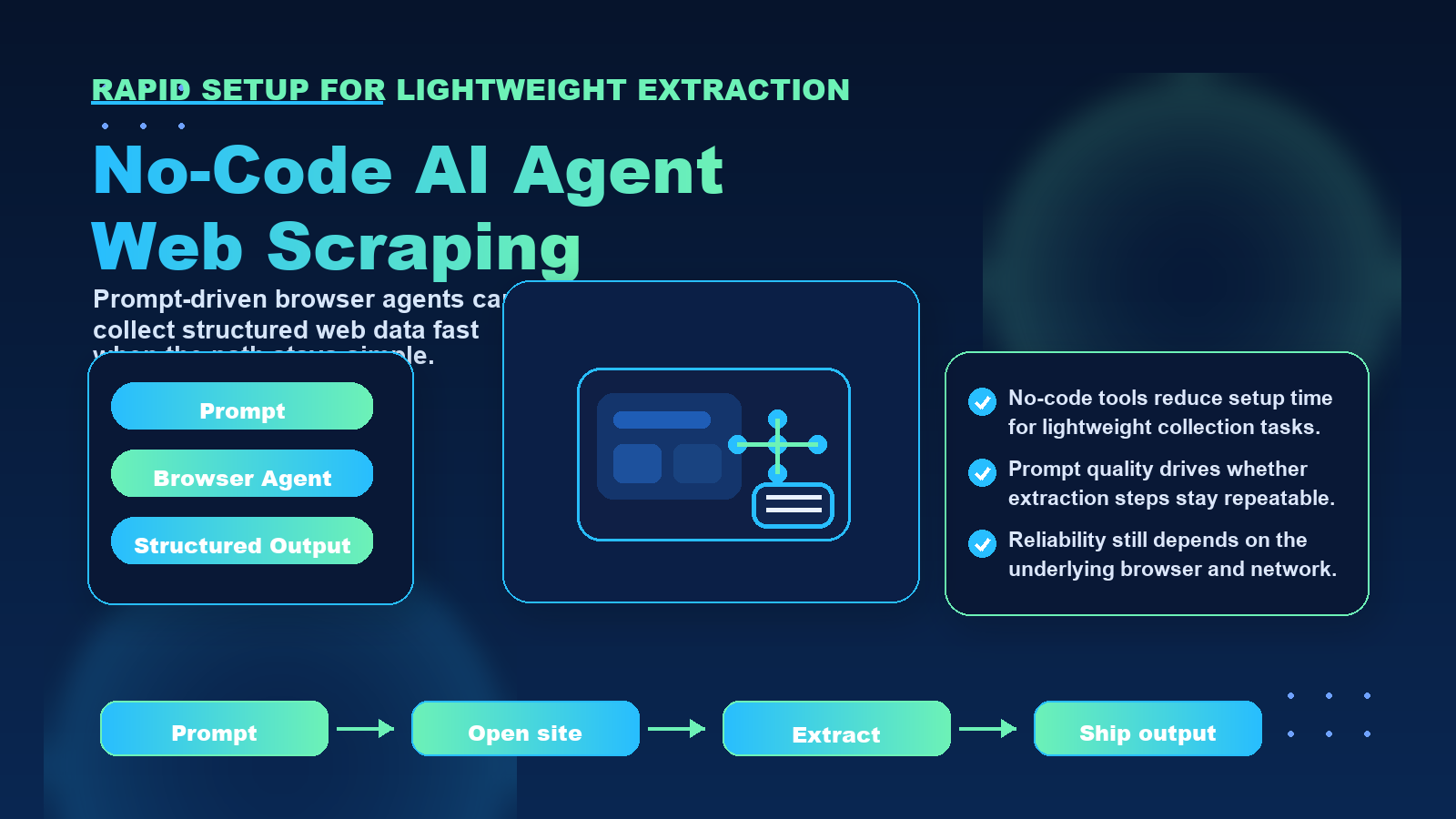
No code. No complexity. Live web data in your spreadsheet in 60 seconds.
For teams comparing privacy, geo-testing, and data collection workflows, the practical question is not only what an IP address reveals. It is also how clean routing, trusted proxy infrastructure, session control, and compliance practices shape the final result.
For official technical background, see IANA number resources, ARIN IPv4 resources, RFC 791 Internet Protocol, MDN X-Forwarded-For reference.
For years, web scraping has been the exclusive domain of developers who could write Python scripts, configure selectors, and troubleshoot API responses. Marketing teams and small business owners have been locked out of web scraping automation, forced to either hire expensive developers or manually copy data from websites into spreadsheets. This creates a fundamental barrier: the people who need competitive pricing data, lead enrichment, and market intelligence most are the least equipped to collect it automatically.
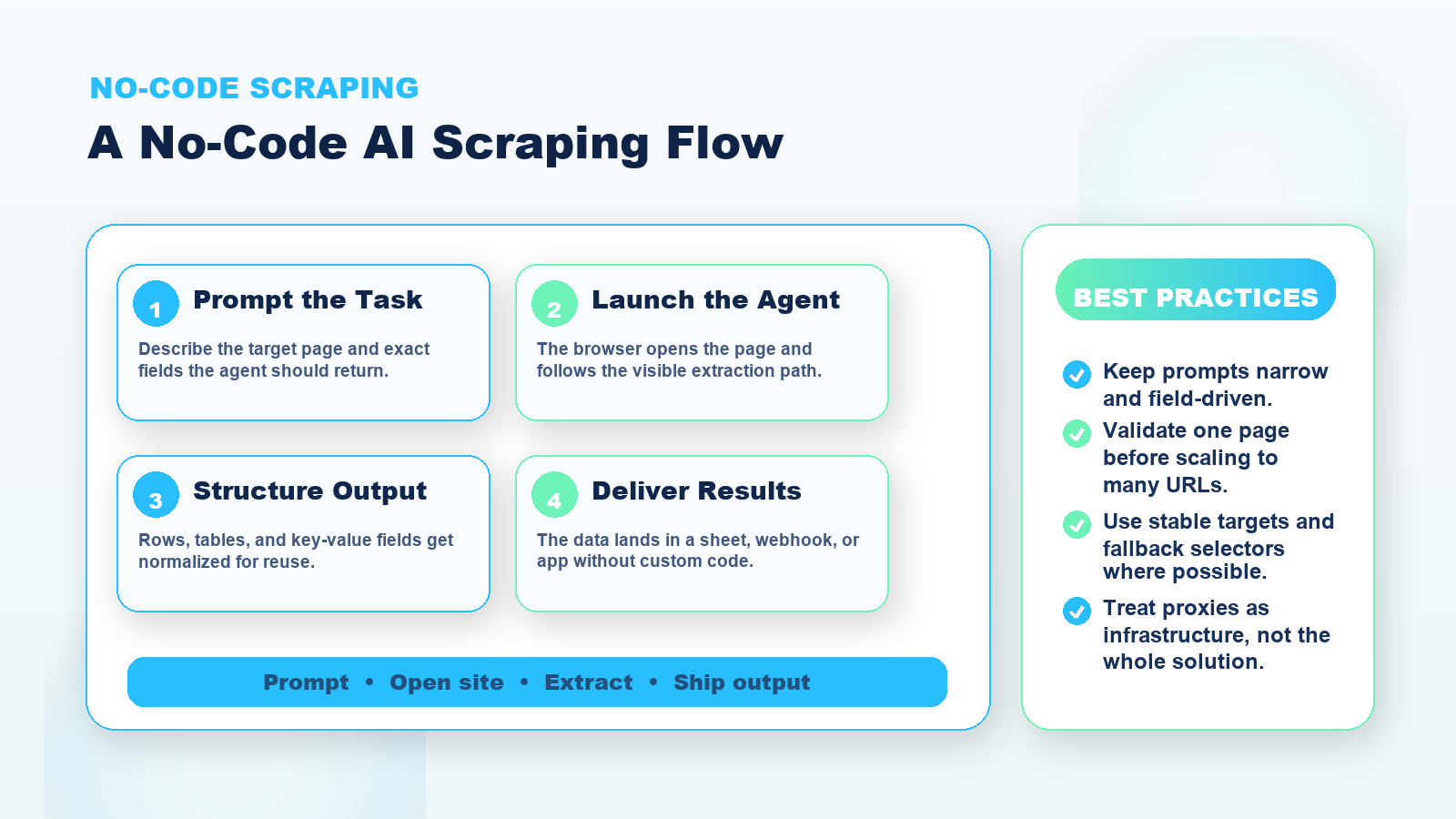
No-code AI agent tools are changing this dynamic. Platforms like TinyFish allow complete beginners to set up automated web scraping workflows without writing a single line of code. Within 60 seconds, you can connect a spreadsheet to live web data sources and begin collecting information that updates automatically.
This article walks through the complete beginner setup process, explains how to enrich spreadsheets with real-time web data, and demonstrates practical use cases that marketing teams and small business owners can implement immediately.
How to Build an AI Web Scraper That Scrapes Any Website (No-Code)
Dynamic Data Enrichment
Start with a simple spreadsheet of company names or domains. The AI agent can automatically append:
- Company size and revenue estimates
- Key executive names and titles
- Technology stack information
- Recent news mentions
- Social media follower counts
This transforms a basic contact list into a rich dataset for sales prioritization and outreach personalization. Instead of manually researching each company, the AI agent does this work continuously in the background.
Automated Competitor Monitoring
Create a spreadsheet with competitor URLs. Configure the AI agent to extract:
- Product pricing and discount offers
- New product launches and feature updates
- Blog post titles and publication dates
- Job postings and hiring signals
- Customer review scores and sentiment
The data updates automatically based on your schedule. You can set up conditional formatting to highlight significant changes, creating an early warning system for competitive moves.
SERP Position Tracking
Define target keywords in your spreadsheet. The AI agent performs searches and records:
- Your domain's ranking position
- Competitor rankings for the same keywords
- Featured snippet ownership
- Related questions and suggested searches
This creates a continuously updated view of search visibility without expensive SEO tools or manual rank checking.
Price Intelligence and MAP Monitoring
For e-commerce businesses and brands, AI agents can monitor:
- Minimum advertised price compliance across retailers
- Stock availability and out-of-stock patterns
- Promotional pricing and discount frequency
- New seller entries in your product categories
This data feeds directly into pricing strategy decisions and MAP enforcement workflows.
Lead Research Automation
When new leads enter your CRM, the AI agent can automatically visit their website and extract:
- Company description and value proposition
- Product categories and service offerings
- Contact information and office locations
- Technologies used on their website
This enriched data helps sales teams qualify leads faster and personalize outreach more effectively.
Real Use Cases: Competitor Tracking, Pricing Updates, and Lead Enrichment
Three specific scenarios demonstrate how non-technical users benefit from no-code web scraping.
Use Case 1: E-Commerce Competitor Price Tracking
Business context: A small online retailer sells specialty kitchen equipment. They compete with 8 major retailers who frequently change prices and run promotions.
Traditional approach: An employee manually visits each competitor site weekly, records prices in a spreadsheet, and flags significant changes. This takes 3-4 hours per week and catches changes only once per week.
No-code AI agent approach: The retailer creates a spreadsheet listing all competitor product URLs. The AI agent checks prices twice daily and updates the spreadsheet automatically. Conditional formatting highlights price drops above 10%. The owner receives a daily summary of significant changes.
Business impact: Competitive price changes are caught within 12 hours instead of up to 7 days. The retailer can respond faster to competitor promotions. The manual checking time is eliminated, freeing 3-4 hours weekly for higher-value work.
Use Case 2: B2B Lead Enrichment for Sales Teams
Business context: A marketing agency receives 50-100 new inbound leads monthly through their website form. Sales teams need company context before calling leads, but manual research creates delays.
Traditional approach: Sales reps spend 10-15 minutes researching each company before calls. This research time delays initial outreach by 24-48 hours and reduces the number of daily calls.
No-code AI agent approach: When a new lead submits the website form, their company domain is automatically added to a Google Sheet. The AI agent visits the domain and extracts company size, key services, recent blog posts, and social profiles. This enriched data appears in the sheet within minutes.
Business impact: Sales reps have context immediately when leads arrive. First contact happens within 2 hours instead of 2 days. Call preparation time drops from 15 minutes to 2 minutes. Monthly outreach capacity increases by 30%.
Use Case 3: Content Gap Analysis for Marketing Teams
Business context: A SaaS content marketing team needs to identify topics their competitors cover that they do not, to guide content planning.
Traditional approach: A content strategist manually browses competitor blogs, creates a list of article titles, categorizes topics, and compares against their own content calendar. This research happens quarterly and takes 2 full days.
No-code AI agent approach: The team lists competitor blog URLs in a spreadsheet. The AI agent extracts all article titles, publication dates, and categories weekly. A separate sheet shows topics competitors cover frequently that the team has not addressed.
Business impact: Content gap analysis becomes continuous instead of quarterly. The team identifies trending topics competitors are covering while they are still relevant. Content planning is data-informed rather than assumption-based.
How Proxy Infrastructure Supports No-Code Scraping Workflows
While no-code AI agents handle the technical complexity of data extraction, they still rely on proxy infrastructure to collect data reliably and ethically.
When an AI agent visits websites to extract data, it makes HTTP requests just like any scraping script. Websites implement anti-bot measures to prevent automated access, including:
- IP address blocking after repeated requests
- Geographic restrictions on content access
- Rate limiting to prevent server overload
- Bot detection based on request patterns
proxy infrastructure solves these challenges by routing requests through different IP addresses. This is essential for no-code scraping workflows because:
Reliability: Rotating residential proxies prevent IP blocks that would cause scraping jobs to fail. Instead of all requests coming from a single data center IP that websites easily identify and block, requests come from legitimate residential IPs that appear as normal user traffic.
Geographic accuracy: Some data varies by location. Product prices, search results, and content availability differ based on the visitor's country or city. Static residential proxies in specific locations allow AI agents to collect geographically accurate data.
Ethical rate limiting: Proxy rotation combined with request delays ensures websites are not overloaded. Responsible scraping distributes requests across many IPs and includes pauses between requests, respecting server capacity.
Scale: Collecting data from hundreds or thousands of URLs requires many concurrent connections. Proxy pools provide the IP diversity needed to scale data collection without triggering anti-bot systems.
No-code platforms typically handle proxy management automatically. Users do not need to configure proxy settings manually, but understanding the underlying infrastructure helps explain why these tools work reliably at scale.
For teams evaluating whether to build custom scraping workflows or use no-code platforms, proxy infrastructure represents a hidden cost of the DIY approach. Managing proxy services, handling rotation logic, and dealing with blocks require ongoing technical effort that no-code platforms absorb into their service.
Providers like LycheeIP offer proxy infrastructure that supports both custom scraping implementations and no-code platform backends. Teams building internal tools can access residential and datacenter proxy pools through straightforward APIs. No-code platform providers can integrate proxy services to improve their reliability and geographic coverage.
Common Mistakes When Automating Web Data Collection
Even with no-code tools that simplify technical implementation, users should avoid several common mistakes:
Ignoring Website Terms of Service
Just because a tool makes scraping easy does not mean all scraping is appropriate. Review the terms of service for websites you plan to scrape. Some sites explicitly prohibit automated access. Others allow it with restrictions on frequency or use cases.
Focus on collecting publicly available data for legitimate business purposes like competitive research, pricing intelligence, and market analysis. Avoid scraping personal information, copyrighted content, or data behind authentication walls without permission.
Over-Requesting Data
Setting update frequency too high wastes resources and risks getting blocked. Most business use cases do not need minute-by-minute updates. Hourly or daily refreshes are sufficient for competitor pricing, lead enrichment, and content monitoring.
Match your update frequency to how quickly the underlying data actually changes and how quickly you can act on changes.
Not Validating Extracted Data
AI agents are highly accurate but not perfect. When a website changes its structure, extraction might fail or return incomplete data. Set up basic validation:
- Check that expected columns contain data
- Alert when extraction returns null values unexpectedly
- Spot-check automated results against manual checks periodically
This catches issues before bad data influences business decisions.
Scraping When APIs Exist
Some platforms offer official APIs for accessing their data. APIs are more reliable than scraping because they are designed for programmatic access and do not break when website designs change.
Before setting up scraping for a major platform, check whether they offer an API. Even no-code tools benefit from using APIs where available.
Failing to Plan for Scale
What works for 50 URLs might not work for 5,000 URLs. As your data collection scales:
- Processing time increases
- Proxy and infrastructure costs grow
- Risk of blocks and failures rises
Plan your workflows with scale in mind. Start with critical data sources and expand gradually rather than attempting to scrape everything at once.
Not Considering Data Freshness Needs
Different use cases have different freshness requirements. Stock prices need real-time updates. Competitor blog posts can be checked weekly. Company firmographic data might only need monthly refreshes.
Over-collecting wastes resources. Under-collecting means decisions are based on stale data. Match collection frequency to actual business needs.
Conclusion
No-code AI agent platforms democratize web scraping by removing technical barriers that have kept marketing teams and small business owners locked out of web data automation. What once required Python expertise and infrastructure management now takes 60 seconds of plain-language configuration.
The practical impact extends beyond convenience. Faster access to competitive intelligence, automated lead enrichment, and continuous market monitoring change how small teams compete against larger organizations. The businesses that adopt these workflows gain information advantages that were previously exclusive to companies with developer resources.
As you implement no-code scraping, remember that the underlying infrastructure still matters. Proxy services, rate limiting, and respectful data collection practices ensure your workflows remain reliable and ethical. The simplicity of no-code tools should not obscure the responsibility that comes with automated data collection.
For teams ready to move beyond no-code platforms toward custom implementations, understanding proxy infrastructure becomes essential. Services like LycheeIP provide the IP routing and residential proxy capabilities that enable both no-code platforms and custom scraping workflows to operate at scale.
The core insight remains: live web data should not require coding expertise. No-code AI agents make web scraping accessible to everyone who needs it, shifting the competitive advantage from technical capability to strategic data use.
Frequently Asked Questions
What is no-code web scraping?
No-code web scraping uses visual interfaces and AI agents to extract data from websites without writing code. Users describe what data they want in plain language, and the tool handles technical implementation automatically. This makes web scraping accessible to non-technical users like marketers and small business owners.
How long does it take to set up a no-code scraping workflow?
Basic setup takes 30-60 seconds. This includes connecting your spreadsheet, describing the data you need, providing target URLs, and setting update frequency. More complex workflows with multiple data sources might take 5-10 minutes to configure fully.
Do I need proxies for no-code web scraping?
Most no-code platforms handle proxy management automatically as part of their service. The platform routes requests through proxy infrastructure in the background to prevent blocks and ensure reliability. Users typically do not need to configure proxies manually, but the platform uses them to make scraping work at scale.
Is automated web scraping legal?
Collecting publicly available data for legitimate business purposes is generally legal, but you must respect website terms of service, robots.txt files, and applicable laws. Avoid scraping personal information, copyrighted content, or data behind authentication without permission. Focus on public competitive intelligence, pricing data, and market research use cases.
What types of data can I collect with no-code scraping?
Common use cases include product pricing and availability, competitor content and blog posts, company information for lead enrichment, search engine rankings, customer reviews and ratings, job postings, real estate listings, and market research data. Any information visible on public web pages can typically be extracted.
How often should I update my scraped data?
Match update frequency to how quickly data changes and how quickly you can act on changes. Pricing data might need hourly updates. Lead enrichment works with one-time extraction when leads enter your system. Competitor blog monitoring can run daily or weekly. Avoid over-requesting data unnecessarily.
Can no-code scraping replace developers entirely?
No-code tools handle the majority of business web scraping needs without developers. However, highly complex workflows with custom logic, large-scale data processing, or integration with proprietary systems may still benefit from custom development. No-code platforms are best for standard scraping tasks that fit common business patterns.
What happens when websites change their design?
Website changes can break scraping workflows. AI-powered no-code tools adapt to minor design changes automatically by re-analyzing page structure. Major redesigns might require you to reconfigure what data to extract. Set up validation alerts to catch when extraction fails so you can address issues quickly.
How much does no-code web scraping cost?
Pricing varies by platform and usage volume. Many no-code tools offer free tiers for small-scale use. Paid plans typically start at $20-50 per month for moderate usage and scale based on number of requests, data volume, or update frequency. This is generally cheaper than hiring developers to build custom scrapers.
What is the difference between web scraping and web APIs?
APIs are official interfaces that platforms provide for accessing their data programmatically. They are more reliable and structured than scraping. Web scraping extracts data directly from public web pages when no API exists. Use APIs when available. Use scraping for websites that do not offer APIs but display information you need publicly.