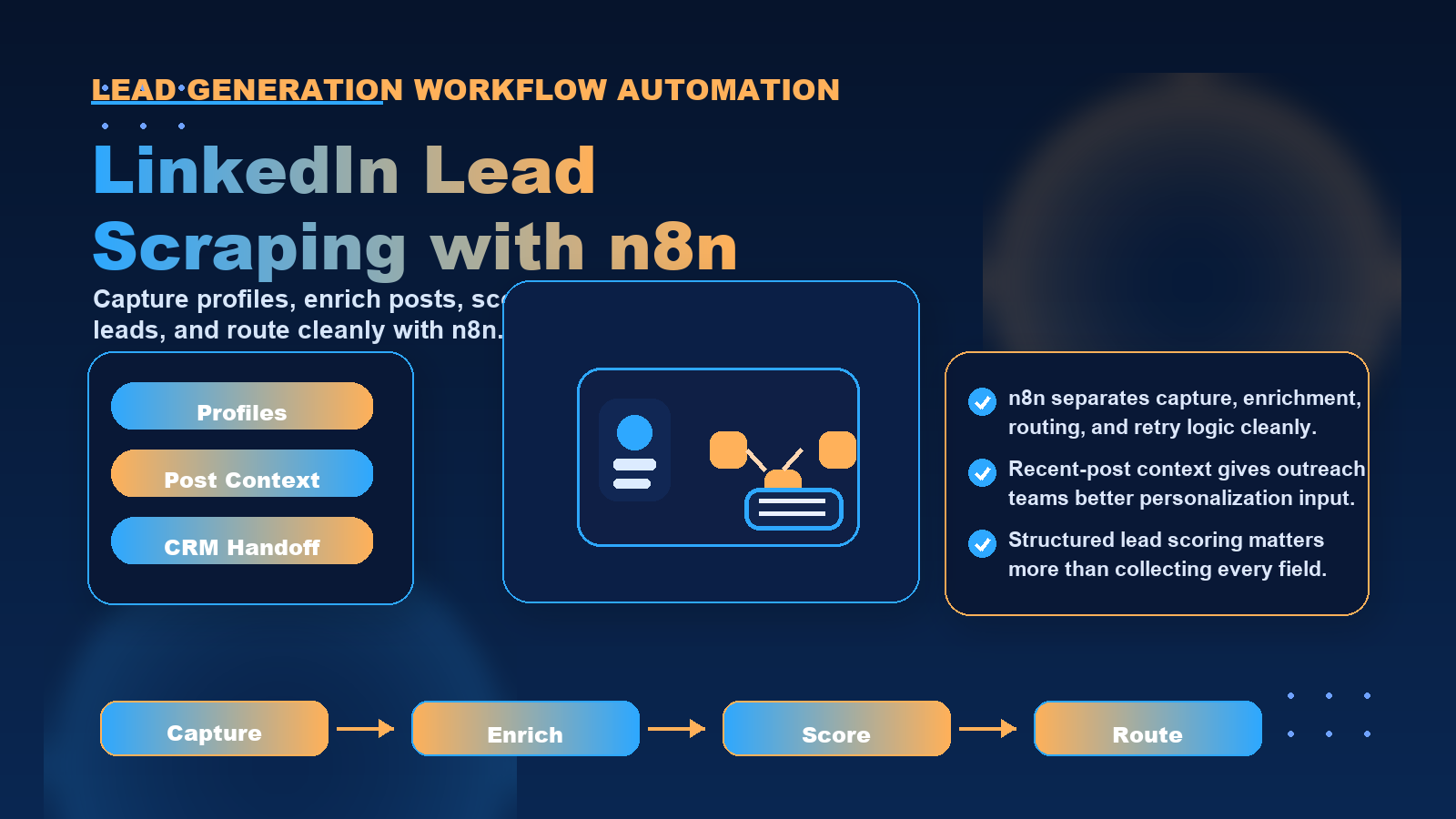
Automate LinkedIn prospecting—scrape leads by job title in minutes. Sales teams waste hours manually finding and qualifying LinkedIn prospects, copying profile URLs, checking job titles, reviewing company information, and building lead lists one person at a time. This manual process drains resources, slows pipeline growth, and creates inconsistent lead quality. Automating LinkedIn lead generation by scraping profiles based on job titles transforms this workflow, enabling B2B sales teams to build targeted prospect lists at scale while freeing up time for actual outreach and relationship building.
For teams comparing privacy, geo-testing, and data collection workflows, the practical question is not only what an IP address reveals. It is also how clean routing, trusted proxy infrastructure, session control, and compliance practices shape the final result.
For official technical background, see IANA number resources, ARIN IPv4 resources, RFC 791 Internet Protocol, MDN X-Forwarded-For reference.
How to Scrape LinkedIn Without Paid APIs Using n8n
Geographic Restrictions: Extract location data and filter for specific regions, states, or countries where you operate.
Industry Classification: Parse company industry tags to focus on verticals where your solution fits.
Seniority Indicators: Look for keywords like "Director," "VP," "Chief," "Head of" to identify decision-makers versus individual contributors.
Building Multi-Stage Qualification Funnels
Not all qualified leads deserve equal priority. Create tiered qualification:
Tier 1 (Hot Leads): Match all critical criteria, recent posts show active pain points, profile indicates decision-making authority
Tier 2 (Warm Leads): Match job title and company criteria, limited recent activity, potential influencer role
Tier 3 (Nurture Queue): Partial match on criteria, needs further research or timing signals
Your n8n workflow routes each tier to different destinations. Tier 1 leads trigger immediate sales notifications and enter high-touch sequences. Tier 2 leads go into automated nurture campaigns. Tier 3 leads populate a research queue for manual review.
Integrating with CRM and Sales Tools
Qualified leads need to reach your sales stack automatically. n8n connects to:
- CRMs: Salesforce, HubSpot, Pipedrive for lead creation
- Sales engagement platforms: Outreach, SalesLoft for sequence enrollment
- Enrichment APIs: Clearbit, ZoomInfo for additional data layering
- Spreadsheets: Google Sheets, Airtable for manual review workflows
- Notification systems: Slack, email for real-time hot lead alerts
The workflow creates CRM records, populates custom fields with scraped data, and triggers appropriate follow-up actions based on qualification tier.
Proxy Infrastructure Considerations for LinkedIn Automation
LinkedIn monitors scraping activity aggressively. Automated workflows without proper proxy infrastructure face account restrictions, IP blocks, and CAPTCHA challenges that break automation pipelines.
Why LinkedIn Blocks Scraping Requests
LinkedIn's platform detects automation through:
- Request volume: Too many profile views from a single IP in short timeframes
- User agent patterns: Consistent browser fingerprints across requests
- Session behavior: Unnatural navigation patterns that skip typical user actions
- Geographic inconsistencies: Login from one location, profile views from another
Without proxy rotation, your scraping workflow appears as a single user making hundreds of requests per hour—an obvious automation signal.
Implementing Residential Proxies for LinkedIn Workflows
residential proxies route your requests through real residential IP addresses assigned by internet service providers. To LinkedIn's systems, each request appears to come from a different legitimate user rather than a datacenter or automation script.
Key proxy features for LinkedIn scraping:
- IP rotation: Automatic rotation after each request or on a timed schedule
- Geographic targeting: Match proxy locations to your target prospect regions
- Session persistence: Maintain the same IP for multi-step workflows like login then scrape
- Request headers: Randomize user agents and browser headers to avoid fingerprinting
proxy infrastructure integrates with n8n through HTTP Request node configuration. Set proxy URLs, authentication credentials, and rotation parameters in your workflow's HTTP settings.
Rate Limiting and Request Distribution
Even with proxies, request pacing matters. Effective LinkedIn scraping workflows include:
- Random delays between requests (3-10 seconds)
- Request distribution across time windows
- Concurrent request limits (5-10 simultaneous connections maximum)
- Respect for response headers and error codes
Your n8n workflow should monitor response codes. HTTP 429 (Too Many Requests) triggers extended delays. HTTP 403 (Forbidden) may indicate IP-level blocks requiring proxy rotation.
Compliance and Responsible Scraping
LinkedIn's Terms of Service restrict automated data collection. While scraping public profile data remains common practice for business development, users should:
- Focus on publicly accessible information only
- Avoid scraping data behind login requirements without authorization
- Respect robots.txt directives where applicable
- Implement rate limiting to avoid platform impact
- Use scraped data only for legitimate business purposes like prospecting and research
Proxy providers like LycheeIP offer residential and datacenter proxy infrastructure designed for public data collection workflows, including business prospecting, market research, and competitive intelligence gathering. When evaluating proxy solutions for LinkedIn automation, consider IP pool size, geographic coverage, rotation capabilities, and session management features that support multi-step scraping workflows.
Common Mistakes When Scraping LinkedIn Profiles
Automated lead generation workflows fail when teams overlook these critical factors:
Insufficient Data Validation
Scraped data contains inconsistencies, formatting variations, and incomplete records. Job titles appear as "Sales VP" versus "VP of Sales." Company names include legal suffixes like "Inc." or "LLC" inconsistently. Email addresses extracted from profiles may be outdated.
Build validation steps in your n8n workflow:
- Standardize job title formats using mapping tables
- Validate email addresses with regex patterns
- Check for required fields before CRM creation
- Flag incomplete records for manual review
Ignoring Profile Freshness Signals
Stale profiles waste sales resources. Prospects who changed jobs six months ago receive irrelevant outreach. Profiles with no recent activity suggest inactive users.
Incorporate freshness checks:
- Flag profiles with no activity in 90+ days
- Verify current employment by checking for recent job changes
- Prioritize profiles with recent posts or engagement
Over-Reliance on Automated Qualification
Automated rules miss context. A "Marketing Manager" at a Fortune 500 company has different authority than the same title at a 20-person startup. Job titles vary across industries—"Account Executive" means different things in SaaS versus advertising.
Combine automation with human review:
- Use automation for initial filtering and data collection
- Route borderline cases to manual qualification queues
- Continuously refine rules based on sales feedback
Neglecting Anti-Detection Measures
Aggressive scraping without proper infrastructure leads to blocks that halt your entire lead generation pipeline. Teams often discover blocking issues only after accumulating weeks of bad practices.
Implement defensive measures from day one:
- Start with conservative request rates
- Monitor for error responses indicating detection
- Maintain backup proxy pools for failover
- Test workflows on small samples before full-scale deployment
Poor Integration with Sales Workflows
Scraping produces data, but sales teams need context. Dumping 1,000 leads into a CRM without qualification tiers, engagement signals, or personalization hooks creates noise rather than pipeline.
Design scraping outputs for sales consumption:
- Segment leads by qualification level
- Include conversation starters from post data
- Provide context notes on company, industry, pain points
- Integrate with sales sequences that match lead tier
Conclusion
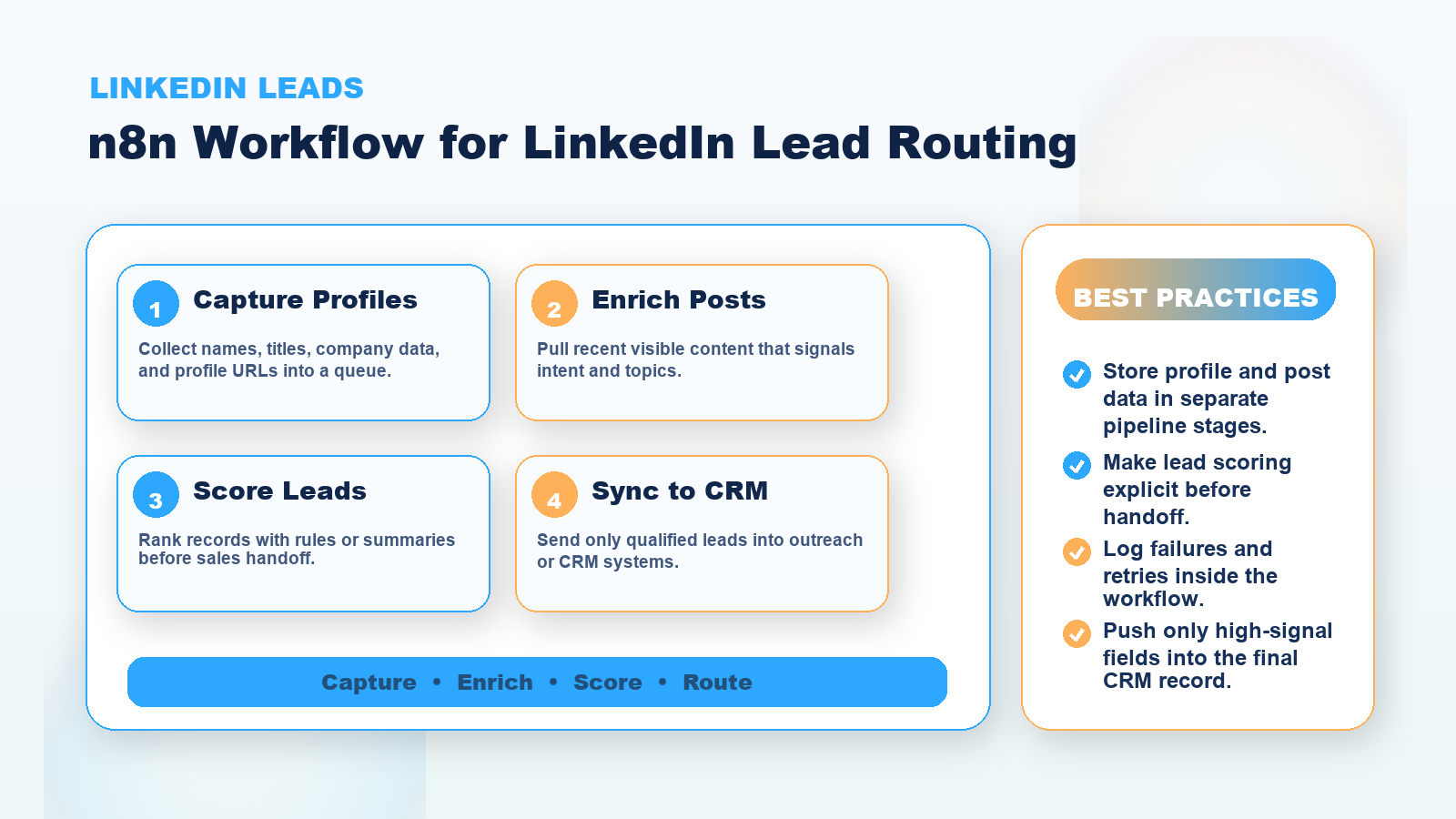
LinkedIn lead scraping automation transforms time-intensive manual prospecting into a scalable, data-driven pipeline. By building n8n workflows that systematically scrape profiles by job title, enrich leads with recent post data, and automatically qualify prospects based on predefined criteria, sales teams multiply their prospecting capacity while improving lead quality. Success requires combining workflow automation with proper proxy infrastructure, responsible scraping practices, and integration with sales processes that convert data into conversations. When implemented thoughtfully with rate limiting, IP rotation through residential proxies, and validation layers, automated LinkedIn prospecting becomes a sustainable competitive advantage for B2B sales teams seeking to accelerate pipeline growth without proportionally increasing headcount.
Frequently Asked Questions
How does n8n compare to other automation tools for LinkedIn scraping?
n8n offers open-source flexibility, self-hosting options, and extensive integration capabilities that commercial automation tools may limit. Unlike cloud-only platforms, n8n allows complete control over workflow execution, data storage, and proxy configuration. The visual workflow builder makes complex scraping logic accessible without deep programming knowledge, while the ability to inject custom code provides flexibility when needed.
Can I scrape LinkedIn without getting blocked?
Complete avoidance of detection requires proper infrastructure including residential proxy rotation, randomized request timing, realistic user agent headers, and conservative request rates. Most blocking occurs from aggressive scraping patterns or datacenter IP usage. Implementing delays between requests, distributing scraping across multiple IPs, and respecting rate limits significantly reduces block risk. However, LinkedIn actively monitors automation, so no approach guarantees permanent undetected access.
What data can I legally scrape from LinkedIn profiles?
Publicly visible profile information that appears without login generally falls under publicly accessible data. This includes names, job titles, company names, locations, and profile summaries displayed on public pages. Data behind login requirements, private profiles, or protected sections raises legal and ethical concerns. Review LinkedIn's Terms of Service and consult legal guidance for your specific use case and jurisdiction.
How many leads can I scrape per day safely?
Safe scraping volume depends on your proxy infrastructure, request distribution, and detection risk tolerance. Conservative approaches limit to 100-300 profile requests daily per IP address with proper rotation and delays. With residential proxy pools and distributed timing, teams can scale to thousands of daily lead captures. Start with smaller volumes, monitor for blocks or CAPTCHAs, and gradually increase as you validate your approach.
What's the difference between scraping profiles and scraping posts?
Profile scraping extracts static information like job titles, companies, and experience history from profile pages. Post scraping captures dynamic content from activity feeds including recent shares, articles, comments, and engagement metrics. Profile data provides qualification criteria while post data reveals intent signals, pain points, and conversation starters. Combining both creates richer lead intelligence than either alone.
How do residential proxies improve LinkedIn scraping success?
residential proxies route requests through real user IP addresses assigned by internet service providers rather than datacenter ranges that LinkedIn flags as automation sources. Each request appears to come from a different legitimate residential internet connection, matching normal user behavior patterns. This significantly reduces detection risk compared to datacenter proxies or direct requests from a single IP.
Should I use rotating or static proxies for LinkedIn workflows?
Rotating proxies work better for high-volume scraping where each request appears from a different user. Static residential proxies suit workflows requiring session persistence, such as login authentication followed by multiple page scrapes. Many teams use static proxies for login and account management, then switch to rotating proxies for the actual profile scraping phase.
How do I handle CAPTCHAs in automated LinkedIn scraping?
CAPTCHA appearance indicates LinkedIn detected automation patterns. Prevention strategies include slower request rates, better proxy rotation, realistic user agents, and avoiding datacenter IPs. When CAPTCHAs appear, pause automation, rotate to fresh proxy IPs, and reduce request frequency. CAPTCHA-solving services exist but add cost and complexity. Prevention through proper infrastructure proves more sustainable than reactive solving.
Can I integrate scraped LinkedIn data directly into Salesforce?
Yes, n8n includes native Salesforce nodes that create leads, contacts, or custom objects directly from scraped data. Configure the Salesforce node with your credentials, map scraped fields to Salesforce fields, and set up conditional logic for duplicate checking. This eliminates manual CSV exports and imports, creating real-time lead flow from scraping to CRM.
What metrics should I track for LinkedIn scraping workflows?
Monitor scraping success rates (profiles successfully extracted versus errors), qualification conversion rates (scraped leads meeting criteria), proxy health (blocked IPs, CAPTCHA rates), data quality scores (complete versus incomplete records), and sales outcomes (meetings booked, opportunities created from scraped leads). These metrics identify workflow bottlenecks, proxy issues, and qualification rule effectiveness.