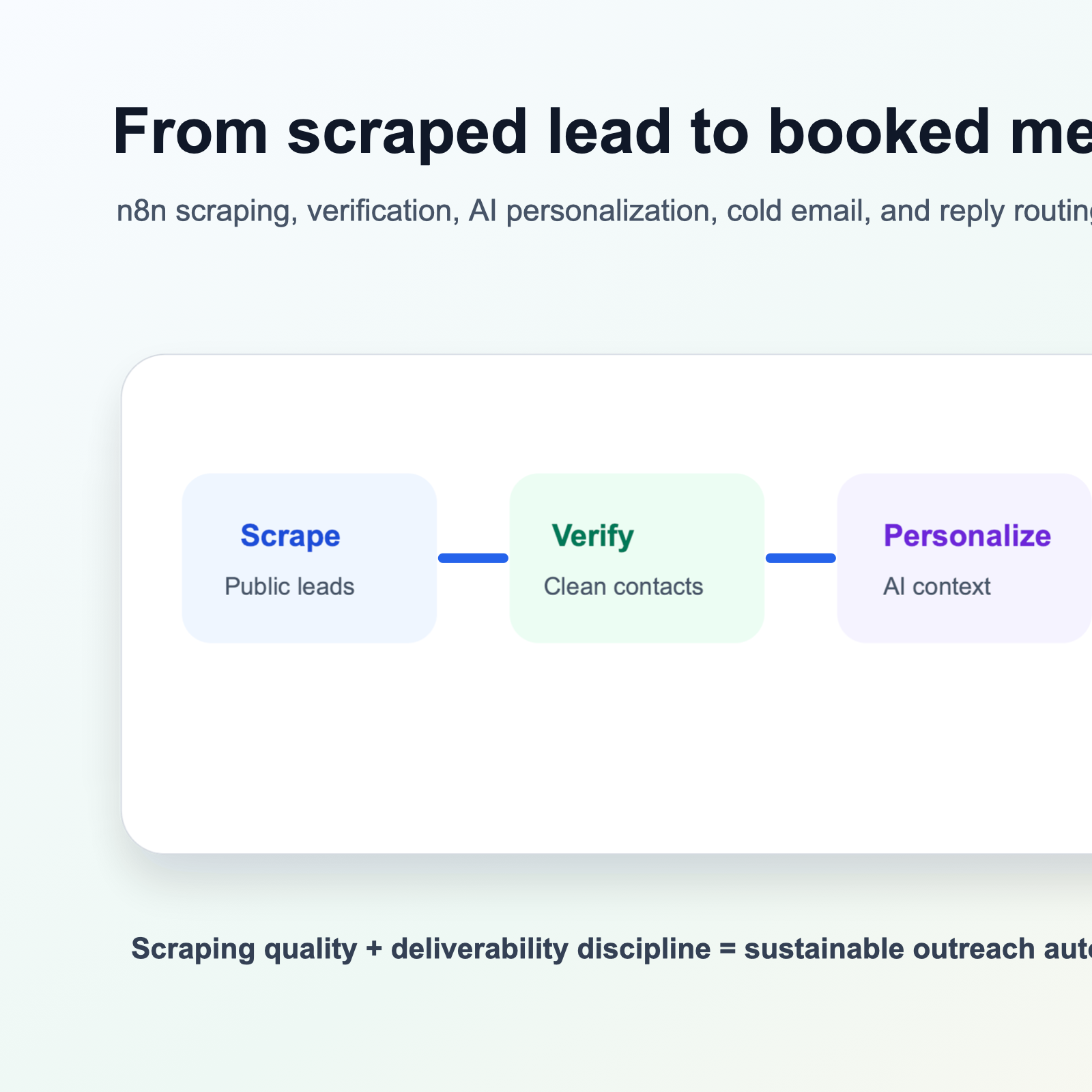
From scraped lead to booked meeting, the hard part is not collecting contacts. The hard part is turning scraped lead data into timely, personalized, compliant outreach that sales teams can actually use.
Tools like n8n make web scraping accessible to non-developers. Teams can collect public lead data from directories, marketplaces, job boards, company websites, and other sources. The wall usually appears after the scraping finishes: exports pile up, CSV files go stale, emails stay generic, and reply rates stay low.
This guide walks through a practical pipeline from n8n scraping to AI-personalized cold email sending. The goal is to connect lead collection, verification, personalization, deliverability, proxy reliability, and response routing into one repeatable workflow.
For teams using LycheeIP, the same infrastructure that supports public web data collection can also improve the reliability of lead scraping workflows when used responsibly and within each source website’s rules.
Connecting n8n Scrapers Directly to Cold Email Infrastructure
The first step is removing the manual export-import cycle. When an n8n scraper finishes collecting qualified lead data, that data should move directly into the next system: a database, CRM, verification tool, or cold email platform.
The Basic n8n to Email Tool Flow
- HTTP Request or scraping step collects public lead data from approved sources.
- Data transformation cleans names, companies, domains, job titles, and source URLs.
- Conditional logic filters leads by quality, location, industry, or fit.
- Verification checks email validity and risk before outreach.
- Cold email or CRM integration receives only qualified contacts.
- A database logs every lead for deduplication and audit history.
The n8n HTTP Request node documentation is a useful reference for API-based workflows because many cold email tools expose API endpoints or webhook receivers. Native integrations can be convenient, but HTTP requests keep the workflow flexible when a platform does not have a dedicated node.
Fields to Normalize Before Sending
- Email address: verified, lowercase, and mapped to one canonical field.
- First name and last name: split correctly, not stored as one messy full-name field.
- Company name: cleaned of repeated suffixes and formatting noise.
- Company domain: used for deduplication and account-level matching.
- Source URL: retained so the lead can be audited later.
- Personalization fields: job title, recent activity, industry, location, technology stack, or listing context.
A clean data model matters because cold email systems depend on merge fields. If the first-name field contains “John Smith,” if a company has duplicated legal suffixes, or if source URLs are missing, personalization and QA become brittle.
Deduplication and CRM Safety Checks
Before pushing leads into outreach, check whether they already exist in your CRM, database, previous campaigns, suppression list, or customer list. Duplicate outreach harms deliverability and creates a poor prospect experience.
In n8n, this usually means querying a database, Google Sheet, Airtable base, CRM, or internal API before adding a lead to a sequence. Use email address, company domain, and source URL as deduplication keys.
| Check | Why it matters |
|---|---|
| Email duplicate | Prevents the same person from receiving repeated cold emails |
| Domain duplicate | Avoids over-contacting the same account across many scraped contacts |
| CRM match | Protects active opportunities, customers, and partner relationships |
| Suppression match | Honors unsubscribes, bounces, and previous negative replies |
| Source URL match | Prevents scraping the same listing repeatedly into new campaigns |
For larger scraping workflows, use static proxy sessions when continuity matters and dynamic residential proxy pools when distributed collection is more important than session persistence.
Explore LycheeIP for Reliable Lead Collection
Using AI to Personalize Outreach Based on Scraped Data
Generic cold emails get ignored. Better outreach references a relevant, public business signal without sounding invasive. AI can help turn scraped attributes into a short personalized opener, but it should not write uncontrolled long-form email copy for every contact.
Useful Scraped Attributes for Personalization
- Job title and seniority
- Company category or industry
- Location or target market
- Recent job posts, hiring signals, or expansion signals
- Technology stack or website platform
- Public company news or product updates
- Directory category, marketplace listing, or business profile details
The safest pattern is to use AI for one or two concise sentences while keeping the core email structure consistent. That gives each email relevant context without creating strange, over-personalized, or spammy messages.
Example AI Personalization Prompt
Write a cold email opening line for this prospect.

Prospect:
- Name: {{firstName}} {{lastName}}
- Job title: {{jobTitle}}
- Company: {{companyName}}
- Industry: {{industry}}
- Recent public signal: {{recentSignal}}

Rules:
- Use only the provided public information.
- Keep it under 35 words.
- Sound professional and natural.
- Do not mention scraping or automation.
- Do not make claims that are not supported by the data.
Store the AI-generated opener as a custom variable, then send it through your cold email platform inside a tested template. Keep source fields available for manual review when a prospect replies.
Deliverability and Domain Warming for Scraped Lists
Even strong personalization will not convert if emails land in spam. Scraped lead outreach has extra deliverability risk because contacts are cold, list quality varies, and sending volume can spike quickly.
Verify Emails Before Sending
Run scraped email addresses through a verification service before adding them to sequences. Remove invalid, risky, role-based, disposable, or catch-all addresses when the campaign cannot tolerate the risk. This can reduce list size, but it protects domain reputation.
Protect the Primary Business Domain
Do not send cold outreach from the same domain used for important customer, billing, support, or internal communication. Dedicated sending domains and separate inboxes isolate risk and make it easier to pause or rotate campaigns if metrics degrade.
Warm New Domains Gradually
| Period | Suggested daily volume per inbox |
|---|---|
| Week 1 | 5-10 emails |
| Week 2 | 15-20 emails |
| Week 3 | 25-35 emails |
| Week 4 | 40-50 emails |
| Week 5+ | Increase gradually only if bounce and complaint rates stay healthy |
Use n8n to track daily send counts, queue excess leads, and pause workflows when a sending domain reaches its limit. This is especially important when scraped data arrives faster than your warmed inbox pool can safely handle.
Compliance Basics
Cold email rules vary by location and use case. The FTC CAN-SPAM compliance guide explains core US requirements such as accurate header information, truthful subject lines, a physical postal address, and clear opt-out handling. For other regions, get legal guidance before automating outreach.
If a source platform has rules against automated access, respect them. For example, the LinkedIn User Agreement includes restrictions around automated access and scraping. Build workflows around lawful, permissioned, and publicly accessible business data sources.
Proxy Infrastructure Considerations for Reliable Scraping
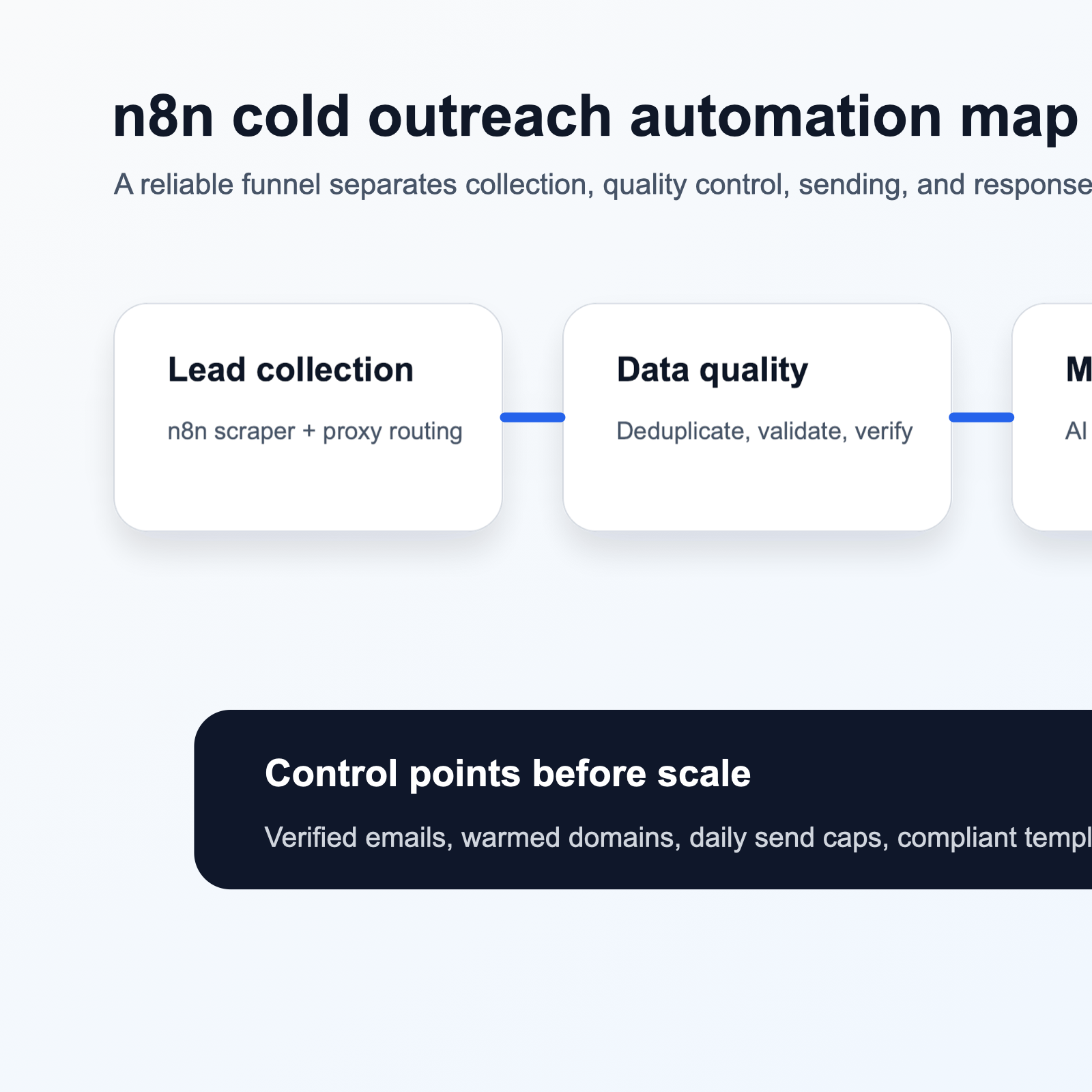
Cold email automation depends on reliable lead collection. If scrapers are blocked, rate-limited, or served incomplete localized content, the entire funnel weakens. Proxy infrastructure helps distribute collection across appropriate public IPs, especially for market-specific public data workflows.
Proxy Types for Lead Scraping
| Proxy type | Best fit |
|---|---|
| Datacenter proxies | Fast collection from less restrictive sources where speed and cost matter |
| Dynamic residential proxies | Rotating public-data collection where IP diversity and geo coverage matter |
| Static residential proxies | Session continuity, consistent access paths, and workflows that need a stable IP |
| Mixed proxy setup | Teams that separate discovery, enrichment, verification, and production scraping |
Use proxy rotation with reasonable request pacing. Rotation should support reliability and geo-testing, not bypass source rules or overload websites. Monitor success rates, timeout rates, and block signals so the workflow can pause before quality drops.
Google Sheets API Quickstart with Python
Common Mistakes in Scraped Lead Outreach
Mistake 1: Scraping Without Verification
Sending to unverified scraped emails causes bounces, and high bounce rates can damage sender reputation. Add verification before outreach, not after problems appear.
Mistake 2: Sending Too Soon After Scraping
A 24-48 hour delay gives you time for verification, enrichment, duplicate checks, and pacing. It also prevents suspicious timing where a person is scraped and emailed immediately.
Mistake 3: Ignoring Legal Compliance
Every outreach workflow needs unsubscribe handling, truthful sender details, proper contact data handling, and jurisdiction-specific review. Automation should make compliance easier to enforce, not easier to forget.
Mistake 4: Over-Personalizing with Scraped Data
Personalization should feel relevant, not invasive. Avoid referencing private personal details, sensitive signals, or anything that makes the recipient feel watched.
Mistake 5: Scraping Without Respecting Source Terms
Review source terms, robots guidance, account rules, and access limits before scraping. Focus on legitimate public business data collection and avoid private groups, gated data, and personal email harvesting.
Mistake 6: Neglecting List Segmentation
Segment by industry, company size, role, geography, technology stack, or source signal. Different segments deserve different pain points, proof points, and CTAs.
Mistake 7: Ignoring Engagement Signals
Opens, clicks, replies, unsubscribes, and negative responses should change the workflow. Route positive replies to sales, remove opt-outs immediately, and slow or pause campaigns when signals degrade.
Conclusion
A complete scraped-lead-to-meeting funnel requires more than scraping and more than an email template. It needs reliable data collection, clean lead records, AI-assisted personalization, email verification, domain warming, compliance controls, and response routing.
n8n can connect these steps into one workflow. LycheeIP proxy infrastructure can support the collection layer with residential, static, dynamic, and datacenter proxy options for public-data workflows.
Start small. Test one source, one segment, one sender pool, and one sequence. Validate data quality, monitor deliverability, and scale only when every part of the workflow is stable.
Build a Reliable Outreach Data Pipeline
Frequently Asked Questions
What is the best way to verify scraped email addresses before sending?
Use email verification APIs inside the workflow between scraping and email sending. Filter invalid, high-risk, or unwanted contact types before they reach a cold email sequence.
How many emails can I send per day from a new domain?
Start conservatively, often around 5-10 emails per day per inbox in the first week, then increase gradually if bounce, complaint, open, and reply metrics stay healthy.
Should I use datacenter or residential proxies for scraping cold email leads?
Datacenter proxies can work for less restrictive public sources. Residential proxies often perform better for geo-specific or more protected public sources. Choose based on target sites, budget, and reliability needs.
How can I personalize cold emails at scale using scraped data?
Use AI to generate a short opener or personalization sentence from public scraped attributes, then place that output inside a stable, tested email template.
What legal requirements apply to cold emailing scraped leads?
Requirements vary by jurisdiction. Review applicable laws, include required sender details and opt-out mechanisms, honor unsubscribes quickly, and get legal advice for high-risk campaigns.
How do I connect n8n scrapers to cold email platforms?
Use native integration nodes where available, or use HTTP Request nodes to post cleaned and verified lead data to the email platform API. Test with small batches before scaling.
What metrics indicate my cold email deliverability is failing?
Watch bounce rate, spam complaints, sudden open-rate drops, unsubscribe spikes, and provider warnings. Pause automation when thresholds are exceeded.
How long should I wait between scraping a lead and sending the first email?
A 24-48 hour delay is a practical default because it leaves time for verification, enrichment, deduplication, personalization, and send-volume pacing.
Can I scrape LinkedIn profiles for cold email outreach?
LinkedIn restricts automated access in its terms. Treat LinkedIn scraping as legally and operationally risky, and consider compliant alternatives such as permissioned tools, public business directories, company websites, or licensed data providers.
What should I do when scraped leads reply to cold emails?
Automatically detect positive, neutral, negative, out-of-office, and unsubscribe replies. Route positive replies to sales, suppress opt-outs, and use response categories to improve segmentation.