If you are evaluating the best Chrome proxy extensions in 2026, compatibility with Manifest V3 (MV3) is no longer optional, it is a requirement. As Google continues to deprecate older extension frameworks, many classic tools have either migrated to MV3 or been replaced by community-driven forks.
The right extension does more than just mask your IP; it handles complex routing rules and protects your browser from over-privileged software. This guide covers how to choose a reliable proxy server chrome extension and why "free" options often carry hidden costs.
Which best Chrome proxy extensions are actually Manifest V3-safe in 2026?
The most reliable extensions today fall into two categories: universal managers (where you bring your own IPs) and provider-native tools (built by specific proxy vendors).
What MV3-safe means for proxy switchers
MV3-safe indicates the extension complies with Google’s latest security standards, which restrict remotely hosted code. For you, this means faster performance and a lower risk of the extension being used as a backdoor for malware.
Quick shortlist: universal managers vs provider extensions
- ZeroOmega (SwitchyOmega MV3 Fork): A community-maintained successor to the popular SwitchyOmega, rebuilt for the MV3 era.
- FoxyProxy: An industry standard that has been fully updated for MV3, offering granular control over URL patterns.
- Proxy Helper: A minimalist proxy server chrome extension ideal for users who just need a quick toggle without complex rules.
Why is Manifest V3 changing how you pick the best Chrome proxy extensions?
Manifest V3 fundamentally alters how extensions interact with network requests. While Chrome positions these changes as a win for privacy, they have created friction for older proxy tools.
What MV3 improves and what it breaks
MV3 improves security by requiring all extension logic to be included in the package, making it easier for Google to audit. However, it can break older "blocking" web request APIs, which some legacy proxy tools used for authentication. This is why you may see more frequent login prompts in older, unmaintained extensions.
Why maintenance and permissions matter
In 2026, the "last updated" date is a critical trust signal. An extension that hasn't been updated since 2023 is likely running on deprecated V2 code and may stop working entirely after the next Chrome update. Always audit permissions; a proxy switcher and manager chrome extension should only need access to your proxy settings, not your entire browsing history.
What features should you require in a proxy switcher and manager chrome extension?
A professional-grade extension must provide more than a simple "on/off" switch. To maintain high-performance workflows, look for these three pillars:
- Rule-based routing: The ability to route *.google.com through one IP while letting your banking app bypass the proxy entirely.
- SOCKS5 support: Essential for low-latency tasks and applications that require a more robust protocol than standard HTTP.
- PAC (Proxy Auto-Config) support: Allows you to host a configuration file that the extension reads to automate complex switching logic.
Decision Matrix: Choosing the Right Extension Type
| Extension Type | Best For | Tradeoffs |
| Universal Manager | Power users & developers | Requires manual setup of IP/Port |
| Provider-Native | Speed & non-technical users | Locked into one provider's ecosystem |
| Lightweight Toggler | Casual browsing/Unblocking | Lacks advanced routing rules |
| PAC Switcher | Enterprise teams | Requires hosting a .pac file |
How LycheeIP fits into your Chrome workflow
For teams requiring high-uptime data infrastructure, LycheeIP provides the raw power that these extensions manage. Rather than using "bundled" extension proxies that are often overused and slow, developers use LycheeIP for:
- Endpoint selection: Match residential, ISP, or datacenter routing to the site's session and network requirements.
- Protocol Flexibility: Full support for HTTP/S and SOCKS5, making them compatible with any MV3 extension.
- Real-time Visibility: Monitor your Chrome traffic usage via a simple API or the LycheeIP web dashboard.
- Validation: Test authentication, routing, and session consistency with a small browser profile before wider deployment.
How do you set up a proxy on Google Chrome?
Setting up a proxy server chrome extension is a straightforward four-step process:
- Install: Download a vetted extension like FoxyProxy or ZeroOmega from the Chrome Web Store.
- Configure: Input your Proxy Host (IP or domain), Port, and select the Protocol (HTTP or SOCKS5).
- Apply Rules: Set up a "Bypass List" for sensitive sites like your email or payroll software.
- Verify: Use an IP checker to confirm your browser is successfully routing traffic.
Assumptions & Limitations
- Browser-wide vs. Tab-specific: Most extensions apply proxy settings to the entire Chrome profile, not just a single tab.
- Encryption: A proxy masks your IP but does not always encrypt your traffic like a VPN (unless using HTTPS/SOCKS5).
- Auth Loops: Chrome occasionally struggles with saved proxy credentials; keep your credentials handy or use IP whitelisting.
When is a free proxy extension for chrome a bad idea?
The phrase "if the product is free, you are the product" is especially true in proxying. Many tools marketed as a free proxy extension for chrome or vpn super unlimited proxy extension for chrome monetize by routing other people's traffic through your connection or harvesting your data.
The Permission Audit Checklist
Before clicking "Add to Chrome," check the permissions:
- Red Flag: Requests "Read and change all your data on all websites."
- Green Flag: Requests only "Proxy" and "Storage" (to save your profiles).
- Check the Publisher: Is it a known entity or a developer with a single, suspicious app?
Troubleshooting Common Proxy Failures
| Issue | Likely Cause | Fix |
| Repeated Login Prompts | Chrome/MV3 Auth Conflict | Use IP Whitelisting (LycheeIP supports up to 5 IPs for static residential). |
| "No Internet" Errors | Protocol Mismatch | Ensure you haven't selected SOCKS5 for an HTTP-only proxy. |
| Extension won't turn on | Conflicting Extensions | Disable other "Best VPN for Chrome" or proxy tools; only one can control proxy settings at a time. |
| IP remains unchanged | System Proxy Override | Ensure your OS-level proxy settings aren't overriding Chrome. |
How to evaluate the best Chrome proxy extensions
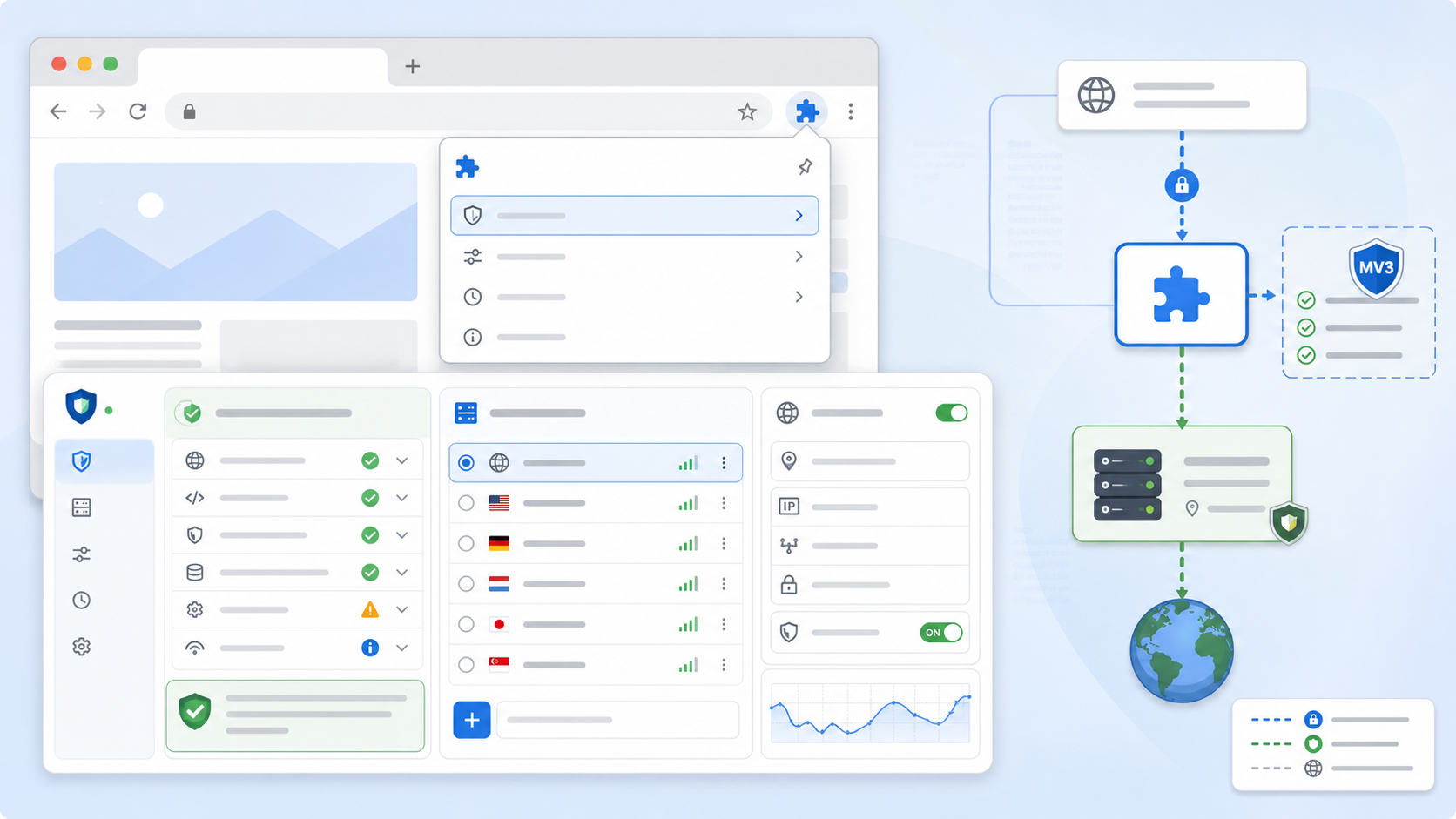
Start with the current store listing and repository, not an old roundup. Chrome's Manifest V3 migration guidance explains the platform change, while the Chrome proxy API documentation defines what an extension can configure. Verify the latest release date, publisher identity, privacy disclosure, source availability, support channel, requested permissions, and whether the extension still works on your managed Chrome version.
| Extension type | Best fit | Review carefully |
|---|---|---|
| Universal proxy manager | Multiple providers, rule-based profiles, developer testing | Permission scope, PAC rules, authentication behavior |
| Provider extension | Simple setup with one provider | Account coupling, portability, data collection |
| System-proxy controller | Teams that already manage OS proxy policy | Which applications are affected and how bypass works |
| Free endpoint extension | Low-risk temporary browsing only | Unknown traffic handling, logging, ownership, and support |
Manifest V3 permission audit
Proxy configuration normally requires the proxy permission and access to extension storage for profiles. Host permissions, web request access, browsing history, clipboard, downloads, or broad content-script access need a clear feature-level reason. A long permission list is not automatically malicious, but unexplained access is a decision risk. Recheck permissions after updates because an extension's behavior can change over time.
For a broader browser privacy model, review browser fingerprinting and bot detection. A proxy changes the network address; it does not erase browser extension inventory, storage, canvas, or account state.
Proxy profile, authentication, and bypass design
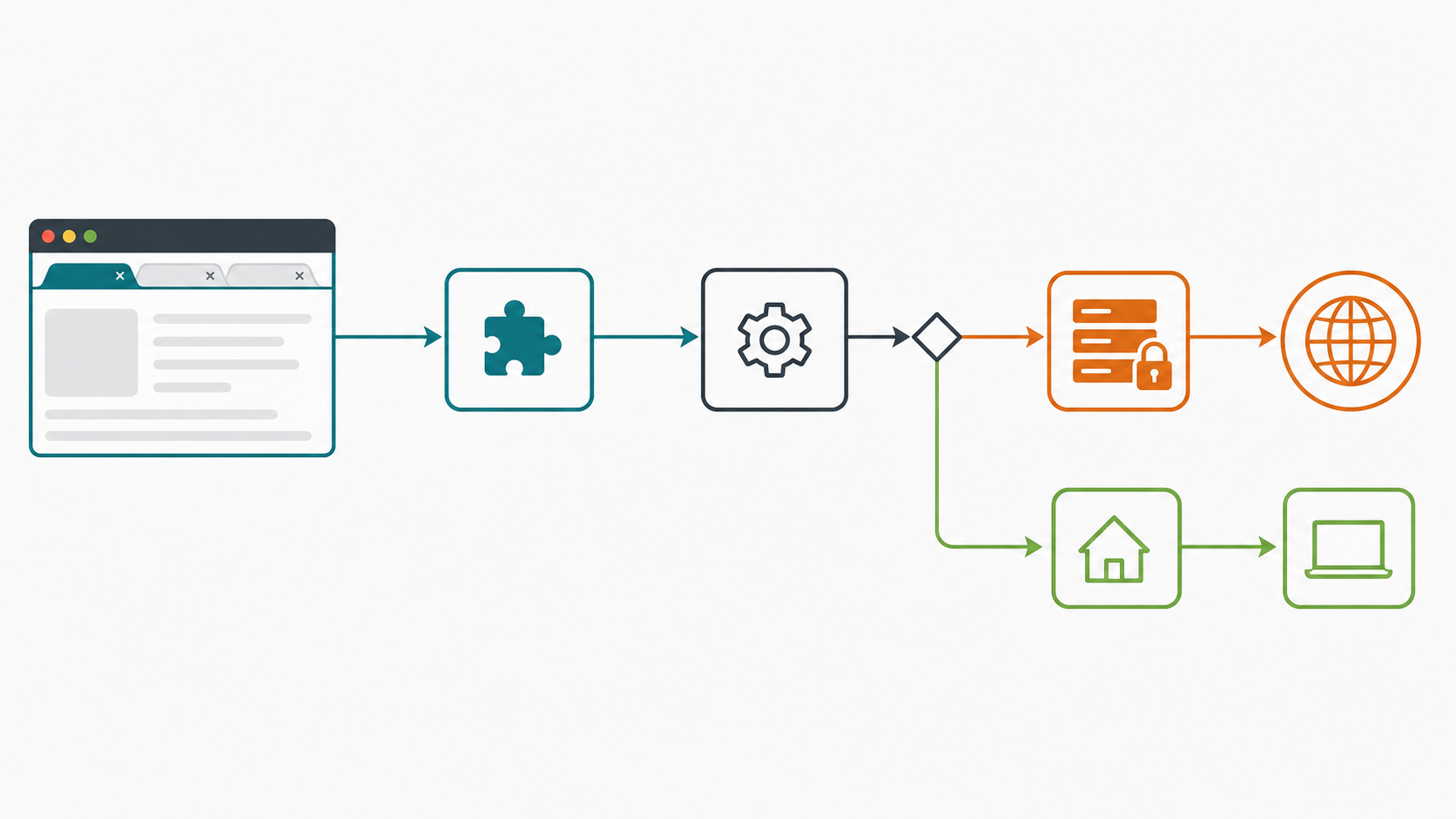
Create separate profiles for development, regional QA, and direct traffic. Store only the credentials the extension requires, prefer provider-supported authentication, and document whether credentials are saved locally or synchronized. Define bypass rules for localhost, private network ranges, and services that must remain direct.
Match the proxy type to the task. SOCKS5 proxies are useful for flexible application routing; residential proxies may fit location-sensitive QA; ISP proxies can fit longer sessions; and static proxy configuration helps when allowlists require a stable endpoint. Confirm the destination policy and authorization before collecting data or testing regional behavior.
A practical selection and test framework
- Shortlist extensions that are currently maintained and compatible with your managed Chrome channel.
- Record publisher, source repository, permissions, privacy disclosure, and authentication support.
- Install in a clean test profile rather than your primary browser profile.
- Configure one known-good proxy and verify public IP, DNS behavior, authentication prompts, and bypass rules.
- Test restart, profile switching, incognito policy, and extension updates.
- Remove the extension and confirm Chrome returns to the expected direct or managed proxy state.
Failure diagnosis
If the public IP does not change, another extension, enterprise policy, or OS setting may be winning. If every page fails, test endpoint reachability and credentials. If only hostnames fail, isolate DNS. If local applications break, check bypass rules. If authentication loops, verify whether the extension supports the provider's method or whether IP allowlisting is the documented alternative.
For automation rather than manual browsing, a browser extension can be harder to reproduce than code-managed contexts. Compare Puppeteer and Playwright workflows and Playwright configuration limits before adopting an extension as test infrastructure.
How to compare individual extensions without stale rankings
Create a review sheet and score each candidate on evidence you can verify today. Record the Web Store publisher, current version, last update, privacy disclosure, repository and license where available, support channel, requested permissions, export support, authentication methods, rule support, and managed-browser compatibility. Do not convert star ratings or install counts into security claims; they can indicate adoption, but they do not prove current code quality or data handling.
Separate universal proxy managers from provider-specific extensions. Universal managers are portable and often support multiple profiles, but the user must supply and protect endpoint credentials. Provider extensions can simplify login and endpoint selection, but may couple the browser to one account, telemetry model, or service. System-proxy controllers affect a wider traffic scope and require extra care on shared or managed devices.
Extension review scorecard
| Area | Pass evidence | Stop condition |
|---|---|---|
| Maintenance | Compatible release and responsive issue handling | Abandoned listing or unexplained ownership change |
| Permissions | Each sensitive permission maps to a documented feature | Broad access without a clear reason |
| Authentication | Provider-supported credentials or documented allowlisting | Credentials exposed in page content or insecure storage |
| Profiles | Auditable proxy and bypass rules | Hidden routing behavior or no reliable off switch |
| Removal | Uninstall restores the expected browser or OS state | Residual proxy configuration remains |
Managed Chrome and team deployment
In a managed organization, confirm whether administrators force-install the extension, restrict incognito access, disable extension sync, or set proxy policy elsewhere. A user-installed proxy manager may appear active while enterprise policy controls the effective route. Test with the same policy set used by the target team and capture effective policy during diagnosis.
For repeatable QA, distribute a documented profile template rather than screenshots containing credentials. Keep test accounts and proxy credentials scoped to the environment, rotate them through the approved process, and remove access after the test. For regional QA, use the region-mismatch checklist to distinguish IP location from DNS, account, and browser geolocation.
Limitations of browser-only proxy routing
A Chrome extension affects Chrome traffic governed by the browser proxy API. It does not automatically route command-line tools, native applications, background services, or every extension-originated request. WebRTC, DNS, authenticated accounts, and location permissions can reveal context independently. If the requirement is device-wide encryption or native-application routing, compare a VPN, VPS, and proxy rather than forcing a browser extension beyond its scope.
Selection scenarios
Developer switching between local, staging, and regional QA
Use a universal manager with named profiles, explicit localhost bypass, exportable configuration without secrets, and predictable authentication. The most important capability is not a long provider list; it is the ability to reproduce which profile and rule handled a request.
Support or operations team using one approved provider
A provider extension may reduce setup mistakes when it has a clear publisher, minimal permissions, documented data handling, and centrally managed credentials. Confirm that users can see when routing is active and that uninstall or logout restores the approved direct state.
Security-sensitive managed browser
Prefer administrator-controlled policy and a small extension allowlist. Review every update, disable unnecessary sync, and test whether extension settings can be changed by standard users. A browser add-on should not become an undocumented path around network policy.
Incident and removal checklist
If an extension changes ownership, adds unexplained permissions, stops receiving updates, or routes traffic unexpectedly, disable it first, export non-secret configuration if needed, remove stored credentials, uninstall it, and verify effective Chrome and OS proxy settings. Rotate proxy credentials that may have been exposed. Review affected browser profiles for synchronized settings and document the incident so the same extension is not silently reintroduced.
Review LycheeIP proxy options for browser profiles
Frequently Asked Questions
What is the best Chrome proxy extension?
Choose an actively maintained extension with a verifiable publisher, minimal justified permissions, support for your authentication method, auditable profiles, and reliable bypass rules. There is no universal winner.
Does Manifest V3 stop Chrome proxy extensions?
No. Chrome still exposes a proxy API, but extension architecture and permissions changed. Verify current compatibility instead of relying on an old listing.
Can a Chrome proxy extension use SOCKS5?
Many proxy managers can configure SOCKS5, but support for authentication and DNS behavior varies. Test the exact extension and provider combination.
Why does Chrome keep using my old IP?
Check whether the intended profile is active, whether another extension or enterprise policy overrides it, and whether the request is bypassed or served from a non-browser application.
Are free proxy extensions safe?
Price alone does not establish safety. Evaluate publisher identity, permissions, privacy disclosure, endpoint ownership, source availability, maintenance, and removal behavior.
Does a proxy extension hide browser fingerprints?
No. It changes the browser's network route. Device, browser, storage, extension, and behavioral signals remain visible to sites according to browser behavior.