SMB meaning: a practical deep-dive into the Server Message Block protocol
When you encounter the term SMB, its meaning can be ambiguous. In business, it often stands for "small and medium business." However, in the world of networking and IT infrastructure, the SMB meaning is something entirely different and far more technical: Server Message Block. This protocol is the foundation of file and printer sharing in most modern office environments.
This article provides a practical look at the Server Message Block protocol. We will explain how SMB works, which network ports it uses, the evolution of its versions, and the critical role of authentication in securing your data. Understanding the true SMB meaning is the first step to managing a secure and efficient network.
What does SMB mean in networking?
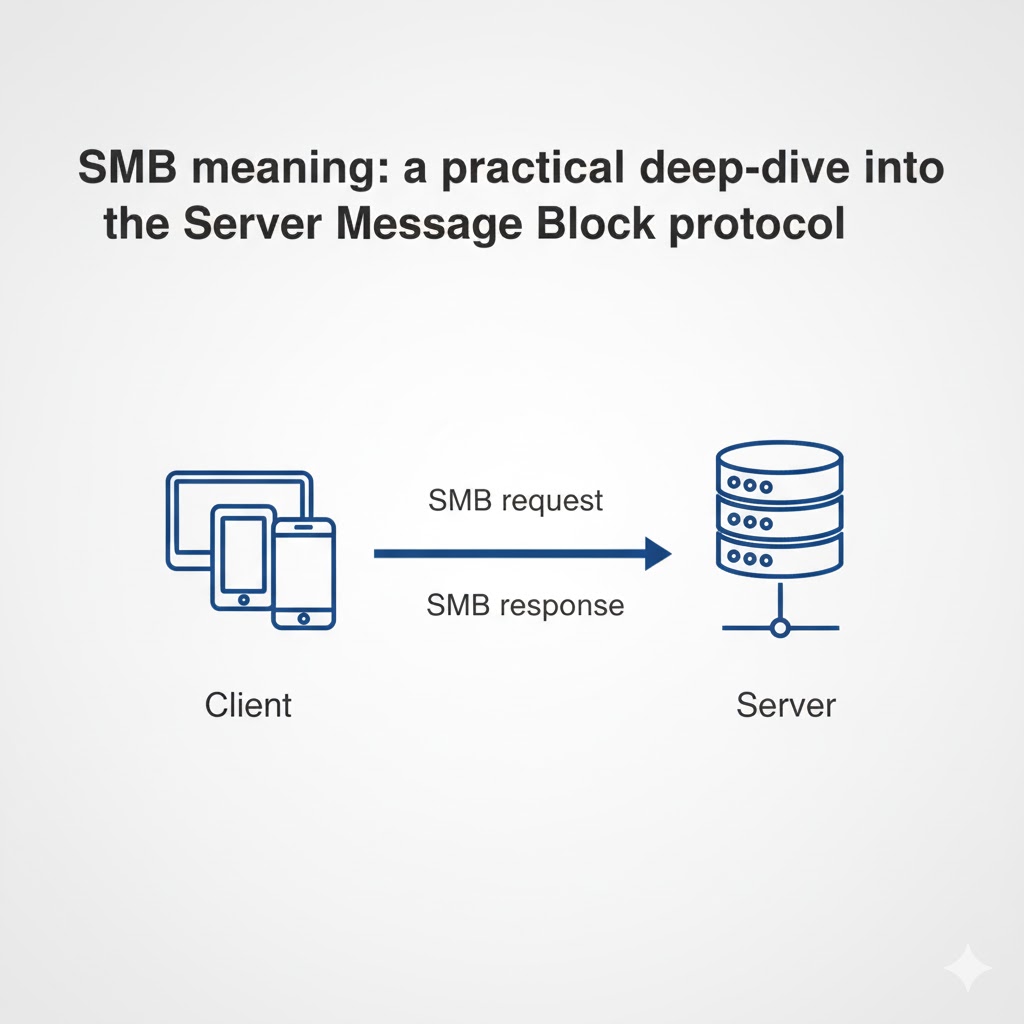
The SMB meaning in networking is Server Message Block, a network communication protocol designed for providing shared access to files, printers, and other resources between devices. It is a client-server protocol, meaning one device (the client) requests services from another device (the server). The SMB protocol defines the rules for these interactions, allowing a user on one computer to access a file on another as if it were on their local hard drive.
How is “SMB” different from “small and medium business”?
The acronym SMB is an overloaded term. In a business or marketing context, it refers to small and medium businesses. In a technical, IT context, it refers to the Server Message Block protocol. The context of the conversation, such as a discussion about network shares, ports, or authentication, will make it clear which SMB meaning is intended.
What problems does Server Message Block solve?
Server Message Block solves the problem of remote resource access in a standardized way. It abstracts the complexity of the network, allowing applications to interact with remote files and printers using the same commands they would for local resources. The SMB protocol also provides mechanisms for security, including authentication, signing, and encryption, to protect data in transit.
How does the SMB protocol work in practice?
The SMB protocol works by using a request-response model, where a client sends a specific command to a server, and the server responds accordingly. This simple but powerful model facilitates a wide range of operations, from browsing a list of files in a shared folder to printing a document on a network printer.
What is the request-response flow?
A typical SMB session involves several steps:
- Negotiation: The client and server negotiate which version of the SMB protocol they will use.
- Authentication: The client proves its identity to the server, typically using NTLM or Kerberos authentication.
- Session Setup: Once authenticated, a session is established.
- Share Connection: The client connects to a specific shared resource, like a folder or printer.
- Operations: The client performs actions, such as reading or writing files.
- Logoff: The client terminates the session.
Where do clients, servers, and shares fit?
In a Windows environment, the client-side implementation of SMB is handled by the "Workstation" service, and the server-side is handled by the "Server" service. In Linux and macOS environments, a software suite called Samba is used to provide both client and server capabilities, allowing for seamless file sharing between different operating systems.
Test LycheeIP's reliable proxy network.
Which Server Message Block port should you use?
You should use TCP port 445 for all modern SMB connections. The historical Server Message Block port was 139, which was used when SMB ran on top of the older NetBIOS protocol. Today, SMB runs directly over TCP/IP, and 445 is the standard.
When is TCP 445 required and when does 139 still appear?
TCP 445 is the required Server Message Block port for modern Windows, macOS, and Samba implementations. You might still see traffic on TCP 139 in legacy environments where older devices or applications require NetBIOS for compatibility.
What changes with SMB over QUIC on UDP 443?
SMB over QUIC is a newer feature designed to provide secure SMB access over the internet. It encapsulates SMB traffic within a TLS 1.3 tunnel over UDP port 443, the same port used for HTTPS. This avoids the need to expose the traditional Server Message Block port (445) to the public internet, which is a significant security risk.
Which SMB versions exist and what changed?
The SMB protocol has evolved significantly over the years, with each major version bringing improvements in performance and security. The three main eras are SMB 1.0, 2.x, and 3.x.
| Version | Key Improvements | Security Focus |
| SMB 1.0 / CIFS | The original, now-deprecated version. | Considered insecure; should be disabled. |
| SMB 2.x | Greatly improved performance and efficiency. | More resilient but lacks modern security features. |
| SMB 3.x | Introduced multichannel, transparent failover, and encryption. | End-to-end encryption, pre-authentication integrity. |
What did SMB 2.x fix from SMB 1.0/CIFS?
SMB 2.0 was a major redesign that drastically reduced the "chattiness" of the protocol. It reduced the number of commands and subcommands, allowing for more data to be packed into each request and response. This made SMB 2.0 much faster and more efficient, especially over high-latency networks.
What security features arrived in SMB 3.0 and 3.1.1?
SMB 3.0 introduced the crucial feature of end-to-end encryption, allowing traffic to be protected from eavesdropping. SMB 3.1.1 further hardened security by adding pre-authentication integrity, which protects against man-in-the-middle attacks that could try to downgrade the connection to a less secure version of the SMB protocol.
Test LycheeIP's reliable proxy network.
Why does authentication matter for SMB security?
Authentication is the cornerstone of SMB security because it is the process that verifies the identity of the user or computer trying to access a resource. Without strong authentication, your shared files and printers would be open to anyone on the network.
What is the difference between NTLM and Kerberos?
NTLM and Kerberos are two different authentication protocols used by SMB.
- NTLM: An older, challenge-response protocol. It is simpler to set up but is more vulnerable to certain types of attacks, like credential relaying.
- Kerberos: A more modern, ticket-based protocol. It provides stronger security through mutual authentication and is the preferred choice in most environments.
How does SMB signing and encryption protect traffic?
- SMB Signing: This feature adds a digital signature to each SMB message. The receiver can then verify this signature to ensure that the message has not been tampered with in transit.
- SMB Encryption: This feature, introduced in SMB 3.0, encrypts the entire SMB conversation, protecting the data from being read by anyone who might intercept the traffic.
Which errors are common with SMB and how do you solve them?
The most common SMB errors are related to authentication, network connectivity, and version mismatches. Troubleshooting these issues usually involves a systematic check of these three areas.
Access denied and authentication loops
These errors typically point to a problem with user credentials or permissions. Check that the user account has the correct share and file system permissions and that the client and server can agree on an authentication protocol.
Name resolution and port blocks
If a client cannot connect to a server, the issue could be DNS or a firewall. Ensure that the client can resolve the server's name to an IP address and that the Server Message Block port (TCP 445) is not being blocked by a firewall on the client, the server, or anywhere in between.
Version mismatch and SMB1 deprecation
Modern systems have SMB 1.0 disabled by default for security reasons. If you are trying to connect from or to an older device that only supports SMB 1.0, the connection will fail. The solution is to upgrade the legacy device or, if that is not possible, isolate it on the network.
Test LycheeIP's reliable proxy network.
Which protocol should you choose: SMB vs NFS vs FTP?
You should choose SMB for Windows-centric environments, NFS for Unix/Linux environments, and avoid FTP for file sharing. The SMB protocol is the native choice for Windows and integrates seamlessly with Active Directory for authentication and permissions. NFS (Network File System) is the traditional choice for Unix-like systems. FTP (File Transfer Protocol) is an older protocol that should be avoided in favor of more secure alternatives like SFTP.
OS fit, performance, and security defaults
The choice often comes down to the primary operating systems in use. SMB has excellent performance and security features in modern Windows environments. NFS is highly optimized for Linux workloads.
Mixed environments and Samba
In a mixed- OS environment, Samba is the key. This open-source re-implementation of the SMB protocol allows Linux, macOS, and other Unix-like systems to act as both clients and servers in an SMB network, enabling seamless file sharing with Windows devices.
When should teams consider SMB over QUIC?
Teams should consider SMB over QUIC when they need to provide secure file share access to remote users over the internet. It is a modern, secure alternative to traditional VPNs for this specific use case.
Internet access without opening 445
The primary benefit of SMB over QUIC is that it avoids the need to expose the vulnerable Server Message Block port 445 to the public internet. Instead, it uses the standard and widely permitted UDP port 443.
Prerequisites and rollout tips
SMB over QUIC requires a modern Windows Server and Windows client environment. When rolling it out, start with a pilot group of users and ensure you have the necessary certificates and network configurations in place.
What are best-practice hardening steps for SMB today?
The most important hardening step is to disable the outdated and insecure SMB 1.0 protocol. This is a critical security measure that protects your network from well-known vulnerabilities.
Minimum viable controls
- Disable SMB 1.0 on all devices.
- Require SMB signing to protect against tampering.
- Enforce SMB encryption for traffic to and from sensitive servers.
- Use strong authentication with a preference for Kerberos over NTLM.
Monitoring, auditing, and patch cadence
Continuously monitor your file server logs for unusual access patterns. Regularly audit your share permissions to ensure the principle of least privilege is being followed. And, as with any network service, maintain a strict patch cadence to protect against newly discovered vulnerabilities in the SMB protocol.
Test LycheeIP's reliable proxy network.
Frequently Asked Questions:
1. What does SMB mean in a technical context?
In a technical context, the SMB meaning is Server Message Block. It is a network protocol that enables file sharing, printer sharing, and other communication between computers on a network.
2. What is the standard Server Message Block port?
The standard Server Message Block port for modern implementations of the SMB protocol is TCP 445. Older versions that relied on NetBIOS used TCP port 139.
3. What is the main security concern with the SMB protocol?
The main security concern is with older versions, particularly SMB 1.0, which has known vulnerabilities that have been exploited by malware. It is critical to disable SMB 1.0 and use a modern, patched version with strong authentication.
4. What is the difference between SMB and Samba?
SMB (Server Message Block) is the name of the protocol. Samba is an open-source software suite that implements the SMB protocol, allowing non-Windows operating systems like Linux and macOS to communicate with Windows-based networks.
5. Is SMB authentication secure?
Modern SMB authentication, especially when using Kerberos, is very secure. SMB 3.x also offers features like end-to-end encryption and signing to further protect data in transit.
6. Can I use the SMB protocol over the internet?
It is highly insecure to expose the standard Server Message Block port (445) directly to the internet. For secure remote access, you should use a VPN or the newer SMB over QUIC feature, which tunnels traffic over UDP port 443.