Private IP Address: What it is, how to find it, and when to use it
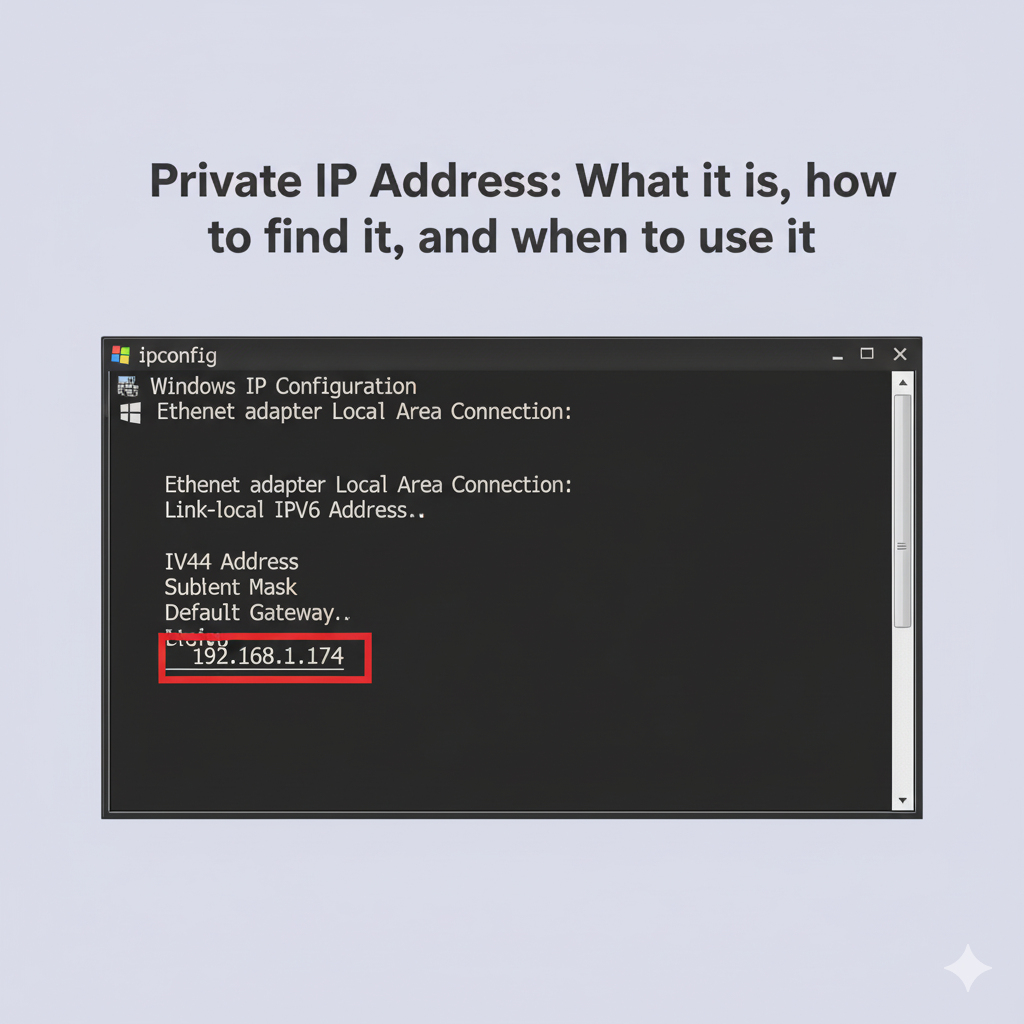
A private IP address is the unique identifier assigned to your device within your local network, like your home or office Wi-Fi. It is the address your computer, phone, and other devices use to communicate with each other and your router. Understanding your private IP address is a fundamental skill for troubleshooting network issues, configuring devices, and grasping how the internet works.
This article provides a detailed look at the private IP address. We will explain how it differs from a public IP address, show you how to find yours using tools like the command prompt, and clarify the purpose of utilities like the ping command. We will also explore how these local addresses relate to the broader internet and tools like a proxy server.
Manage your public identity with LycheeIP proxies.
What is a private IP address?
A private IP address is a non-routable address used exclusively for communication within a local area network (LAN). Internet standards organizations have reserved specific blocks of IP addresses for this purpose. Because they are not unique across the globe, the same private IP address ranges can be reused by millions of different home and office networks without causing conflicts on the public internet.
How does a private IP address differ from a public IP address?
A public IP address is the single address that your entire local network uses to communicate with the rest of the internet, while a private IP address is used for internal communication only. Think of it like a large office building. The building has one public street address (the public IP). Inside, each office has its own unique extension number (the private IP address).
Mail from the outside world goes to the main street address and is then directed by the mailroom to the correct extension. Similarly, your router uses a process called Network Address Translation (NAT) to manage traffic between the single public IP address and the many private IP address devices on your network. When you try to track IP address activity from an external website, it can only see your public IP, not the specific private one.
Which private IP address ranges exist?
The specific private IP address ranges for IPv4 are defined in the IETF's RFC 1918. These ranges were carved out from the historical classful network architecture (Class A, B, and C) to allow for flexible internal network configuration.
| Purpose | Range | Total Addresses |
| Class A Block | 10.0.0.0 – 10.255.255.255 (10.0.0.0/8) | 16,777,216 |
| Class B Block | 172.16.0.0 – 172.31.255.255 (172.16.0.0/12) | 1,048,576 |
| Class C Block | 192.168.0.0 – 192.168.255.255 (192.168.0.0/16) | 65,536 |
The 192.168.x.x range is the most common one used for home routers.
What about IPv6 unique local addresses?
IPv6, the successor to IPv4, also has a concept similar to a private IP address. These are called Unique Local Addresses (ULAs) and they fall within the fc00::/7 address block. They are designed for local communications within a site and are not meant to be routed on the public internet.
Is 169.254.x.x a private IP address or something else?
An IP address in the 169.254.x.x range is a special type known as a link-local address, assigned through a process called Automatic Private IP Addressing (APIPA). While technically private, it is not part of the standard private IP address ranges. It signals a problem: your device was unable to get a proper IP address from your router.
Manage your public identity with LycheeIP proxies.
How do you find your private IP address on Windows, macOS, and Linux?
You can find your private IP address using built-in command-line tools on your operating system. These tools provide detailed information about your network interfaces, including the assigned IP address.
Command Prompt and PowerShell steps on Windows
The Windows command prompt is the quickest way to find your local IP.
1. Press Win + R, type cmd, and press Enter to open the command prompt.
2. Type the following command and press Enter:
Bash
ipconfig
3. Look for the "IPv4 Address" line under your active network adapter (e.g., "Wireless LAN adapter Wi-Fi" or "Ethernet adapter Ethernet"). That is your private IP address.
In PowerShell, you can use the Get-NetIPAddress cmdlet for a more detailed view.
Terminal commands on macOS and Linux
On macOS and Linux, you use the Terminal application.
· On macOS: The fastest command is ipconfig getifaddr en0 (for Wi-Fi) or en1 (for Ethernet).
· On Linux: A common and powerful command is ip addr show. Look for the inet line under your primary network interface (e.g., eth0 or wlan0).
Which statement describes the ping command and tracert/traceroute?
The ping command is a utility used to test the reachability of a host on a network, while tracert (on Windows) and traceroute (on macOS/Linux) are used to map the path that data packets take to reach that host.
Using the ping command is like asking, "Are you there?" It sends a small packet of data (an ICMP Echo Request) and waits for a reply. A successful reply confirms that the device is online and tells you the round-trip time.
tracert/traceroute is more like getting turn-by-turn directions. It shows you every "hop" (router) that your data passes through on its way to the destination, which is very useful when you want to trace IP address paths to diagnose slowdowns or connection failures.
When should you trace IP address paths vs track IP address ownership?
You should trace IP address paths using traceroute when you need to diagnose a network problem, like identifying where a connection is failing. You should use an IP lookup tool when you want to track IP address ownership information, like the ISP and approximate geographic location of a public IP.
Manage your public identity with LycheeIP proxies.
How accurate is an IP lookup tool and what can it show?
An IP lookup tool provides information about a public IP address, not a private IP address. It can show details like the city, region, and country associated with the IP, as well as the Internet Service Provider (ISP) that owns it. However, an IP lookup tool is not perfectly accurate for location; it typically points to the location of the ISP's servers, not a specific street address.
Can a private IP address be traced with an IP lookup tool?
No, a private IP address cannot be traced with an external IP lookup tool. These tools only work with public IPs that are visible on the internet. Since your private IP address only exists within your local network, it is invisible and inaccessible to any external service.
Why do NAT and a proxy server matter when you track IP address activity?
NAT and a proxy server are important because they both alter the source IP address that a destination website sees, which is fundamental to how you track IP address activity.
As discussed, NAT translates all the private IP address devices on your network to a single public IP. This is great for conserving IP addresses, but it provides a single point of failure and a static identity that is easy for websites to track and block.
How a proxy server changes what sites see
A proxy server adds another layer of control over your public-facing identity. When you route your traffic through a proxy server, the website you visit sees the proxy's IP address, not your router's public IP. For data engineers and researchers, this is essential. A provider like LycheeIP offers access to a massive pool of high-reputation residential and datacenter proxies. By rotating through these IPs, you can manage your public identity at scale, which is critical for unbiased data collection, ad verification, and other professional workflows where a single, static IP is a significant limitation. This provides a level of control and anonymity that standard home networking cannot.
When do you get Automatic Private IP Addressing (APIPA) and how do you fix it?
You get Automatic Private IP Addressing (APIPA) when your device is configured to get an IP address automatically (via DHCP) but cannot find a DHCP server on the network. When this happens, your device assigns itself an IP address from the 169.254.0.0 to 169.254.255.255 range. This is a sign that something is wrong with your connection to the router.
Quick DHCP and router checks in Command Prompt
If you suspect an APIPA issue, you can use the command prompt to troubleshoot.
1. Try to release your current IP and request a new one:
Bash
ipconfig /release
ipconfig /renew
2. Use the ping command to see if you can reach your router (commonly at 192.168.1.1):
Bash
ping 192.168.1.1
If these commands fail, the issue is likely with your router or network cable. A simple router reboot often resolves the problem.
Which visuals and cheatsheets help you remember this?
To help remember these concepts, it is useful to visualize the flow of data and have a quick reference for the different address ranges. A network diagram showing a device with a private IP address connecting through a router (performing NAT) to the public internet is very helpful. Another great visual is a simple table that lists the different private IP address ranges and the APIPA range, along with their intended use cases.
Manage your public identity with LycheeIP proxies.
Frequently Asked Questions:
1. What is the main difference between a private IP address and a public one?
A private IP address is used for devices within your local network (like your home Wi-Fi), while a public IP address is the single address your network uses to communicate with the public internet.
2. How can I find my private IP address using the command prompt?
Open the command prompt on Windows by typing cmd in the Start menu, then type ipconfig and press Enter. Your private IP address will be listed as the "IPv4 Address."
3. What does the ping command do?
The ping command is a network utility used to test if a device at a specific IP address is reachable. It sends a small packet of data and measures how long it takes to receive a response, which is useful for diagnosing connection issues.
4. Can someone trace my private IP address from the internet?
No. Your private IP address is only visible within your local network. Websites and other services on the internet can only see your router's public IP address, not the private IP of your specific device.
5. Why would my computer have an IP address starting with 169.254?
This indicates an issue with Automatic Private IP Addressing (APIPA). It means your computer could not get a valid IP address from your router's DHCP server, so it assigned itself a temporary, limited-functionality address.
6. How is a proxy server different from my home router's NAT?
Your router's NAT simply translates your network's many private IPs into one public IP. A proxy server is an intermediary service that you can use to replace your public IP with one from its own network, giving you control over your public-facing identity.