Scrape Web Python: A Practical Playbook for Libraries, Automation, and Anti-Scraping
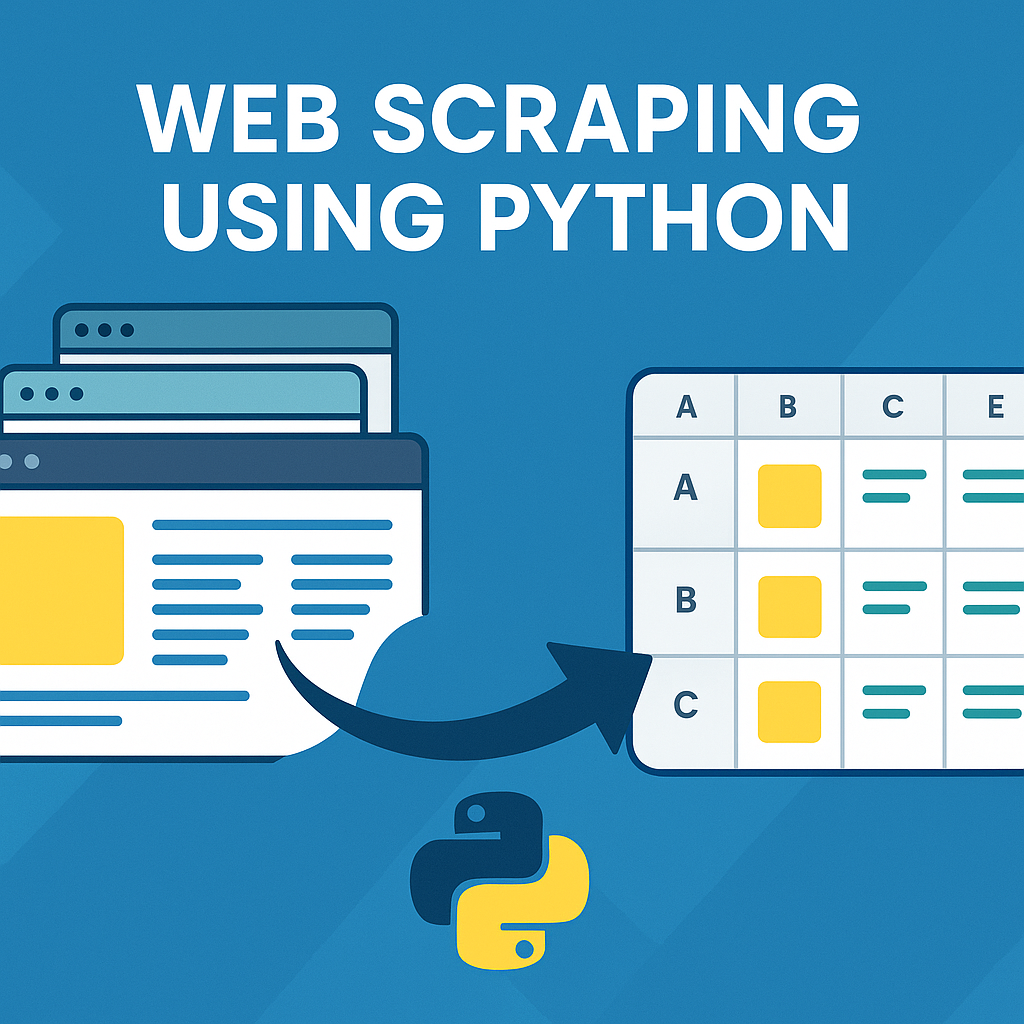
To successfully scrape web python style, you must build a reliable data pipeline. This process involves fetching raw web pages, parsing the HTML to extract the exact information you need, and storing that data in a clean, usable format.
This article covers the essential tools and techniques for modern Python web scraping. We'll explore the core python web scraping libraries like BeautifulSoup and Scrapy, show when to use browser automation with Selenium or Playwright, and explain how to navigate anti scraping measures ethically and effectively. Whether you're a data engineer, a growth team, or a developer, this playbook will help you build stable and scalable scrapers.
Start with LycheeIP's developer-friendly plan
What Does it Mean to Scrape Web Python?
Scraping web data with Python involves a repeatable three-step process: fetching raw HTML, parsing that HTML to find target data, and storing the data in a structured format like a CSV or database.
What is the initial fetching step?
You first fetch a webpage's content by making an HTTP GET request to its URL. The most common and straightforward library for this is requests. It simplifies handling connections, headers, and sessions, making it an ideal starting point for any script designed to scrape data.
Python
import requests
# Define the URL you want to scrape
url = "https://example.com"
try:
# Make the HTTP request
response = requests.get(url, timeout=10)
# Check for a successful response (e.g., 200 OK)
response.raise_for_status()
# Get the raw HTML content
html_content = response.text
print("Fetch successful!")
except requests.RequestException as e:
print(f"Error fetching URL: {e}")
How does parsing with BeautifulSoup work?
You parse the raw HTML using a library like BeautifulSoup to navigate the document's structure. BeautifulSoup (often imported as bs4) transforms the HTML string into a Python object, allowing you to find elements by their tags, CSS classes, or IDs. This is how you pinpoint the specific data you want to scrap.
Python
from bs4 import BeautifulSoup
# Assuming 'html_content' is from the previous step
soup = BeautifulSoup(html_content, "html.parser")
# Find the main title of the page
title = soup.find("h1").get_text()
print(f"Page Title: {title}")
# Find all links on the page
for link in soup.find_all("a"):
print(f"Link Text: {link.get_text(strip=True)}, URL: {link.get('href')}")
Why use pandas for data storage?
You use pandas to organize your extracted data into a clean, two-dimensional structure called a DataFrame. This is the final step in a basic scrape web python workflow. A pandas DataFrame makes it simple to clean data, remove duplicates, handle missing values, and export the results to various formats like CSV, Excel, or Parquet for analysis.
Python
import pandas as pd
# Imagine we scraped this data into lists
data = {
"title": ["Product A", "Product B", "Product C"],
"price": ["$10.00", "$15.00", "$12.50"]
}
# Load data into a pandas DataFrame
df = pd.DataFrame(data)
# Clean the data (e.g., remove dollar signs)
df["price"] = df["price"].str.replace("$", "").astype(float)
# Save the clean data to a CSV file
df.to_csv("scraped_products.csv", index=False)
print(df.head())
Start with LycheeIP's developer-friendly plan
Which Python Web Scraping Libraries Should You Choose?
The best python web scraping libraries depend on your target's complexity, from simple static sites to JavaScript-heavy applications.
When are Requests and BeautifulSoup the right choice?
Requests and BeautifulSoup are the right choice for static websites. A static site delivers all its HTML content in the initial response. If you can see the data you need by using "View Page Source" in your browser, this combination is fast, lightweight, and easy to maintain. Many blogs, news sites, and e-commerce listings still work this way.
When do you need browser automation with Selenium or Playwright?
You need browser automation with Selenium or Playwright when a site loads data using JavaScript after the initial page load. This is common on single-page applications (SPAs) or pages with infinite scroll. These tools launch a real browser (like Chrome or Firefox) that can execute JavaScript, click buttons, and wait for content to appear before you scrape it. Selenium is the long-standing industry standard, while Playwright is a newer tool from Microsoft gaining popularity for its modern API and built-in features.
Why choose the Scrapy framework (and not just 'scrap')?
You should choose the Scrapy framework for large-scale, complex crawling projects. Unlike a simple script, Scrapy is a complete "batteries-included" framework. It provides a project structure, asynchronous requests (for high speed), and built-in "pipelines" for processing and storing data.
New developers often confuse the verb "to scrap" or the term "scrap" with the Scrapy framework. Scrapy is a specific, powerful tool that manages the entire lifecycle of a large crawl, including request scheduling and item processing, making it ideal for scaling your scrape web python operation.
How Do You Handle Dynamic Sites with Browser Automation?
You reliably handle dynamic sites by using browser automation tools like Selenium or Playwright to execute JavaScript and wait for content to appear.
What are reliable waiting strategies?
A reliable strategy involves using "explicit waits" rather than arbitrary time.sleep() commands. An explicit wait tells your script to poll the page for a specific condition, like an element becoming visible. This makes your browser automation script robust; it won't break if the network is slow, but it will proceed quickly if the element loads fast. Both Selenium and Playwright provide powerful waiting mechanisms. Playwright, in particular, has auto-waiting built into many of its actions.
Python
# Playwright example of an explicit wait
from playwright.sync_api import sync_playwright
with sync_playwright() as p:
browser = p.chromium.launch()
page = browser.new_page()
page.goto("https://example.com/dynamic-page")
# Wait for the element with this selector to be visible
# This is much more reliable than time.sleep(5)
page.wait_for_selector("h2.product-title", timeout=30000)
titles = page.locator("h2.product-title").all_text_contents()
print(titles)
browser.close()
Which is better for scraping: Playwright or Selenium?
Neither is universally "better," as both Playwright and Selenium are excellent for browser automation, but they have different strengths. Playwright is often preferred for new scraping projects due to its modern API, built-in auto-waits, and ability to handle network events. Selenium has a massive community, extensive documentation, and a mature ecosystem (like Selenium Grid for parallel testing), making it a stable choice for enterprise automation.
Comparison: Playwright vs. Selenium for Scraping
| Feature | Playwright | Selenium |
| Primary Goal | Built for modern web testing & automation. | The long-time standard for browser automation. |
| API | Modern, asynchronous, built-in auto-waits. | Classic WebDriver API, requires explicit waits. |
| Setup | Simpler setup, manages its own browser binaries. | Requires separate WebDriver binaries (e.g., chromedriver). |
| Network Control | Excellent built-in tools to intercept/mock requests. | More limited network control, often needs a proxy. |
| Scraping Use | Growing fast, loved for its speed and reliability. | Very mature, huge ecosystem, widely supported. |
`
Start with LycheeIP's developer-friendly plan
Why Do Websites Implement Anti-Scraping Measures?
Websites implement anti scraping measures primarily to protect server resources from overload, secure private user data, and prevent competitors from stealing proprietary content or pricing.
What is ethical rate limiting?
Ethical rate limiting is the practice of deliberately slowing down your scraper to avoid overwhelming the target server. Instead of sending hundreds of requests per second, you might add a small delay between requests. This respects the server's resources and reduces your chance of being blocked. Implementing exponential backoff (where you wait longer after each failed request) is also a key part of responsible rate limiting.
How do proxies help manage blocks?
Proxies help manage IP-based blocks, which are one of the most common anti scraping measures. When you send too many requests from a single IP address, a site may temporarily or permanently ban that IP. A proxy service routes your request through a different IP address.
At LycheeIP, we provide developer-first proxy infrastructure with clean, high-uptime residential and datacenter IP pools. Instead of bundling complex "unlocker" tools, we focus on providing simple, reliable API access to our proxies. This allows you to integrate high-quality IPs directly into your requests, Scrapy, Selenium, or Playwright configuration, giving you full control over your scrape web python stack.
What other anti-scraping tactics should you know?
Beyond rate limiting and IP blocks, common anti scraping measures include:
- User-Agent Checking: Blocking requests that don't have a realistic browser User-Agent header.
- CAPTCHAs: Requiring a challenge (e.g., "I'm not a robot") that is difficult for a bot to solve.
- Browser Fingerprinting: Analyzing subtle browser characteristics (fonts, plugins, resolution) to identify and block automated tools like Selenium.
- Honeypot Traps: Placing invisible links on a page that only a scraper would follow, leading to an immediate IP ban.
Start with LycheeIP's developer-friendly plan
How Can You Scrape a Table in Python with Pandas?
You can scrape a table in Python most easily using the pandas.read_html function, which automatically parses <table> tags into a list of DataFrames.
How to use pandas.read_html for simple tables
For standard HTML tables, pandas offers a powerful one-line solution. It fetches the URL (using requests and BeautifulSoup under the hood) and returns a list of all tables found on the page as DataFrames.
Python
import pandas as pd
# URL of a page with a simple HTML table
url = "https://en.wikipedia.org/wiki/List_of_largest_companies_by_revenue"
# This returns a LIST of DataFrames.
# We'll take the first table [0].
try:
tables_list = pd.read_html(url)
df = tables_list[0]
print(df.head())
except ValueError as e:
print(f"No tables found or error parsing: {e}")
How to use BeautifulSoup and pandas for complex tables
If a table is loaded dynamically or has a messy structure, pandas.read_html might fail. In this case, you can revert to using BeautifulSoup to parse the table rows (<tr>) and cells (<td>) manually, then load the extracted list of data into a pandas DataFrame.
Python
import pandas as pd
from bs4 import BeautifulSoup
import requests
# Assuming a complex page, first get HTML
response = requests.get("https://example.com/complex-table")
soup = BeautifulSoup(response.text, "html.parser")
table = soup.find("table", {"class": "data-table"})
table_data = []
# Find all rows
for row in table.find_all("tr"):
# Find all cells in that row
cols = row.find_all("td")
# Get text from each cell
cols = [ele.text.strip() for ele in cols]
table_data.append([ele for ele in cols if ele]) # Get non-empty cells
# Load the manually parsed data into pandas
df = pd.DataFrame(table_data, columns=["Col1", "Col2", "Col3"])
print(df.head())
How Do You Scale a Python Web Scraping Project?
You scale a python web scraping project by moving from a single script to an asynchronous framework like Scrapy or by containerizing your browser automation scripts to run in parallel.
What is the Scrapy advantage for large crawls?
The Scrapy framework is built for asynchronous processing. This means it doesn't wait for one request to finish before sending the next, allowing it to crawl hundreds of pages concurrently. Scrapy also includes data processing "pipelines" for cleaning and storing items, as well as robust middleware for handling retries, proxies, and rate limiting automatically. This makes Scrapy the top choice for large, continuous scraping jobs.
What are the challenges of scaling browser automation?
Scaling browser automation with Selenium or Playwright is more difficult because each browser instance is resource-intensive (it uses significant CPU and RAM). To scale, you typically need to run many instances in parallel using tools like Docker and Kubernetes. This adds a layer of infrastructure complexity compared to a Scrapy crawl. The resource difference is also a factor when choosing proxies, as browser automation often requires higher-trust IPs.
When Should You Use a Third-Party API like ScrapingBee?
You should use a provider like ScrapingBee when your team wants to completely outsource the infrastructure challenges of anti scraping measures, proxy rotation, and browser automation. An API like ScrapingBee acts as an "all-in-one unlocker": you send it a URL, and ScrapingBee handles the proxy rotation, JavaScript rendering, and CAPTCHA solving, returning the final HTML.
This contrasts with an infrastructure provider like LycheeIP, which gives you the raw proxy "building blocks" to integrate into your own Scrapy or Playwright code. Using ScrapingBee can be simpler upfront, but gives you less control than building your own stack. Many teams evaluate ScrapingBee when their internal solutions become too brittle or time-consuming to maintain.
What Is the Difference Between BeautifulSoup and Jsoup?
The primary difference is that BeautifulSoup is a leading parser within the python web scraping libraries ecosystem, while jsoup is a Java library designed for the same task on the Java Virtual Machine (JVM).
You choose the tool based on your project's programming language.
- BeautifulSoup: The standard choice for parsing HTML in Python.
- Jsoup: The standard choice for parsing HTML in Java or Kotlin.
You would not use jsoup in a Python project, as BeautifulSoup is the native and idiomatic tool. Likewise, a Java developer would choose jsoup for its powerful jQuery-like selectors and ease of use within the JVM. Both BeautifulSoup and jsoup are excellent at parsing HTML; they just serve different language ecosystems.
What Are Common Mistakes When Teams Scrape Web Python?
Avoiding common pitfalls can save significant time and prevent your scrapers from breaking.
- Ignoring robots.txt: Always check a site's robots.txt file first. It's a clear signal of what the site owner permits or disallows.
- No Rate Limiting: Sending requests as fast as possible is the quickest way to get blocked. Implement time.sleep() or, better yet, proper rate limiting logic.
- Using Brittle Selectors: Copying a browser's "XPath" often results in selectors that break with the slightest site redesign. Use stable, semantic selectors (e.g., class="product-title" instead of /div[3]/div[1]/h2).
- Not Handling Errors: Your script will fail. Network connections drop and HTML structures change. Wrap your code in try...except blocks to handle errors gracefully.
- Overusing Browser Automation: Don't use Selenium or Playwright if BeautifulSoup will do. Browser automation is 10-100x slower and more resource-heavy. Always check if the data is present in the initial HTML first.
- Misunderstanding Tools: Confusing Scrapy with a simple "scrap" script, or trying to use jsoup in a Python environment, shows a misunderstanding of the available python web scraping libraries.
Start with LycheeIP's developer-friendly plan.
Frequently Asked Questions:
1. How do you scrape web Python data quickly if you are new?
You can start quickly by installing the requests and beautifulsoup4 libraries. Use requests.get(url) to fetch the page's HTML, then pass that HTML to BeautifulSoup(html_content, "html.parser") to parse it and find data using .find() or .select().
2. Which Python library is best for web scraping?
There is no single "best" library. The best choice depends on the job:
- Requests + BeautifulSoup: Best for simple, static websites.
- Playwright / Selenium: Best for dynamic, JavaScript-heavy websites.
- Scrapy: Best for large-scale, high-volume crawling projects.
3. What anti scraping measures are most important to handle?
The two most important anti scraping measures to handle ethically are respecting robots.txt (which tells you what not to scrape) and implementing rate limiting (which prevents you from overloading the server).
4. How do I choose between Playwright and Selenium?
For new scrape web python projects, many developers prefer Playwright for its modern API, built-in auto-waits, and strong network control. Selenium is a rock-solid choice with a larger community, making it great for integration into existing enterprise testing or automation frameworks.
5. Can I use pandas to scrape websites?
Yes, pandas has a read_html() function that is excellent for scraping simple <table> tags directly from a URL. However, for any other data (like text, links, or lists), you need to use pandas in combination with other python web scraping libraries like BeautifulSoup or Scrapy.
6. Is jsoup relevant when I scrape web Python?
No, jsoup is not relevant for Python projects. Jsoup is a Java library for parsing HTML. The equivalent and standard tool in the Python ecosystem is BeautifulSoup.