Residential VPN: Definition, How It Works, and Smart Ways to Use It
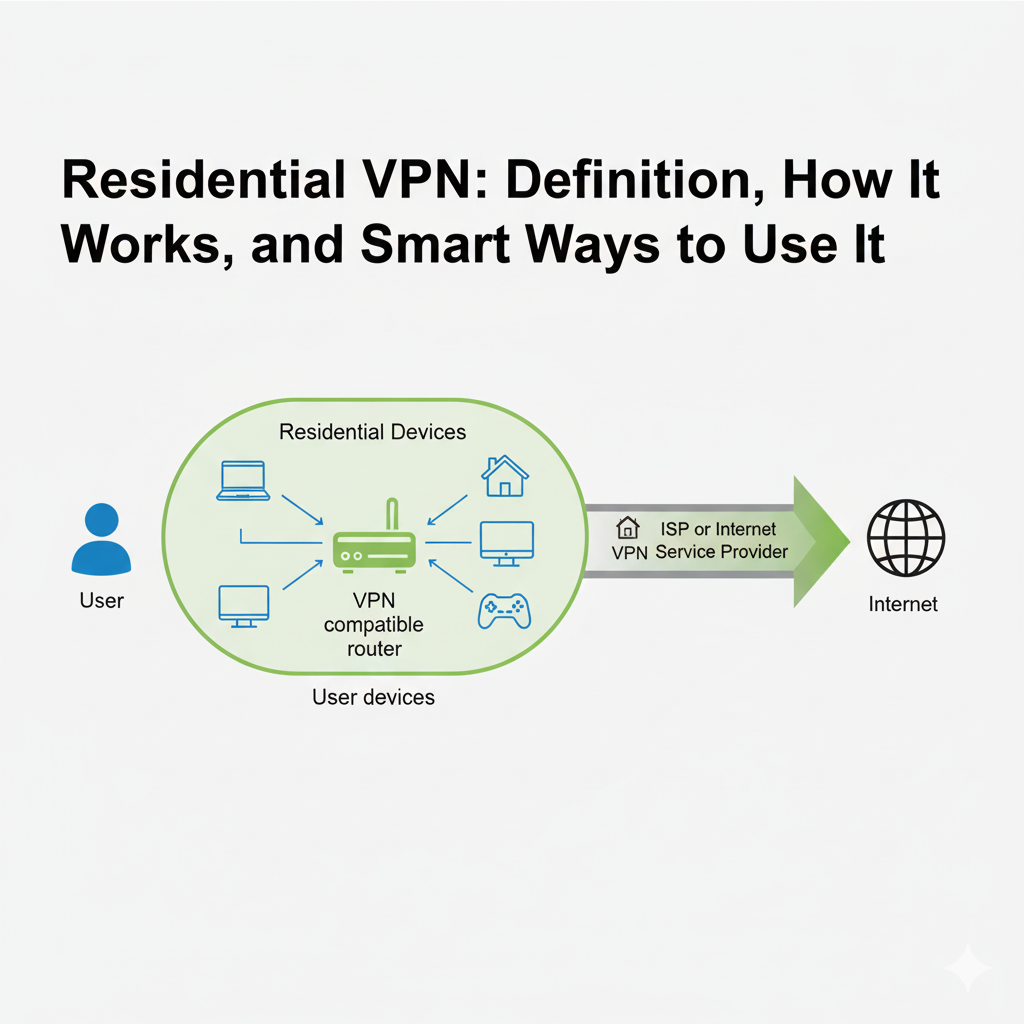
A residential VPN is a specialized type of virtual private network that offers a distinct advantage for certain online tasks: it provides an IP address that belongs to a real home internet connection. For users who find themselves blocked by services that are wary of standard VPNs, this type of connection can be a powerful solution.
This article provides a detailed explanation of what a residential VPN is, how it works, and its most effective use cases. We will explore the technical differences between a residential IP and a datacenter IP, discuss the risks and benefits, and help you understand when a residential IP VPN is the right choice for your project.
Test LycheeIP's developer-first network to see the difference
What is a Residential VPN?
A residential VPN is a service that routes your internet traffic through a residential IP address assigned by an Internet Service Provider to a home user. This makes your online activity appear as if it is coming from a regular person browsing from their house, rather than from a commercial server.
What is a residential IP address from an Internet Service Provider?
A residential IP address is the unique numerical identifier that an Internet Service Provider (like Comcast, Verizon, or BT) assigns to a home internet connection. Every household with an internet plan has one. These IPs are considered highly reputable because they are associated with real people, making them fundamentally different from a commercial datacenter IP.
What makes a residential IP VPN different from standard datacenter VPNs?
A residential IP VPN differs from a standard VPN in the type of IP address it uses for its exit servers. A standard VPN routes your traffic through servers located in data centers, which have commercial IP addresses. A residential VPN routes your traffic through the internet connection of a real home, providing you with a genuine residential IP. This can be a key differentiator when accessing services that block datacenter IP ranges.
How does a Residential VPN work in practice?
A residential VPN works by creating an encrypted tunnel from your device to the VPN provider's network and then routing your traffic through an exit node that is a real home internet connection. This process securely masks your own IP address and replaces it with the residential IP address of the exit node.
How do peer-to-peer residential IP pools operate?
Many residential VPN services build their network of IPs through a peer-to-peer (P2P) model. In this system, users voluntarily and consensually agree to share a small portion of their internet bandwidth to act as an exit node for other users on the network. In exchange, they often get free or discounted access to the VPN service. This model allows the provider to build a large and geographically diverse pool of genuine residential IP addresses.
How does VPN encryption protect data in transit?
VPN encryption is the core security feature that protects your data. It uses a protocol to wrap your internet traffic in a secure, encrypted tunnel between your device and the VPN server. This means that your local network administrator and your Internet Service Provider cannot see the content of your traffic or the websites you are visiting. The VPN encryption ensures your data is unreadable until it exits the VPN server.
Which use cases benefit most from a Residential VPN?
A residential VPN is most beneficial for use cases where websites are sensitive to the origin of the traffic and actively block connections from data centers. The high trust level of a residential IP address makes it ideal for these scenarios.
Which scenarios need higher IP credibility?
- Accessing Geo-Restricted Content: Some streaming platforms are very effective at detecting and blocking standard VPNs. A residential VPN can often provide more reliable access.
- Market Research and Ad Verification: Businesses use them to see how their websites and advertisements appear to real users in different geographic locations.
- Managing Multiple Online Accounts: For social media managers or e-commerce sellers, a residential IP VPN can help manage accounts from different regions without triggering security flags.
Which tasks should avoid residential IPs due to policy risk?
You should avoid using a residential IP for any activity that violates a website's Terms of Service or is illegal. This includes creating spam accounts, conducting fraudulent activities, or scraping data in a way that is prohibited by the site. A residential IP address does not make a rule-breaking activity compliant.
Test LycheeIP's developer-first network to see the difference
Why choose a Residential IP vs a Datacenter IP?
The choice between a residential IP and a datacenter IP comes down to a trade-off between trust, performance, and cost. A residential IP offers higher trust, while a datacenter IP generally offers better performance at a lower price.
Which option is faster, cheaper, or harder to block?
- Harder to Block: A residential IP address is significantly harder for websites to block because it blends in with regular user traffic.
- Faster: A datacenter IP is typically faster and offers more consistent speeds because it comes from a high-bandwidth, professionally managed server.
- Cheaper: A datacenter IP is almost always cheaper to acquire and use.
Which regions and networks matter for success?
For tasks that require geo-targeting, the success of your residential VPN depends on the provider's network coverage. A provider with a large and diverse pool of IPs across many countries, cities, and a variety of Internet Service Provider networks will give you the best chance of finding a high-quality connection in the location you need.
What are the downsides and risks of a Residential VPN?
While powerful, a residential VPN is not without its downsides. The most common issues are related to cost, performance, and the ethical considerations of the IP sourcing model.
What about cost, speed, and shared IP considerations?
A residential IP VPN is a premium service and costs more than a standard VPN. The speed of your connection can also be less predictable than with a datacenter IP, as it depends on the quality of the home internet connection you are being routed through. Additionally, you may be sharing the residential IP with other users, though reputable providers have systems to manage this.
What ethical and legal boundaries should you respect?
It is critical to use a residential VPN responsibly. Always respect the terms of service of the websites you visit and adhere to all applicable laws. The key to the long-term sustainability of these networks is ethical use.
Which features should you evaluate in a Residential IP VPN?
You should evaluate a residential IP VPN based on the quality of its network, its commitment to transparency, and the features of its software.
| Feature | What to Look For | Why It Matters |
| IP Pool Quality | Large number of countries, cities, and diverse ISPs. | Ensures you can find a high-quality residential IP where you need it. |
| Transparency | Clear policies on IP sourcing, data logging, and abuse. | Builds trust that the service is operated ethically. |
| Security Features | Strong VPN encryption, a kill switch, and leak protection. | Protects your real IP address and data from being exposed. |
| Pricing Model | Clear and fair pricing with a trial or money-back guarantee. | Allows you to test the service to see if it meets your needs. |
How do you set up a Residential VPN correctly?
You set up a residential VPN by installing the provider's application, logging in, and selecting a residential location from its server list. Proper setup also involves verifying the connection and enabling key security features.
How to verify your new residential IP and prevent leaks
After connecting, visit an IP lookup website to confirm that your public IP address has changed to the new residential IP. You should also use a leak-testing tool to ensure that your real IP is not being exposed through DNS or WebRTC leaks.
How to tune protocols and a kill switch for reliability
For the best reliability, always enable the kill switch feature. This will automatically block all internet traffic if the VPN encryption tunnel ever drops, preventing your real IP from being exposed. Most apps will automatically select the best protocol, but you can experiment with different ones if you are having connection issues.
Test LycheeIP's developer-first network to see the difference.
When should you consider proxies instead of a Residential VPN?
You should consider using a residential proxy when your primary goal is large-scale data collection or automation, rather than general privacy for your entire device. While a residential VPN is a great tool for individuals, a proxy offers more granular control for developers.
What is the difference between a residential proxy and a residential VPN?
A residential proxy and a residential VPN both route your traffic through a residential IP address. The key difference is in how they are used. A residential VPN is an application that encrypts and routes all the traffic from your device. A residential proxy is a more lightweight intermediary that you configure in your own script or application.
A developer-first proxy provider like LycheeIP offers simple, direct access to a clean pool of residential IPs. This lightweight control is ideal for developers who need to integrate IP rotation into their own data collection applications without the overhead of a full VPN client.
Which tool fits scraping, QA testing, or streaming?
- Large-Scale Scraping: Rotating residential proxies are the superior tool.
- QA Testing and Market Research: A residential VPN or a residential proxy can both work well.
- Streaming Geo-Blocked Content: A residential VPN is typically the simpler and more user-friendly option.
Can a Residential VPN be tracked or blocked?
Yes, even a residential VPN can be tracked or blocked if your behavior is suspicious. The residential IP helps you bypass initial IP-based checks, but it does not make you invisible.
What signals still reveal automation or abuse?
Websites use advanced techniques to detect non-human behavior, including:
- Browser Fingerprinting: Analyzing your browser's unique configuration.
- Cookies: Tracking your activity across sessions.
- Request Rate: Sending requests much faster than a human ever could.
What best practices reduce flags without breaking rules?
To reduce your chances of being blocked, always interact with websites at a human-like pace. Clear your cookies between sessions and use browser configurations that are common and do not stand out.
Does your ISP allow hosting a Residential VPN server?
Hosting a server on your home network to act as an exit node is generally discouraged by most Internet Service Provider agreements.
What to check in Internet Service Provider policies
Review the terms of service for your home internet plan. Most consumer-grade plans have clauses that prohibit running any kind of server.
When to contact support before you deploy
If you intend to host any kind of server, it is always best to contact your Internet Service Provider's support team or upgrade to a business-class plan that explicitly allows it.
Test LycheeIP's developer-first network to see the difference
Frequently Asked Questions:
1. What is the main benefit of a residential VPN?
The main benefit of a residential VPN is that it provides you with a residential IP address, which is highly trusted by websites and is much less likely to be blocked or presented with CAPTCHAs compared to a standard datacenter IP.
2. Is a residential VPN better than a regular VPN?
It is not necessarily "better," but it is different. For general privacy, a standard, reputable VPN is excellent. A residential VPN is a more specialized tool that is better for specific tasks where appearing as a real home user is an advantage.
3. How does a residential IP VPN get its IPs?
Most providers get their residential IP addresses through a peer-to-peer network where users have voluntarily and consensually agreed to share their internet connection in exchange for a service.
4. What is the difference between a residential IP and a datacenter IP?
A residential IP is assigned to a home by an Internet Service Provider, making it appear as a real user. A datacenter IP comes from a commercial server, which is easier for websites to identify as non-human traffic.
5. Does a residential VPN include VPN encryption?
Yes. A residential IP VPN uses the same strong VPN encryption protocols as a standard VPN to protect your data and keep your online activity private from your local network and ISP.
6. Can I use a residential VPN for web scraping?
While you can, a dedicated residential proxy service is often a better tool for large-scale web scraping. Proxies offer more granular control over IP rotation and session management, which is essential for developers.