如何在Karing中配置lycheeip的代理IP
2026-06-04 12:22:01

如何在Karing中配置lycheeip的代理IP

LycheeIP的所有代理产品均需要在境外网络环境下使用,境外网络环境由客户自行配置。本教程涉及的网络环境已实现境外环境配

第一步:在LycheeIP提取代理IP

1.1注册并登陆LycheeIP后台,根据引导流程,购买住宅IP
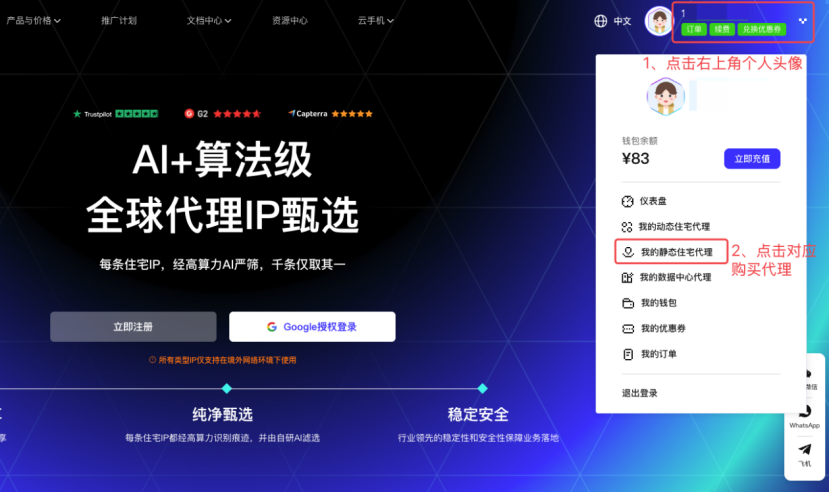
image.png

1.2点击右上角个人头像——点击对应购买代理——点击【已购线路明细】进行查询,信息会显示在中间信息栏里
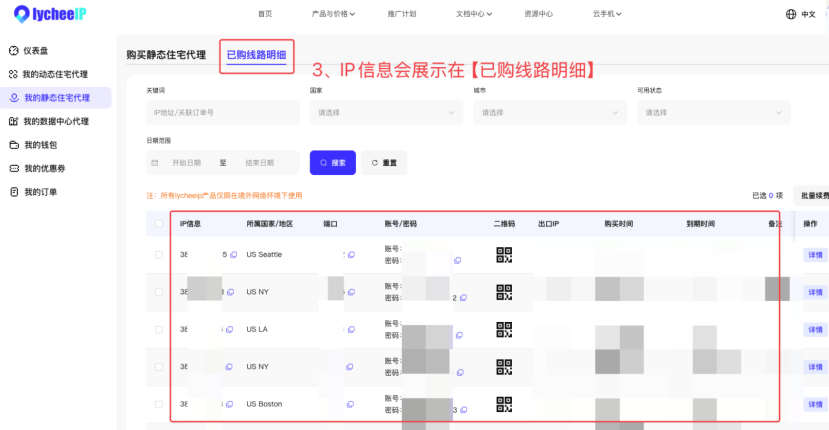
image.png

第二步:配置代理IP

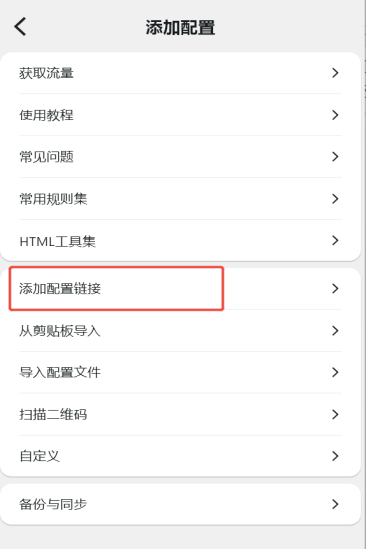
2.1下载Karing并确保自己已经含有可以直连的线路(此线路为用户自己准备),按以下操作导入第一层直连线路
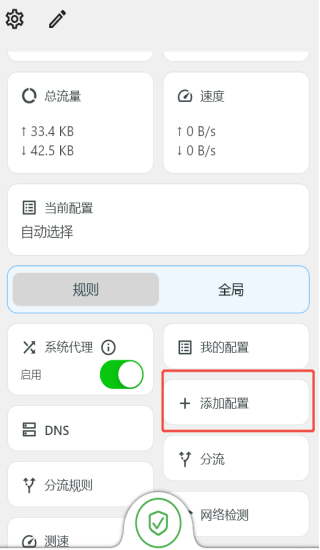
image.pngimage.png

2.2配置代理IP,新建一个代理IP,将购买的IP相关信息输入进去

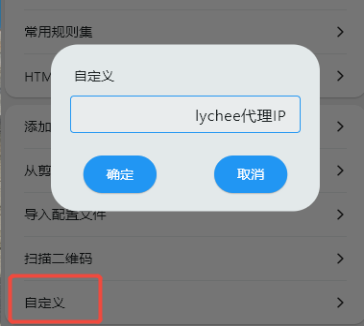
首先点击添加配置,接着点击自定义,自定义名称
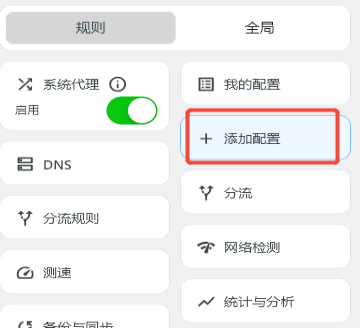
image.pngimage.png

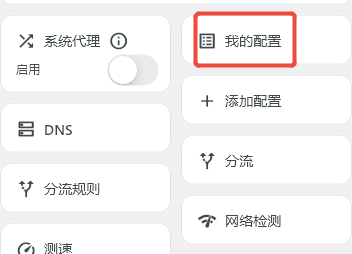
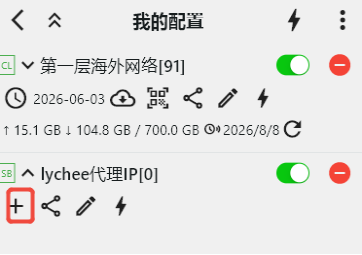
接着在我的配置里找到刚刚添加的代理IP分组,点击加号

image.pngimage.png

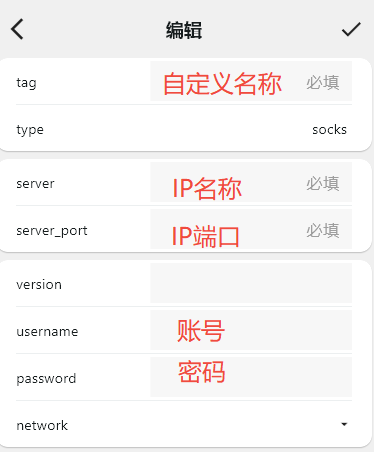
输入对应的IP信息,点击对勾保存

image.png

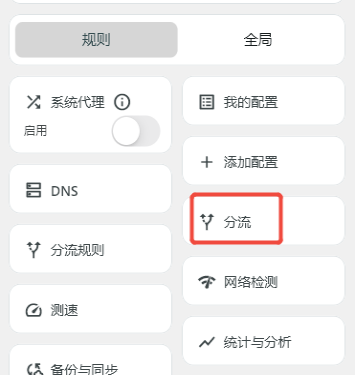
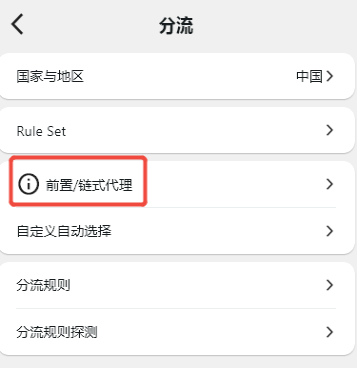
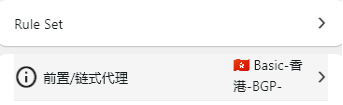
2.3链式代理,选择分流,点击前置/链式代理

image.pngimage.png

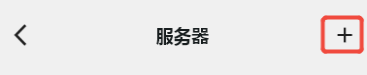
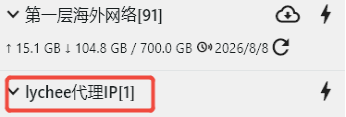
点击加号,选择一条合适的线路,这样就是选择成功了

image.pngimage.png

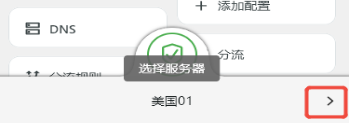
最后在页面右下角点击小右键,选择刚刚配置的代理IP线路就可以了

image.pngimage.png

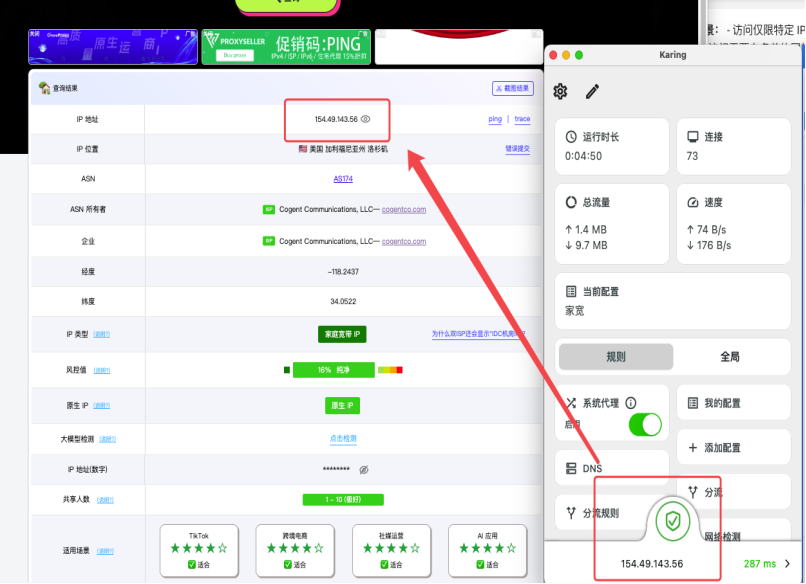
最终karing应用的线路和本地设备检测一致就可以

image.png

Disclaimer
The content of this article is sourced from user submissions and does not represent the stance of lycheeip.All information is for reference only and does not constitute any advice.If you find any inaccuracies or potential rights infringement in the content, please contact us promptly. We will address the matter immediately.
Related Articles