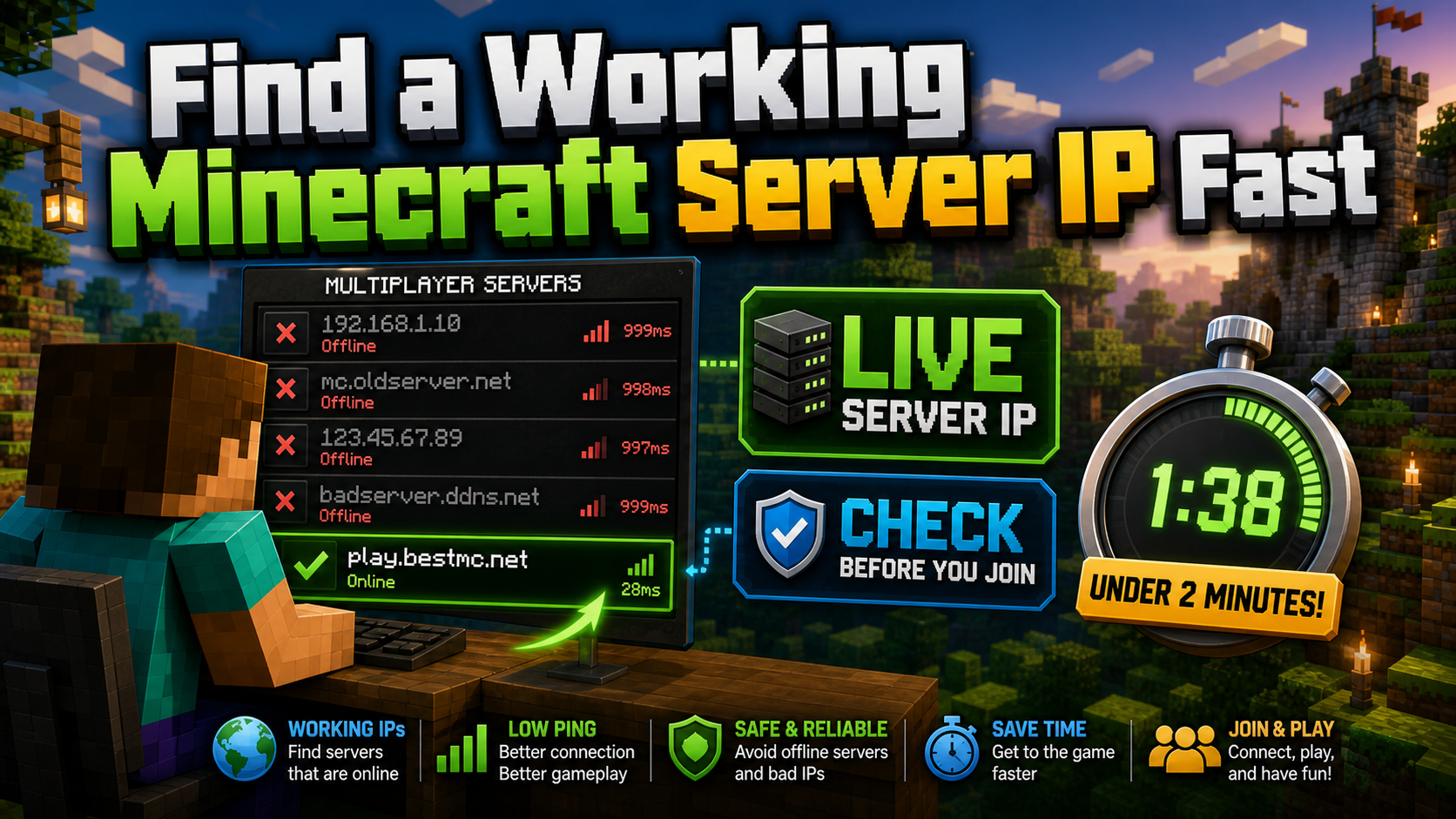
Dead server IPs waste time. A quick status check can tell you whether a Minecraft address is online, reachable, using the right port, and worth opening in the game.
If you have ever copied a Minecraft server address from an old forum post or random list and got “Connection refused,” you already know the problem. Public server IPs go stale quickly. Servers shut down, move hosts, change domains, switch ports, or disappear without updating the original post.
This guide explains what a Minecraft server IP is, how to check whether it is live before you join, and where to find server addresses that are more likely to be maintained.
What a Minecraft Server IP Actually Is
A Minecraft server IP is the network address you enter in the multiplayer menu so your game client knows where to connect. It can be a raw numeric IP address or a readable domain name.
- Numeric IP: an address like
45.33.32.156that points directly to a host. - Domain name: an address like
play.servername.comthat uses DNS to point players to the right backend server. - Address with port: an address like
play.servername.com:19132where the number after the colon tells the client which port to use.
Most public servers use domain names because they are easier to remember and easier to update. If the server owner moves hosting providers, the public domain can stay the same while DNS points to the new backend address.
Java and Bedrock Ports: The Fast Check
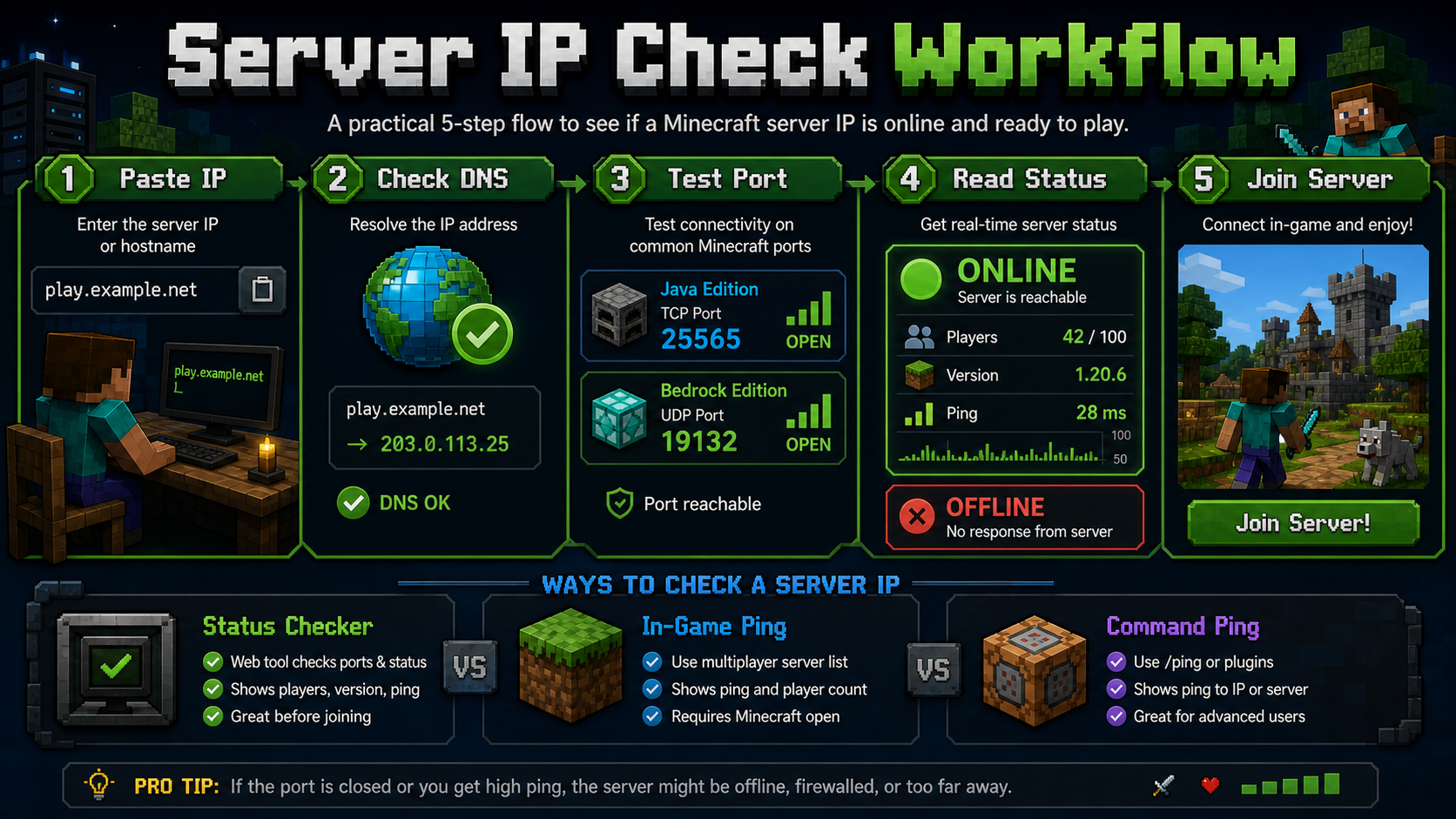
Minecraft Java Edition servers usually run on TCP port 25565. Minecraft Bedrock Edition commonly uses UDP port 19132. If a server runs on a custom port and you leave it out, the address may fail even when the server is online.
Minecraft’s own help center explains the basic process for adding or directly entering server addresses in its Java multiplayer server guide. The important practical point is simple: use the address and port for the edition you are actually playing.
| Edition | Common Port | Address Example | What to Verify |
|---|---|---|---|
| Java Edition | 25565 | play.example.net | Version, server status, player count, and ping |
| Bedrock Edition | 19132 | play.example.net:19132 | Correct port, platform support, and live status |
| Crossplay | Varies | play.example.net plus Bedrock port | Whether Java/Bedrock bridge support is actually enabled |
Suggested Video: Java and Bedrock Crossplay
If you want a quick visual companion to the Java-versus-Bedrock port section, this walkthrough shows how GeyserMC can help server owners support Bedrock players on a Java server.
Why Minecraft Server IPs Stop Working
Server IPs stop working for predictable reasons. The server may have shut down permanently, changed hosting providers, lost its domain, moved to a different port, or gone offline for maintenance.
That is why copying an address from an old post is risky. The IP might have worked months ago and now point to nothing. A domain might still exist but no longer route to a Minecraft server.
The Two-Minute Rule
Before adding a server to your long-term list, spend two minutes checking it. If you cannot confirm status, version, player count, and edition support quickly, treat the address as unverified.
How to Test If a Server IP Is Online
Method 1: Use a Minecraft Server Status Checker
A Minecraft-specific status checker is usually the fastest method. Paste the IP or domain, run the check, and look for online/offline status, player count, max capacity, server version, latency, and MOTD.
Under the hood, Java status checks often rely on the server list ping behavior. The wiki.vg Server List Ping documentation describes how servers can return details such as MOTD, player count, max players, and version to clients and tools.
Method 2: Add It in Minecraft and Read the Status Icon
- Open Minecraft and go to Multiplayer.
- Click Add Server.
- Paste the IP or domain into the address field.
- Click Done and wait for the list to ping the server.
A green signal icon means the server responded. A red X usually means Minecraft could not reach it. A spinning or grayed-out status can mean the request is still pending, timed out, or blocked by routing.
Method 3: Use Command-Line Ping as a Basic Check
You can run ping play.servername.com to see whether the host responds at the network level. This is useful, but it does not prove that Minecraft itself is running. A machine can answer ping while the Minecraft server software is offline.
| Method | Speed | Minecraft-Specific | Requires Game Open |
|---|---|---|---|
| Server status checker | Fast | Yes | No |
| Minecraft multiplayer list | Moderate | Yes | Yes |
| Command-line ping | Fast | No | No |
Where to Find Updated Working Server IPs
Dedicated Server List Websites
Minecraft server list websites are practical starting points because they group servers by mode, show activity signals, and often surface recent status data. Use them as a discovery layer, then verify the address yourself before joining.
Official Websites and Discord Communities
If you already know the server name, go straight to its official site or Discord. Server owners usually update their own channels faster than third-party lists when an IP, domain, port, or version changes.
Recent Community Threads
Subreddits and gaming communities can be useful, but only when posts are recent and the comments confirm that players are connecting successfully. Treat older posts as leads, not proof.
YouTube Server Spotlights
Videos can help you discover active communities, but always check the upload date and comments. A server shown in an old video may have changed address or shut down since the video was published.
Reliable IP Checks for Bigger Workflows
The same logic applies outside Minecraft. If a tool needs to check whether a public service is reachable from different regions, the IP route, source location, and network quality all matter.
For technical teams, LycheeIP can support responsible workflows such as availability monitoring, regional access testing, QA checks, and route comparison. Dynamic residential proxies help when checks need distributed IP diversity, while static IPs are better when a workflow needs a consistent endpoint identity.
For high-speed checks, datacenter proxies can be useful. You can also start from the LycheeIP IP services page and choose the proxy type that matches your monitoring or research workflow.
Common Mistakes to Avoid
Copying IPs from Undated Posts
If the post has no date, assume the IP may be outdated. Look for recent comments or a live status page before trying it.
Ignoring Minecraft Version
A server running one version may reject a different client version. Always check the listed server version before joining.
Confusing Java and Bedrock Addresses
Java and Bedrock use different protocols. An address that works for one edition may fail on the other unless the server supports crossplay.
Forgetting the Port
Custom ports must be included. If the server address includes a colon and number, copy the full address.
Assuming Ping Means the Server Is Live
A successful network ping only means the host is reachable. Use a Minecraft-specific checker for server status, version, player count, and MOTD.
Testing from Only One Location
A server can appear unreachable from one route and reachable from another. For business-grade monitoring, stable static proxy routes, dynamic IP pools, and datacenter IP infrastructure can help compare access patterns responsibly.
Conclusion
Most Minecraft connection failures come from unverified or outdated server addresses. The fix is simple: check the IP first, confirm the edition and port, read the status response, and source addresses from maintained communities.
A working server IP should respond quickly, show a clear version, return a current player count, and match the edition you are using. If one of those checks fails, save yourself the timeout and move on.
For teams that need broader public access testing, LycheeIP offers flexible options across static proxies, dynamic residential proxies, and datacenter proxy infrastructure.
Frequently Asked Questions
What is a Minecraft server IP?
A Minecraft server IP is the network address you enter in the multiplayer menu to connect to a specific server. It can be a numeric IP or a domain name.
Why does my Minecraft server IP say connection refused?
Connection refused usually means the server is offline, the IP changed, the port is wrong, or the server is blocking the connection.
How do I check if a Minecraft server is online without opening the game?
Use a Minecraft server status checker. Enter the server IP or domain and check for online status, player count, version, ping, and MOTD.
What port does Minecraft use for multiplayer?
Java Edition commonly uses port 25565. Bedrock Edition commonly uses port 19132. Custom servers may use other ports.
Where can I find working Minecraft server IPs?
Use maintained server list websites, official server websites, Discord communities, and recent community posts. Verify each address before joining.
Can I use the same server IP for Java and Bedrock?
Not usually. Java and Bedrock use different network protocols unless the server has crossplay support.
Why do Minecraft server IPs stop working over time?
Servers shut down, change hosts, update domains, move ports, or go offline for maintenance. Old public lists are not always updated.
How do I find the IP of a server I joined before?
Check your saved Minecraft server list, game logs, the server website, or the community Discord.
Is it safe to join any public Minecraft server?
Most public servers are safe for gameplay, but avoid sharing personal information, clicking unknown links, or downloading suspicious files.
What does the green or red icon mean in the server list?
Green signal bars usually mean the server is online and responding. A red X means Minecraft could not reach it, and a spinning icon often means the check timed out.