Are Proxies Safe? How to Use Proxies Securely Without Losing Speed or Control
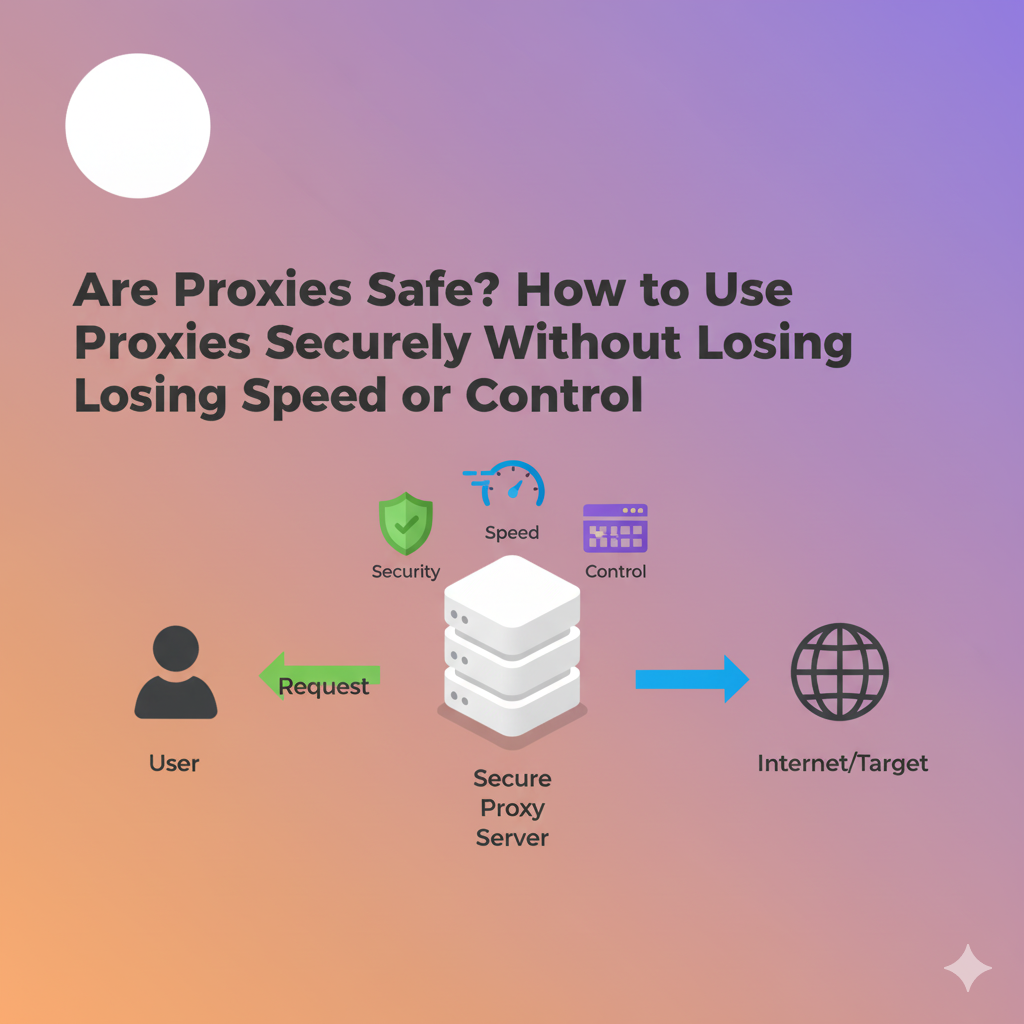
Online work now touches everything from growth experiments to production data pipelines, which means privacy and security are no longer optional. Proxies can help, but only when they’re chosen and configured with care. This article explains what a proxy is, why teams use them, where the risks come from, and how to stay safe using LycheeIP-style best practices.
Use LycheeIP to test rotating residential proxies on your target sites
What is a proxy server and how does it work?
A proxy server is a middle layer that forwards your requests to a target site and returns the response to you. Instead of exposing your device’s IP, the target sees the proxy’s IP. This indirection helps protect your origin IP, stabilize automation flows, and route traffic through specific geos or networks.
In practice: your app sends a request → proxy receives it → proxy forwards it to the destination → proxy returns the response. With the right setup, this shields your IP, location, and certain request patterns while keeping performance predictable.
Why do teams rely on proxies for modern workloads?
Teams use proxies to control identity and routing at the network edge. Common use cases include web data collection, ad verification, price monitoring, QA on localized content, and fraud reduction on sensitive flows. A clean, well-managed proxy network reduces blocks, avoids noisy neighbor effects, and adds operational control to distributed jobs.
Use LycheeIP to test rotating residential proxies on your target sites
Are proxies safe to use?
Proxies are safe when the provider sources IPs ethically, enforces acceptable use, and invests in network hygiene and controls. Proxies become risky when they’re free, unknown, or poorly governed. Safety is less about the word “proxy” and more about who runs the pool, how the IPs are sourced, and which controls you configure.
How do free proxies compare to paid proxies for security?
Free proxies are easy to find but hard to trust. They are frequently overused, unstable, and sometimes intentionally instrumented for data harvesting or traffic manipulation. Paid proxies from a reputable vendor are monitored, rate-limited, and audited, with abuse controls and clear accountability. That translates to cleaner pools, better uptime, and fewer surprises.
Quick take: if a pool is free and anonymous, you are the product. If a pool is paid and accountable, your traffic and uptime matter to someone whose business depends on both.
Which proxy types are safest for sensitive tasks?
The “safest” type depends on your use case and risk profile.
- Residential proxies: Best for consumer-context browsing and high block-resistance. Prioritize vendors with explicit, ethical opt-in sourcing and clear policies.
- ISP (static residential) proxies: Good for longer-lived sessions with residential ranges and lower churn.
- Datacenter proxies: Strong for speed and cost; best for tolerant targets, APIs, and workloads that do not demand residential context.
- Mobile proxies: Highest trust context for mobile-like traffic; use when targets are mobile-biased or aggressive on detection.
For shared vs dedicated, dedicated IPs give you clean history and full control. Shared IPs are fine for low-risk tasks if the provider actively vets customers and filters abuse.
What provider signals indicate secure, reliable proxy usage?
Look for these non-negotiables:
- Ethical IP sourcing: Transparent, opt-in methods and documentation you can read.
- Compliance posture: Clear ToS, privacy policy, data processing agreements, and alignment with regulations like GDPR.
- Pool hygiene: Active abuse prevention, IP reputation monitoring, and complaint handling.
- Access controls: Username/password and IP allow-listing available, plus fine-grained sub-user/port controls.
- Observability: Dashboards, logs, and usage analytics so your team can verify what’s happening.
- Support you can reach: Real response times and technical help when something breaks.
How should you configure proxies to maximize security?
Answer first: combine least-privilege access with layered authentication and good network hygiene.
- Enable dual auth: Use username/password plus IP allow-listing for critical projects.
- Segment credentials: Issue separate users/ports per project, team, or environment to isolate risk.
- Rotate where it matters: Use rotating residential proxies for scraping-like tasks to reduce bans and rate limits. Use sticky or dedicated sessions for checkouts, dashboards, and flows that require continuity.
- Control egress: Limit which geos and subnets each project can use; avoid “anywhere” defaults.
- Log and alert: Track request volumes, success codes, and block rates. Alert on abnormal spikes or error bursts.
- Respect robots and policies: Stay compliant with site terms, robots directives where relevant, and your internal legal guidelines.
Which risks come with unknown or free proxies?
The top risks are visibility, integrity, and stability:
- Data capture: Operators can log payloads, headers, and destinations.
- Traffic tampering: Responses can be injected, altered, or downgraded.
- Malware and eavesdropping: Unsafe relays can distribute malware or capture credentials.
- Pool contamination: Overused or abused IPs get flagged, throttled, or blocked.
- No recourse: With no vendor accountability, you have no one to fix issues or trace abuse.
Use LycheeIP to test rotating residential proxies on your target sites
Does a proxy alone make you anonymous and secure?
No. A proxy hides your IP, not your entire fingerprint. Device, browser, TLS, cookies, and behavioral signals still matter. Pair proxies with good session management, compliant automation practices, and security hygiene across the stack. Think “defense in depth,” not “proxy and forget.”
What is a safe decision path for picking a proxy provider?
Use a short, practical sequence:
- Define the job: Scraping, QA, ads, checkout testing, fraud ops, or analytics.
- Map the risk: Target sensitivity, required success rate, permissible geos, compliance needs.
- Match the type: Residential rotating for block-prone targets, ISP/static for sticky sessions, DC for speed and APIs.
- Validate the vendor: Ask for sourcing detail, KYC/abuse policies, and pool health metrics.
- Pilot in staging: Test block rates, success codes, latency, and error patterns against a realistic workload.
- Harden access: Dual auth, per-project creds, IP allow-lists, and limited geos.
- Monitor in prod: Track performance and rotate or re-scope when signals degrade.
When should teams prefer rotating residential proxies?
Choose rotating residential proxies when targets are sensitive to repetitive traffic, when you need broad geo coverage, or when rate limits are strict. Rotation reduces the chance that a single identity accumulates blocks, while residential context matches real-world consumer patterns.
Which red flags should you avoid immediately?
- Vague answers about IP sourcing.
- No KYC, no abuse controls, and no acceptable-use policy.
- “Unlimited everything” claims with no rate governance.
- No logging, no dashboards, no support line.
- Consistently poor success rates or unexplained traffic anomalies.
How can small teams keep costs predictable without sacrificing safety?
Start with the smallest pool that meets your SLA, prefer plans with transparent pricing, and scale only the sub-pools you need. Use DC proxies for tolerant targets to save, then reserve residential or ISP IPs for sensitive flows. Good hygiene reduces retries and waste, which cuts cost without cutting safety.
Proxy Security Checklist (copy-paste for your runbook)
- Ethical provider with clear sourcing and compliance docs
- Dual auth: credentials and IP allow-listing
- Per-project credentials and scoped geos
- Rotation strategy aligned to target sensitivity
- Logging and alerts on spikes, blocks, and errors
- Regular success-rate and latency reviews
- Policy-compliant data collection and storage
Proxies can be safe, fast, and predictable when the network is clean, the sourcing is ethical, and your configuration is intentional. Focus on reputable providers, match proxy type to task, and enforce layered access controls. That is how teams protect identity, reduce blocks, and keep workloads stable.
Use LycheeIP to test rotating residential proxies on your target sites
Frequently Asked Questions:
1. Are proxies safe?
Proxies are safe when the provider uses ethically sourced IPs, enforces KYC and abuse controls, and gives you dual authentication plus observability. Avoid free or unknown pools and always log usage, monitor success rates, and rotate when needed.
2. Are proxies legal to use?
Yes, using a proxy is legal in most jurisdictions. Illegal activity remains illegal regardless of a proxy, and targets may restrict automated access in their terms. Work with your legal team and follow site policies.
3. What’s the difference between a proxy and a VPN?
A proxy forwards selected traffic so the destination sees the proxy’s IP, not yours; it does not inherently encrypt traffic. A VPN typically encrypts device-wide traffic. For scraping and geo testing, proxies give finer control; use HTTPS to protect payloads.
4. Which proxy type is best for web scraping?
Use rotating residential proxies for block-prone targets and broad geo coverage. Use sticky ISP/static sessions for logins or carts that need continuity, and datacenter proxies for speed against tolerant endpoints or APIs.
5. Will a proxy slow my connection?
Any hop can add latency, but clean pools, nearby egress, and the right type minimize overhead. Datacenter IPs are fastest; residential or mobile provide higher trust at a modest speed tradeoff. Measure success rate, TTFB, and error codes during a pilot.
6. How do I evaluate if a proxy provider is safe?
Check sourcing transparency, compliance docs, and pool hygiene. Require dual auth, per-project credentials, scoped geos, and usable dashboards with logs. Run a short pilot, compare success and block rates, and verify real support responsiveness.